


Wydawcy
Katalog tematyczny
- Archeologia (109)
- Ekonomia, finanse, business (13704)
- Filozofia (1445)
- Historia (3040)
- Języki i językoznawstwo (2356)
- Lifestyle, hobby i rozrywka (475)
- Medycyna (9704)
- Nauki humanistyczne (4)
- Nauki o Ziemi i środowisku (2638)
- Nauki ścisłe (20412)
- Nauki społeczne (8486)
- Nauki techniczne (13450)
- Prawo (1696)
- Publikacje informacyjne i interdyscyplinarne (1288)
- Religia i wierzenia (917)
- Technika komputerowa (4067)
- Bazy danych (75)
- Bezpieczeństwo komputerowe (454)
- Certyfikacja komputerowa (1)
- Grafika i media cyfrowe (32)
- Informatyka (779)
- Komputery, ogólnie (74)
- Programowanie (351)
- Programy komercyjne (49)
- Sieci komputerowe (350)
- Sprzęt komputerowy (4)
- Systemy operacyjne (32)
- Technika cyfrowa na co dzień (7)
- Zdrowie, relacje międzyludzkie i rozwój osobisty (657)





Informacje szczegółowe o książce
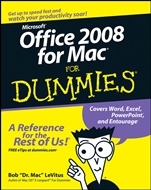
Office 2008 for Mac For Dummies
ISBN 9780470270325
Autor: Bob LeVitus
Wydawca: Wiley
Dostępność: 3-6 tygodni
Cena: 152,25 zł
Przed złożeniem zamówienia prosimy o kontakt mailowy celem potwierdzenia ceny.
ISBN13: |
9780470270325 |
ISBN10: |
0470270322 |
Autor: |
Bob LeVitus |
Oprawa: |
Paperback |
Rok Wydania: |
2008-05-09 |
Ilość stron: |
436 |
Wymiary: |
235x192 |
Tematy: |
US |
Packed with the latest Office tricks and tips
Create beautiful documents, crunch numbers and data, and make your slide shows sing
It′s a suite deal — documents, spreadsheets, presentations, e–mail, and calendars, all in Office 2008 for Mac. Learn how to create cool–looking newsletters, build spreadsheets and charts, design a presentation with pizzazz, and organize life with your address book, calendar, and e–mail.
Discover how to:
Install and update Office 2008
Create documents using templates, tables, and graphics
Add images, sound, and movies to a slide show
Enter, format, sort, and filter data in cells
Send and receive e–mail
Spis treści:
Introduction.
Part I: Introduction to the Microsoft Office 2008 Suite.
Chapter 1: Overview from 10,000 Feet.
Chapter 2: A Sweet Suite: Introducing the Office 2008 Applications.
Chapter 3: Common Knowledge: Things That Work the Same in All Office Applications.
Part II: Mastering Microsoft Word.
Chapter 4: Getting to Know Microsoft Word.
Chapter 5: Processing Documents with Word.
Chapter 6: Refining and Editing Documents with Word.
Chapter 7: Going for the Designer Look: Using Templates and Other Design Elements.
Chapter 8: This and That: Advanced and Collaboration Features.
Part III: Powerful Presentations with Microsoft PowerPoint.
Chapter 9: Getting to Know Microsoft PowerPoint.
Chapter 10: Creating Slide Shows.
Chapter 11: Making Your Slide Shows Sing.
Chapter 12: Presentation Mastery.
Part IV: Crunching Data with Microsoft’s Most Excellent Excel.
Chapter 13: Getting to Know Microsoft Excel.
Chapter 14: Crunching Numbers (and Data) with Excel.
Chapter 15: Enhancing and Printing Your Excel Spreadsheets.
Chapter 16: Advanced Spreadsheeting.
Part V: Microsoft Entourage: Miraculous Manager of Mo
st Things.
Chapter 17: Getting to Know Entourage.
Chapter 18: Entourage Online.
Chapter 19: Managing Your Affairs with Entourage.
Chapter 20: Getting Advanced with Entourage.
Part VI: The Part of Tens.
Chapter 21: Ten Things in Office 2008 That Didn’t Fit Elsewhere.
Chapter 22: Ten Timesaving Shortcuts and Tips for Enhanced Productivity.
Chapter 23: Ten Ways to Customize Office.
Index.
Nota biograficzna:
Bob LeVitus is considered one of the world′s leading authorities on all things Mac. He pens the popular "Dr. Mac" column for the Houston Chronicle every Tuesday and is a columnist for The Mac Observer.
Okładka tylna:
Packed with the latest Office tricks and tips
Create beautiful documents, crunch numbers and data, and make your slide shows sing
It′s a suite deal — documents, spreadsheets, presentations, e–mail, and calendars, all in Office 2008 for Mac. Learn how to create cool–looking newsletters, build spreadsheets and charts, design a presentation with pizzazz, and organize life with your address book, calendar, and e–mail.
Discover how to:
Install and update Office 2008
Create documents using templates, tables, and graphics
Add images, sound, and movies to a slide show
Enter, format, sort, and filter data in cells
Send and receive e–mail
Koszyk
Książek w koszyku: 0 szt.
Wartość zakupów: 0,00 zł
Informacje


Kontakt
Gambit
Centrum Oprogramowania
i Szkoleń Sp. z o.o.
Al. Pokoju 29b/22-24
31-564 Kraków
Siedziba Księgarni
ul. Kordylewskiego 1
31-542 Kraków
+48 12 410 5991
+48 12 410 5987
+48 12 410 5989
Subskrypcje
Administratorem danych osobowych jest firma Gambit COiS Sp. z o.o. Na podany adres będzie wysyłany wyłącznie biuletyn informacyjny.
Autoryzacja płatności

Informacje na temat autoryzacji płatności poprzez PayU.

© Copyright 2012: GAMBIT COiS Sp. z o.o. Wszelkie prawa zastrzeżone.
Projekt i wykonanie: Alchemia Studio Reklamy