


Wydawcy
Katalog tematyczny
- Archeologia (109)
- Ekonomia, finanse, business (13704)
- Filozofia (1445)
- Historia (3040)
- Języki i językoznawstwo (2356)
- Lifestyle, hobby i rozrywka (475)
- Medycyna (9704)
- Nauki humanistyczne (4)
- Nauki o Ziemi i środowisku (2638)
- Nauki ścisłe (20412)
- Nauki społeczne (8486)
- Nauki techniczne (13450)
- Prawo (1696)
- Publikacje informacyjne i interdyscyplinarne (1288)
- Religia i wierzenia (917)
- Technika komputerowa (4067)
- Bazy danych (75)
- Bezpieczeństwo komputerowe (454)
- Certyfikacja komputerowa (1)
- Grafika i media cyfrowe (32)
- Informatyka (779)
- Komputery, ogólnie (74)
- Programowanie (351)
- Programy komercyjne (49)
- Sieci komputerowe (350)
- Sprzęt komputerowy (4)
- Systemy operacyjne (32)
- Technika cyfrowa na co dzień (7)
- Zdrowie, relacje międzyludzkie i rozwój osobisty (657)





Informacje szczegółowe o książce
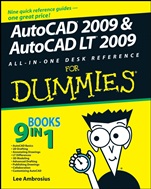
AutoCAD 2009 and AutoCAD LT 2009 All–in–One Desk Reference For Dummies
ISBN 9780470243787
Autor: Lee Ambrosius
Wydawca: Wiley
Dostępność: 3-6 tygodni
Cena: 216,30 zł
Przed złożeniem zamówienia prosimy o kontakt mailowy celem potwierdzenia ceny.
ISBN13: |
9780470243787 |
ISBN10: |
0470243783 |
Autor: |
Lee Ambrosius |
Oprawa: |
Paperback |
Rok Wydania: |
2008-05-09 |
Numer Wydania: |
2nd Edition |
Ilość stron: |
792 |
Wymiary: |
235x189 |
Tematy: |
US |
9 books in 1 — your key to success with AutoCAD!
Your one–stop guide to creating great technical drawings using AutoCAD 2009
Nobody ever said AutoCAD was easy, which is why you need a book that is! These nine minibooks cover all the stuff you need to know to set up AutoCAD for 2D or 3D, create drawings, modify and share them, publish your work, and more. There′s even a minibook devoted to AutoCAD LT, to increase your options!
Discover how to:
Navigate the AutoCAD interface
Work with lines, shapes, and curves
Add explanatory text to your drawings
Understand the differences between AutoCAD and AutoCAD LT
Render your drawings
Spis treści:
Introduction.
Book I: AutoCAD Basics.
Chapter 1: One–on–One Time with AutoCAD.
Chapter 2: Drawing on and in AutoCAD.
Chapter 3: Navigating the AutoCAD Interface.
Chapter 4: All about Files.
Chapter 5: Basic Tools.
Chapter 6: Setting Up Drawings.
Chapter 7: Precision Tools.
Book II: 2D Drafting.
Chapter 1: Drawing Objects.
Chapter 2: Modifying Objects.
Chapter 3: Managing Views.
Book III: Annotating Drawings.
Chapter 1: Text: When Pictures Just Won’t Do.
Chapter 2: Dimensioning.
Chapter 3: Hatching Your Drawings.
Chapter 4: Scaling Mt. Annotation.
Book IV: LT Differences.
Chapter 1: The LT Difference.
Chapter 2: Extending AutoCAD LT.
Chapter 3: Mixed Environments.
Book V: 3D Modeling.
Chapter 1: Introducing the Third Dimension.
Chapter 2: Using the 3D Environment.
Chapter 3: Viewing in 3D.
Chapter 4: Moving from 2D to 3D.
Chapter 5: Working with Solids.
Chapter 6: Rendering: Lights, Camera, AutoCAD!
Book VI: Advanced Drafting.
Chapter 1: Playing with Blocks.
Chapter 2: Dynamic Blocks.
Chapter 3: External References.
Chapter 4: Organizing Your Drawings.
B
ook VII: Publishing Drawings.
Chapter 1: Page Setup.
Chapter 2: Sheet Sets without Regret.
Chapter 3: Print, Plot, Publish.
Book VIII: Collaboration.
Chapter 1: CAD Management: The Necessary Evil.
Chapter 2: CAD Standards.
Chapter 3: Working with Drawing Files.
Chapter 4: Sharing Electronic Files.
Book IX: Customizing AutoCAD.
Chapter 1: The Basics of Customizing AutoCAD.
Chapter 2: Customizing the Interface.
Chapter 3: Customizing the Tools.
Chapter 4: Delving Deeper into Customization.
Chapter 5: Recording Your Actions.
Bonus Chapters.
Bonus Chapter 1: Working with Surfaces.
Bonus Chapter 2: The AutoCAD Programming Interfaces.
Bonus Chapter 3: Using Custom Programs.
Bonus Chapter 4: Introducing AutoLISP.
Bonus Chapter 5: Visual Basic for AutoCAD.
Bonus Chapter 6: AutoCAD Utilities.
Bonus Chapter 7: Creating Custom Linetypes, Shapes, and Hatch Patterns.
Index.
Nota biograficzna:
Lee Ambrosius works for Autodesk as a technical writer for the Platform Solutions and Emerging Business (PSEB) division and is based out of his home office. Before that, he worked as an independent consultant for more than three years, and before that he was a resident of a cubicle farm for about eight years, where he worked as a systems analyst creating custom applications. Even though Lee doesn’t work for himself anymore, he still runs his Web site, www.hyperpics.com, and his blog, hyperpics.blogs.com. He has been using AutoCAD since 1994, when he was first exposed to Release 12 for DOS, and has been customizing and programming AutoCAD since 1996. Lee was an AutoCAD consultant and trainer for more than ten years, and has been teaching at Autodesk University since 2004.
For over a decade, Lee has authored a variety of works that include articles for CAD magazines and white papers for Autodesk and has been a contributing author on a few occasions for AutoCAD
books. He has been a technical editor for the recent editions of AutoCAD For Dummies and AutoCAD and AutoCAD LT Bible. The first version of this book, AutoCAD and AutoCAD LT All–in–One Desk Reference For Dummies, was his first venture into being a coauthor for a book before going off and authoring the book AutoCAD 2008 3D Modeling Workbook For Dummies.
Okładka tylna:
9 books in 1 — your key to success with AutoCAD!
Your one–stop guide to creating great technical drawings using AutoCAD 2009
Nobody ever said AutoCAD was easy, which is why you need a book that is! These nine minibooks cover all the stuff you need to know to set up AutoCAD for 2D or 3D, create drawings, modify and share them, publish your work, and more. There′s even a minibook devoted to AutoCAD LT, to increase your options!
Discover how to:
Navigate the AutoCAD interface
Work with lines, shapes, and curves
Add explanatory text to your drawings
Understand the differences between AutoCAD and AutoCAD LT
Render your drawings
Koszyk
Książek w koszyku: 0 szt.
Wartość zakupów: 0,00 zł
Informacje


Kontakt
Gambit
Centrum Oprogramowania
i Szkoleń Sp. z o.o.
Al. Pokoju 29b/22-24
31-564 Kraków
Siedziba Księgarni
ul. Kordylewskiego 1
31-542 Kraków
+48 12 410 5991
+48 12 410 5987
+48 12 410 5989
Subskrypcje
Administratorem danych osobowych jest firma Gambit COiS Sp. z o.o. Na podany adres będzie wysyłany wyłącznie biuletyn informacyjny.
Autoryzacja płatności

Informacje na temat autoryzacji płatności poprzez PayU.

© Copyright 2012: GAMBIT COiS Sp. z o.o. Wszelkie prawa zastrzeżone.
Projekt i wykonanie: Alchemia Studio Reklamy