


Wydawcy
Katalog tematyczny
- Archeologia (109)
- Ekonomia, finanse, business (13704)
- Filozofia (1445)
- Historia (3040)
- Języki i językoznawstwo (2356)
- Lifestyle, hobby i rozrywka (475)
- Medycyna (9704)
- Nauki humanistyczne (4)
- Nauki o Ziemi i środowisku (2638)
- Nauki ścisłe (20412)
- Nauki społeczne (8486)
- Nauki techniczne (13450)
- Prawo (1696)
- Publikacje informacyjne i interdyscyplinarne (1288)
- Religia i wierzenia (917)
- Technika komputerowa (4067)
- Bazy danych (75)
- Bezpieczeństwo komputerowe (454)
- Certyfikacja komputerowa (1)
- Grafika i media cyfrowe (32)
- Informatyka (779)
- Komputery, ogólnie (74)
- Programowanie (351)
- Programy komercyjne (49)
- Sieci komputerowe (350)
- Sprzęt komputerowy (4)
- Systemy operacyjne (32)
- Technika cyfrowa na co dzień (7)
- Zdrowie, relacje międzyludzkie i rozwój osobisty (657)





Informacje szczegółowe o książce
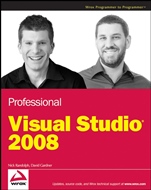
Professional Visual Studio® 2008
ISBN 9780470229880
Autor: Nick Randolph, David Gardner
Wydawca: Wiley
Dostępność: 3-6 tygodni
Cena: 260,40 zł
Przed złożeniem zamówienia prosimy o kontakt mailowy celem potwierdzenia ceny.
ISBN13: |
9780470229880 |
ISBN10: |
0470229888 |
Autor: |
Nick Randolph, David Gardner |
Oprawa: |
Paperback |
Rok Wydania: |
2008-07-25 |
Ilość stron: |
1032 |
Wymiary: |
234x188 |
Tematy: |
UP |
Professional Visual Studio 2008
Microsoft Visual Studio 2008 is the latest version in the ongoing evolution of the Integrated Development Environment (IDE), and this resource examines the diverse facets of the IDE—from common tasks to intricate functions to the powerful tools that accompany the main code editing and design windows. Written by a unique author duo and offering an in–depth look at the powerful and fascinating features and techniques of the IDE, this book explores each aspect of the development life cycle from the perspective of how Visual Studio 2008 can make your life easier.
Each chapter is packed with examples that illustrate uses for various tools, commands, and shortcuts of Visual Studio 2008. You will gradually learn to identify where a feature is used, conclude how you can use it to its fullest potential, and then seamlessly apply that feature to help solve real–world problems.
What you will learn from this book
How to create project templates and wizards
Methods for using IntelliSense, code refactoring, class modeling, and unit testing
Tips for using DataSets, LINQ, and Synchronization Services for working with data
How to build web applications using ASP.NET AJAX, Silverlight, and ASP.NET MVC
Ideas for building Office and Mobile applications, WPF, WCF, and WF projects
Ways to effectively analyze and identify bugs using the advanced debugging features
How to automate repetitive tasks using the Visual Studio 2008 add–ins and macros
Suggestions for using Visual Studio Team System components coupled with Team Foundation Server
Techniques for building more secure applications
Who this book is for
This book is for programmers who want to become proficient with the latest version of Visual Studio and are interested in the advanced capabilities of the IDE.
Wrox Professional guides are planned and written by wor
king programmers to meet the real–world needs of programmers, developers, and IT professionals. Focused and relevant, they address the issues technology professionals face every day. They provide examples, practical solutions, and expert education in new technologies, all designed to help programmers do a better job.
Spis treści:
Introduction.
Part I: Integrated Development Environment.
Chapter 1: A Quick Tour.
Let’s Get Started.
The Visual Studio IDE.
Chapter 2: The Solution Explorer, Toolbox, and Properties.
The Solution Explorer.
The Toolbox.
Properties.
Chapter 3: Options and Customizations.
Window Layout.
The Editor Space.
Other Options.
Importing and Exporting Settings.
Chapter 4: Workspace Control.
Command Window.
Immediate Window.
Class View.
Object Browser.
Object Test Bench.
Code View.
Document Outline Tool Window.
Control Outline.
Chapter 5: Find and Replace, and Help.
Introducing Find and Replace.
Find in Files.
Replace in Files.
Incremental Search.
Find Symbol.
Find and Replace Options.
Accessing Help.
The Search Window.
Keeping Favorites.
Customizing Help.
Part II: Getting Started.
Chapter 6: Solutions, Projects, and Items.
Solution Structure.
Solution File Format.
Solution Properties.
Project Types.
Project Files Format.
Project Properties.
Web Site Projects.
Chapter 7: Source Control.
Selecting a Source Control Repository.
Accessing Source Control.
Offline Support for Source Control.
Chapter 8: Forms and Controls.
The Windows Form.
Form Design Preferences.
Adding and Positioning Controls.
Container Controls.
Docking and Anchoring Controls.
Chapter 9: Documentation Using Comments and Sandcastle.
Inline Commenting.
XML Comments.
Using XML Comments.
Sandcastle Documentation G
eneration Tools.
Task List Comments.
Chapter 10: Project and Item Templates.
Creating Templates.
Extending Templates.
Part III: Languages.
Chapter 11: Generics, Nullable Types, Partial Types, and Methods.
Generics.
Nullable Types.
Partial Types.
Operator Overloading.
Property Accessibility.
Custom Events.
Chapter 12: Anonymous Types, Extension Methods, and Lambda Expressions.
Object and Array Initialization.
Implicit Typing.
Anonymous Types.
Extension Methods.
Lambda Expressions.
Chapter 13: Language–Specific Features.
C#.
VB.NET.
Chapter 14: The My Namespace.
What Is the My Namespace?
Using My in Code.
A Namespace Overview.
Your Turn.
Chapter 15: The Languages Ecosystem.
Hitting a Nail with the Right Hammer.
Introducing F#.
Part IV: Coding.
Chapter 16: IntelliSense and Bookmarks.
IntelliSense Explained.
IntelliSense Options.
Extended IntelliSense.
Bookmarks and the Bookmark Window.
Chapter 17: Code Snippets and Refactoring.
Code Snippets Revealed.
Accessing Refactoring Support.
Refactoring Actions.
Chapter 18: Modeling with the Class Designer.
Creating a Class Diagram.
Design Surface.
Toolbox.
Class Details.
Properties Window.
Layout.
Exporting Diagrams.
Code Generation and Refactoring.
PowerToys for the Class Designer.
Chapter 19: Server Explorer.
The Servers Node.
Chapter 20: Unit Testing.
Your First Test Case.
Asserting the Facts.
Initializing and Cleaning Up.
Testing Context.
Managing Large Numbers of Tests.
Part V: Data.
Chapter 21: DataSets and DataBinding.
DataSet Overview.
Binding.
Working with Data Sources.
Chapter 22: Visual Database Tools.
Database Windows in Visual Studio 2008.
Managing Test Data.
Previewing Data.
Chapter 23: Lan
guage Integrated Queries (LINQ).
LINQ Providers.
Old–School Queries.
Query Pieces.
Debugging and Execution.
Chapter 24: LINQ to XML.
XML Object Model.
Creating XML with LINQ.
Querying XML.
Schema Support.
Chapter 25: LINQ to SQL and Entities.
LINQ to SQL.
LINQ to Entities.
Chapter 26: Synchronization Services.
Occasionally Connected Applications.
Part VI: Security.
Chapter 27: Security in the .NET Framework.
Key Security Concepts.
Code Access Security.
Role–Based Security.
Chapter 28: Cryptography.
General Principles.
Techniques.
Applying Cryptography.
Miscellaneous.
Chapter 29: Obfuscation.
MSIL Disassembler.
Decompilers.
Obfuscating Your Code.
Attributes.
Chapter 30: Client Application Services.
Client Services.
Role Authorization.
User Authentication.
Settings.
Login Form.
Offline Support.
Chapter 31: Device Security Manager.
Security Configurations.
Device Emulation.
Part VII: Platforms.
Chapter 32: ASP.NET Web Applications.
Web Application vs. Web Site Projects.
Creating Web Projects.
Designing Web Forms.
Web Controls.
Master Pages.
Rich Client–Side Development.
ASP.NET Web Site Administration.
Chapter 33: Office Applications.
Choosing an Office Project Type.
Creating a Document–Level Customization.
Creating an Application Add–In.
Debugging Office Applications.
Deploying Office Applications.
Chapter 34: Mobile Applications.
Getting Started.
The Design Skin.
The Toolbox.
Debugging.
Project Settings.
The Data Source.
Windows Mobile APIs.
Chapter 35: WPF Applications.
Getting Started.
WPF Designer.
Styling Your Application.
Windows Forms Interoperability.
Chapter 36: WCF and WF Applications.
Windows Communication Foundation
Koszyk
Książek w koszyku: 0 szt.
Wartość zakupów: 0,00 zł
Informacje


Kontakt
Gambit
Centrum Oprogramowania
i Szkoleń Sp. z o.o.
Al. Pokoju 29b/22-24
31-564 Kraków
Siedziba Księgarni
ul. Kordylewskiego 1
31-542 Kraków
+48 12 410 5991
+48 12 410 5987
+48 12 410 5989
Subskrypcje
Administratorem danych osobowych jest firma Gambit COiS Sp. z o.o. Na podany adres będzie wysyłany wyłącznie biuletyn informacyjny.
Autoryzacja płatności

Informacje na temat autoryzacji płatności poprzez PayU.

© Copyright 2012: GAMBIT COiS Sp. z o.o. Wszelkie prawa zastrzeżone.
Projekt i wykonanie: Alchemia Studio Reklamy