


Wydawcy
Katalog tematyczny
- Archeologia (109)
- Ekonomia, finanse, business (13704)
- Filozofia (1445)
- Historia (3040)
- Języki i językoznawstwo (2356)
- Lifestyle, hobby i rozrywka (475)
- Medycyna (9704)
- Nauki humanistyczne (4)
- Nauki o Ziemi i środowisku (2638)
- Nauki ścisłe (20412)
- Nauki społeczne (8486)
- Nauki techniczne (13450)
- Prawo (1696)
- Publikacje informacyjne i interdyscyplinarne (1288)
- Religia i wierzenia (917)
- Technika komputerowa (4067)
- Bazy danych (75)
- Bezpieczeństwo komputerowe (454)
- Certyfikacja komputerowa (1)
- Grafika i media cyfrowe (32)
- Informatyka (779)
- Komputery, ogólnie (74)
- Programowanie (351)
- Programy komercyjne (49)
- Sieci komputerowe (350)
- Sprzęt komputerowy (4)
- Systemy operacyjne (32)
- Technika cyfrowa na co dzień (7)
- Zdrowie, relacje międzyludzkie i rozwój osobisty (657)





Informacje szczegółowe o książce
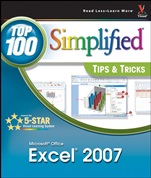
Microsoft Office Excel 2007: Top 100 Simplified Tips and Tricks
ISBN 9780470126745
Autor: Denise Etheridge
Wydawca: Wiley
Dostępność: 3-6 tygodni
Cena: 119,70 zł
Przed złożeniem zamówienia prosimy o kontakt mailowy celem potwierdzenia ceny.
ISBN13: |
9780470126745 |
ISBN10: |
0470126744 |
Autor: |
Denise Etheridge |
Oprawa: |
Paperback |
Rok Wydania: |
2007-07-24 |
Ilość stron: |
256 |
Wymiary: |
252x217 |
Tematy: |
US |
You already know Excel 2007. Now you′d like to go beyond with shortcuts, tricks, and tips that let you work smarter and faster. And because you learn more easily when someone shows you how, this is the book for you. Inside, you′ll find clear, illustrated instructions for 100 tasks that reveal cool secrets, teach timesaving tricks, and explain great tips guaranteedto make you more productive with Excel 2007.
Minimal text and maximum illustrations
Task–oriented, step–by–step approach
Navigational aids connect instructions to illustrations
Self–contained, two–page lessons
Uniform layout makes it easy to read less, learn more
How easy is it?
Look for these symbols marking the difficulty of each task.
Demonstrates a new spin on a common task
Introduces a new skill or a new task
Combines multiple skills requiring in–depth knowledge
Requires extensive skill and may involve other technologies
Spis treści:
1. Boost Your Efficiency.
#1 Validate with a Validation List.
#2 Validate with Data Entry Rules.
#3 Extend a Series with AutoFill.
#4 Insert Symbols or Special Characters.
#5 Hide Rows by Grouping and Outlining.
#6 Find and Replace Formats.
#7 Add Comments to Your Worksheet.
#8 Let Excel Read Back Your Data.
#9 Create Your Own Sort or AutoFill.
2. Work with Formulas and Functions.
#10 Enter Formulas Using a Variety of Methods.
#11 Name Cells and Ranges.
#12 Define a Constant.
#13 Create Formulas That Include Names.
#14 Calculate with the Function Wizard.
#15 Figure Out Loan Terms.
#16 Determine the Internal Rate of Return.
#17 Determine the Nth Largest Value.
#18 Create a Cond
itional Formula.
#19 Calculate a Conditional Sum.
#20 Add a Calculator.
#21 Find Products and Square Roots.
#22 Perform Time Calculations.
#23 Perform Date Calculations.
3. Copy, Format, and More.
#24 Check Your Formulas for Errors.
#25 Trace Precedents and Dependents.
#26 Change Text to Numbers.
#27 Convert a Row to a Column.
#28 Copy with the Office Clipboard.
#29 Adjust Column Widths with Paste Special.
#30 Specify How to Paste with Paste Special.
#31 Create Your Own Style.
#32 Copy Styles to Another Workbook.
#33 Conditionally Format Your Worksheet.
#34 Track Changes While Editing.
#35 Consolidate Worksheets.
4. Manipulate Records.
#36 Enter Data with a Form.
#37 Filter Duplicate Records.
#38 Perform Simple Sorts and Filters.
#39 Perform Complex Sorts.
#40 Sort by Cell Color, Font Color, or Icon.
#41 Perform Complex Filters.
#42 Filter by Multiple Criteria.
#43 Subtotal Sorted Data.
#44 Chart Filtered Data Easily.
#45 Count Filtered Records.
#46 Look Up Information in Your Worksheet.
#47 Define Data as a Table.
#48 Modify a Table Style.
5. Explore the Patterns in Your Data.
#49 Create a PivotTable.
#50 Modify PivotTable Data and Layout.
#51 Compute PivotTable Sub and Grand Totals.
#52 Create a PivotTable Calculated Field.
#53 Hide Rows or Columns in a PivotTable.
#54 Sort a PivotTable.
#55 Create a PivotChart.
#56 Describe Data with Statistics.
#57 Find the Correlation between Variables.
#58 Explore Outcomes with What–If Analysis.
#59 Optimize a Result with Goal Seek.
6. Create Charts.
#60 Create a Chart
That Has Visual Appeal.
#61 Add Chart Details.
#62 Change the Chart Type.
#63 Add a Trendline.
#64 Add and Remove Chart Data.
#65 Add Error Bars.
#66 Create a Histogram.
#67 Create a Combination Chart.
7. Present Worksheets.
#68 Format Numbers, Dates, and Times.
#69 Apply Formats to Cells.
#70 Fill with a Gradient.
#71 Format Quickly with Format Painter.
#72 Insert Shapes into Your Worksheet.
#73 Insert Text Boxes into Your Worksheet.
#74 Insert Photographs into Your Worksheet.
#75 Arrange the Graphics in Your Worksheet.
#76 Insert a Background Image.
#77 Take a Picture of Your Worksheet.
8. Protect, Save, and Print.
#78 Protect Your Worksheet.
#79 Save a Workbook as a Template.
#80 Choose a Format When Saving a Workbook.
#81 Print Multiple Areas of a Workbook.
#82 Print Multiple Worksheets from a Workbook.
9. Extend Excel.
#83 Paste Link into Word or PowerPoint.
#84 Embed a Worksheet.
#85 Create a Link from an Excel Workbook.
#86 Query a Web Site.
#87 Copy a Word Table into Excel.
#88 Import a Text File into Excel.
#89 Import an Access Database into Excel.
#90 Query an Access Database.
#91 Reuse a Saved Query.
#92 Import an Excel Worksheet into Access.
#93 Using Excel with Mail Merge.
10. Customize Excel.
#94 Add Features by Installing Add–Ins.
#95 Customize the Quick Access Toolbar.
#96 Work with Multiple Windows.
#97 Save Time by Creating a Custom View.
#98 Create a Custom Number Format.
#99 Automate Your Worksheet with Macros.
#100 Add a Button to Run a Macro.
Nota biograficzna:
Denise Etheridge ( B
urlington, NJ) is the president and founder of BayCon Group, Inc. She publishes Web sites, provides consulting services on accounting–related software, and teaches college–level computer and accounting courses. Denise has also written several Web–based software tutorials, and has been training and assisting clients with the implementation of accounting–related software since 1985. Stanford University and the United States House of Representatives are among her former clients.
Okładka tylna:
You already know Excel 2007. Now you′d like to go beyond with shortcuts, tricks, and tips that let you work smarter and faster. And because you learn more easily when someone shows you how, this is the book for you. Inside, you′ll find clear, illustrated instructions for 100 tasks that reveal cool secrets, teach timesaving tricks, and explain great tips guaranteedto make you more productive with Excel 2007.
Minimal text and maximum illustrations
Task–oriented, step–by–step approach
Navigational aids connect instructions to illustrations
Self–contained, two–page lessons
Uniform layout makes it easy to read less, learn more
How easy is it?
Look for these symbols marking the difficulty of each task.
Demonstrates a new spin on a common task
Introduces a new skill or a new task
Combines multiple skills requiring in–depth knowledge
Requires extensive skill and may involve other technologies
Koszyk
Książek w koszyku: 0 szt.
Wartość zakupów: 0,00 zł
Informacje


Kontakt
Gambit
Centrum Oprogramowania
i Szkoleń Sp. z o.o.
Al. Pokoju 29b/22-24
31-564 Kraków
Siedziba Księgarni
ul. Kordylewskiego 1
31-542 Kraków
+48 12 410 5991
+48 12 410 5987
+48 12 410 5989
Subskrypcje
Administratorem danych osobowych jest firma Gambit COiS Sp. z o.o. Na podany adres będzie wysyłany wyłącznie biuletyn informacyjny.
Autoryzacja płatności

Informacje na temat autoryzacji płatności poprzez PayU.

© Copyright 2012: GAMBIT COiS Sp. z o.o. Wszelkie prawa zastrzeżone.
Projekt i wykonanie: Alchemia Studio Reklamy