


Wydawcy
Katalog tematyczny
- Archeologia (109)
- Ekonomia, finanse, business (13704)
- Filozofia (1445)
- Historia (3040)
- Języki i językoznawstwo (2356)
- Lifestyle, hobby i rozrywka (475)
- Medycyna (9704)
- Nauki humanistyczne (4)
- Nauki o Ziemi i środowisku (2638)
- Nauki ścisłe (20412)
- Nauki społeczne (8486)
- Nauki techniczne (13450)
- Prawo (1696)
- Publikacje informacyjne i interdyscyplinarne (1288)
- Religia i wierzenia (917)
- Technika komputerowa (4067)
- Bazy danych (75)
- Bezpieczeństwo komputerowe (454)
- Certyfikacja komputerowa (1)
- Grafika i media cyfrowe (32)
- Informatyka (779)
- Komputery, ogólnie (74)
- Programowanie (351)
- Programy komercyjne (49)
- Sieci komputerowe (350)
- Sprzęt komputerowy (4)
- Systemy operacyjne (32)
- Technika cyfrowa na co dzień (7)
- Zdrowie, relacje międzyludzkie i rozwój osobisty (657)





Informacje szczegółowe o książce
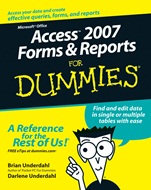
Access 2007 Forms and Reports For Dummies
ISBN 9780470046593
Autor: Brian Underdahl, Darlene Underdahl
Wydawca: Wiley
Dostępność: 3-6 tygodni
Cena: 140,70 zł
Przed złożeniem zamówienia prosimy o kontakt mailowy celem potwierdzenia ceny.
ISBN13: |
9780470046593 |
ISBN10: |
0470046597 |
Autor: |
Brian Underdahl, Darlene Underdahl |
Oprawa: |
Paperback |
Rok Wydania: |
2007-01-10 |
Ilość stron: |
408 |
Wymiary: |
236x190 |
Tematy: |
US |
Build forms that help you corral meaningful data
Develop effective queries and create useful reports that look great
What good is all that data if you can′t use it for something? Access 2007 offers some cool enhancements to the forms–and–reports function, and this guide helps you start using them pronto. It skips the jargon and gets you going with selective, targeted queries, forms that improve efficiency, reports that communicate, and more.
Discover how toEnter data using the Form WizardView and edit form dataAnalyze data with a reportFilter information with queriesCreate summary reportsShare data with other applications
Spis treści:
Introduction.
Part I: Accessing Both Ends: Getting Data In and Info Out.
Chapter 1: Getting to Know Forms and Reports.
Chapter 2: Getting Started with Queries.
Chapter 3: Creating Simple Forms.
Chapter 4: Building Basic Reports.
Part II: Creating Effective Queries.
Chapter 5: Creating Multi–Table Queries.
Chapter 6: Modifying Data with Queries.
Chapter 7: Expanding Queries with SQL.
Chapter 8: Dealing with Quarrelsome Queries.
Part III: Building Really Useful Forms.
Chapter 9: Building Better Forms by Using Controls.
Chapter 10: Using Multiple Tables in Forms.
Chapter 11: Fixing Form Faults.
Part IV: Designing Great Reports.
Chapter 12: Adding Fancy Touches to Reports.
Chapter 13: Creating Reports That Summarize Data.
Chapter 14: When Reports Go Wrong . . . .
Part V: Way Cool Advanced Queries, Forms, and Reports.
Chapter 15: Tricks for Finding Data with Queries.
Chapter 16: Tricks for Updating with Queries.
Chapter 17: Killer Ways to Improve Forms.
Chapter 18: Expert Methods for Sharing Reports.
Chapter 19: Making Reports Look Better.
Chapter 20: Adding Efficiency with Great Tools.
Part VI: The Part of Tens
.
Chapter 21: Ten Great Access Sites Online.
Chapter 22: Ten Things to Know about Queries (That Also Help You with Forms and Reports).
Index.
Nota biograficzna:
Brian Underdahl is the well–known, bestselling author of over 70 computer books on a broad range of subjects. He has appeared on a number of TV shows, including the Computer Chronicles, and several TechTV programs, and is the subject of an hour–long interview on the syndicated Computer Outlook radio program. One of his titles was recently recommended to viewers by Scott Gurvey, Bureau Chief, on the Nightly Business Report on PBS, and his books have won awards including an Award of Merit from the Northern California Technical Communications Competition and the Referenceware Excellence Award for best title in the Graphic Design and Multimedia category.
Brian has been involved in personal computers from their beginning and has a background in electrical engineering. His last “real” job was as a Senior Programmer/Analyst for a large company, where he worked hard to bring the power and freedom of PCs to the desktops.
Brian figures that it’s the author who should do the work so that readers can get their money’s worth. That’s why his books are different — he takes the time to explain what’s going on so that readers can understand the subjects easily.
Darlene Underdahl spent many years as a Quality Assurance expert. She is applying that “attention to detail” in the writing she does today. In addition to technical writing, she has written a memoir of her early years and is gathering notes for future projects. She works and lives with her husband, the bestselling author Brian Underdahl, in the mountains above Reno, Nevada.
Okładka tylna:
Build forms that help you corral meaningful data
Develop effective queries and create useful r
eports that look great
What good is all that data if you can′t use it for something? Access 2007 offers some cool enhancements to the forms–and–reports function, and this guide helps you start using them pronto. It skips the jargon and gets you going with selective, targeted queries, forms that improve efficiency, reports that communicate, and more.
Discover how toEnter data using the Form WizardView and edit form dataAnalyze data with a reportFilter information with queriesCreate summary reportsShare data with other applications
Koszyk
Książek w koszyku: 0 szt.
Wartość zakupów: 0,00 zł
Informacje


Kontakt
Gambit
Centrum Oprogramowania
i Szkoleń Sp. z o.o.
Al. Pokoju 29b/22-24
31-564 Kraków
Siedziba Księgarni
ul. Kordylewskiego 1
31-542 Kraków
+48 12 410 5991
+48 12 410 5987
+48 12 410 5989
Subskrypcje
Administratorem danych osobowych jest firma Gambit COiS Sp. z o.o. Na podany adres będzie wysyłany wyłącznie biuletyn informacyjny.
Autoryzacja płatności

Informacje na temat autoryzacji płatności poprzez PayU.

© Copyright 2012: GAMBIT COiS Sp. z o.o. Wszelkie prawa zastrzeżone.
Projekt i wykonanie: Alchemia Studio Reklamy