


Wydawcy
Katalog tematyczny
- Archeologia (109)
- Ekonomia, finanse, business (13704)
- Filozofia (1445)
- Historia (3040)
- Języki i językoznawstwo (2356)
- Lifestyle, hobby i rozrywka (475)
- Medycyna (9704)
- Nauki humanistyczne (4)
- Nauki o Ziemi i środowisku (2638)
- Nauki ścisłe (20412)
- Nauki społeczne (8486)
- Nauki techniczne (13450)
- Prawo (1696)
- Publikacje informacyjne i interdyscyplinarne (1288)
- Religia i wierzenia (917)
- Technika komputerowa (4067)
- Bazy danych (75)
- Bezpieczeństwo komputerowe (454)
- Certyfikacja komputerowa (1)
- Grafika i media cyfrowe (32)
- Informatyka (779)
- Komputery, ogólnie (74)
- Programowanie (351)
- Programy komercyjne (49)
- Sieci komputerowe (350)
- Sprzęt komputerowy (4)
- Systemy operacyjne (32)
- Technika cyfrowa na co dzień (7)
- Zdrowie, relacje międzyludzkie i rozwój osobisty (657)





Informacje szczegółowe o książce
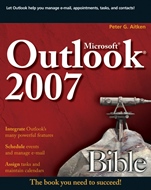
Microsoft Outlook 2007 Bible
ISBN 9780470046456
Autor: Peter G. Aitken
Wydawca: Wiley
Dostępność: 3-6 tygodni
Cena: 184,80 zł
Przed złożeniem zamówienia prosimy o kontakt mailowy celem potwierdzenia ceny.
ISBN13: |
9780470046456 |
ISBN10: |
0470046457 |
Autor: |
Peter G. Aitken |
Oprawa: |
Paperback |
Rok Wydania: |
2007-04-27 |
Ilość stron: |
624 |
Wymiary: |
232x188 |
Tematy: |
US |
Discover all the ways Outlook can make your life easier
Outlook has been called the Swiss army knife of applications, and with good reason. In one handy package, you get the tools you use constantly—e–mail, a calendar and appointment book, a contacts list, a to–do list, and more. Learn to use them together, and you have a sophisticated system for managing your day. This complete A–to–Z guide can teach you, whether you′re just venturing into Outlook or are ready to customize and tweak it with VBA programming.
Install Outlook 2007 and discover what′s available
Set up an e–mail account and set options to make e–mail easier
Schedule appointments and meetings using the calendar
Track your time by using the Journal
Create a customized news source with RSS feeds
Enact solid security measures
Use Outlook tools to fight spam
Integrate Outlook with other Office applications
Use Outlook with Exchange Server and Sharepoint® Services
Spis treści:
Introduction.
1. Getting Started with Outlook.
2. Installing and Using Outlook.
3. Email Accounts.
4. Fundamentals of Email.
5. Formatting Your Email Messages.
6. Working with Advanced Email Message Components and Editing.
7. Understanding Email Options.
8. Dealing with Junk Email.
9. Processing Messages with Rules.
10. Managing Your Contacts.
11. Working with the Calendar.
12. Working with Schedules and Meetings.
13. Working with Outlook Notes.
14. Using the Journal.
15. Keeping Track of Tasks.
16. Making Use of RSS Feeds.
17. Making the Most of Outlook Categories.
18. Working with Outlook Folders and Categories.
19. Customizing Outlook to Suit the Way You Work.
20. Managing Security Issues.
21. Using Outlook with Other Applications.
22. Writing Macros and Visual Basic
Code in Outlook.
23. Getting Started with VBA.
24. Understanding the Outlook Object Model.
25. Programming Outlook with VBA: Some Examples.
26. Working with Outlook Forms.
27. Going Beyond Basic Forms.
28. Using Outlook with Exchange Server.
29. Using Outlook with SharePoint Services.
Nota biograficzna:
Peter G. Aitken was a faculty member at Duke University for twenty years and retains a part–time position there. As proprietor of PGA Consulting since 1994, he has provided application development, Web design, and technical writing services to a wide variety of business, academic, and government clients. Peter has written more than forty books on computers and software, as well as numerous articles on Microsoft topics for assorted periodicals and Web sites.
Okładka tylna:
Discover all the ways Outlook can make your life easier
Outlook has been called the Swiss army knife of applications, and with good reason. In one handy package, you get the tools you use constantly—e–mail, a calendar and appointment book, a contacts list, a to–do list, and more. Learn to use them together, and you have a sophisticated system for managing your day. This complete A–to–Z guide can teach you, whether you′re just venturing into Outlook or are ready to customize and tweak it with VBA programming.
Install Outlook 2007 and discover what′s available
Set up an e–mail account and set options to make e–mail easier
Schedule appointments and meetings using the calendar
Track your time by using the Journal
Create a customized news source with RSS feeds
Enact solid security measures
Use Outlook tools to fight spam
Integrate Outlook with other Office applications
Use Outlook with Exchange Server and Sharepoint® Services
Koszyk
Książek w koszyku: 0 szt.
Wartość zakupów: 0,00 zł
Informacje


Kontakt
Gambit
Centrum Oprogramowania
i Szkoleń Sp. z o.o.
Al. Pokoju 29b/22-24
31-564 Kraków
Siedziba Księgarni
ul. Kordylewskiego 1
31-542 Kraków
+48 12 410 5991
+48 12 410 5987
+48 12 410 5989
Subskrypcje
Administratorem danych osobowych jest firma Gambit COiS Sp. z o.o. Na podany adres będzie wysyłany wyłącznie biuletyn informacyjny.
Autoryzacja płatności

Informacje na temat autoryzacji płatności poprzez PayU.

© Copyright 2012: GAMBIT COiS Sp. z o.o. Wszelkie prawa zastrzeżone.
Projekt i wykonanie: Alchemia Studio Reklamy