


Wydawcy
Katalog tematyczny
- Archeologia (109)
- Ekonomia, finanse, business (13704)
- Filozofia (1445)
- Historia (3040)
- Języki i językoznawstwo (2356)
- Lifestyle, hobby i rozrywka (475)
- Medycyna (9704)
- Nauki humanistyczne (4)
- Nauki o Ziemi i środowisku (2638)
- Nauki ścisłe (20412)
- Astronomia (294)
- Biologia (5119)
- Chemia (6540)
- Fizyka (3309)
- Matematyka (4574)
- Nauki ścisłe, ogólnie (503)
- Nauki społeczne (8486)
- Nauki techniczne (13450)
- Prawo (1696)
- Publikacje informacyjne i interdyscyplinarne (1288)
- Religia i wierzenia (917)
- Technika komputerowa (4067)
- Zdrowie, relacje międzyludzkie i rozwój osobisty (657)





Informacje szczegółowe o książce
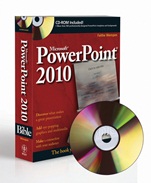
PowerPoint 2010 Bible
ISBN 9780470591864
Autor: Faithe Wempen
Wydawca: Wiley
Dostępność: 3-6 tygodni
Cena: 211,05 zł
Przed złożeniem zamówienia prosimy o kontakt mailowy celem potwierdzenia ceny.
ISBN13: |
9780470591864 |
ISBN10: |
0470591862 |
Autor: |
Faithe Wempen |
Oprawa: |
Paperback |
Rok Wydania: |
2010-05-11 |
Ilość stron: |
816 |
Wymiary: |
236x187 |
Tematy: |
P |
Make a splash with these presentation tips and techniques
Anyone can create a presentation, but it takes more than bullet lists to make an impact. In this power–packed book, you′ll learn how to create professional–quality slides that will captivate an audience with photographs, charts, and sophisticated transition and animation effects. You′ll also learn how to deliver a first–rate presentation experience to your audience, whether you are speaking live at a podium, delivering content online, or distributing self–running DVDs. In this book, you′ll learn how to:
Customize slide layouts, themes, and masters
Integrate charts, photos, clip art, and more
Engage an audience with music and narration
Create handouts and speaker notes
Build custom slide shows with optional hidden content
Save slide shows in digital video format
Broadcast or publish presentations on the Web
Use eye–catching animation effects
Easily apply color correction to photos
Create information–rich graphic objects with SmartArt
What′s on the CD–ROM?
Find more than 500 professionally–designed PowerPoint templates and backgrounds that you can use in your own presentations.
See the CD Appendix in the book for details and complete system requirements.
Also in the Book
Four special project labs highlight complete presentations that show a variety of ways to create content. These labs include:
Presenting Content without Bulleted Lists
Adding Sound and Movement to a Presentation
Creating a Menu–Based Navigation System
Creating a Classroom Game
Discover what makes a great presentation
Add eye–popping graphics and multimedia
Make a connection with your audience
Spis treści:
Preface.
Part I: Building Your Present
ation.
Chapter 1: A First Look at PowerPoint.
Chapter 2: What Makes a Great Presentation?
Chapter 3: Creating and Saving Presentation Files.
Chapter 4: Creating Slides and Text Boxes.
Chapter 5: Working with Layouts, Themes, and Masters.
Chapter 6: Formatting Text.
Chapter 7: Formatting Paragraphs and Text Boxes.
Chapter 8: Correcting and Improving Text.
Chapter 9: Creating and Formatting Tables.
Part II: Using Graphics and Multimedia Content.
Chapter 10: Drawing and Formatting Objects.
Chapter 11: Creating SmartArt Diagrams.
Chapter 12: Using and Organizing Clip Art.
Chapter 13: Working with Photographic Images.
Chapter 14: Working with Charts.
Chapter 15: Incorporating Content from Other Programs.
Chapter 16: Adding Sound Effects, Music, and Soundtracks.
Chapter 17: Incorporating Motion Video.
Chapter 18: Creating Animation Effects and Transitions.
Part III: Interfacing with Your Audience.
Chapter 19: Creating Support Materials.
Chapter 20: Preparing for a Live Presentation.
Chapter 21: Designing User–Interactive or Self–Running Presentations.
Chapter 22: Preparing a Presentation for Mass Distribution.
Chapter 23: Sharing and Collaborating.
Chapter 24: Customizing PowerPoint.
Part IV: Project Labs.
Lab 1: Presenting Content Without Bulleted Lists.
Lab 2: Adding Sound and Movement to a Presentation.
Lab 3: Creating a Menu–Based Navigation System.
Lab 4: Creating a Classroom Game.
Appendix: What’s on the CD–ROM.
Index.
Okładka tylna:
Make a splash with these presentation tips and techniques
Anyone can create a presentation, but it takes more than bullet lists to make an impact. In this power–packed book, you′ll learn how to create professional–quality slides that will captivate an audience with photographs, charts, and sophisticated transition and animation effects. Y
ou′ll also learn how to deliver a first–rate presentation experience to your audience, whether you are speaking live at a podium, delivering content online, or distributing self–running DVDs. In this book, you′ll learn how to:
Customize slide layouts, themes, and masters
Integrate charts, photos, clip art, and more
Engage an audience with music and narration
Create handouts and speaker notes
Build custom slide shows with optional hidden content
Save slide shows in digital video format
Broadcast or publish presentations on the Web
Use eye–catching animation effects
Easily apply color correction to photos
Create information–rich graphic objects with SmartArt
What′s on the CD–ROM?
Find more than 500 professionally–designed PowerPoint templates and backgrounds that you can use in your own presentations.
See the CD Appendix in the book for details and complete system requirements.
Also in the Book
Four special project labs highlight complete presentations that show a variety of ways to create content. These labs include:
Presenting Content without Bulleted Lists
Adding Sound and Movement to a Presentation
Creating a Menu–Based Navigation System
Creating a Classroom Game
Discover what makes a great presentation
Add eye–popping graphics and multimedia
Make a connection with your audience
Koszyk
Książek w koszyku: 0 szt.
Wartość zakupów: 0,00 zł
Informacje


Kontakt
Gambit
Centrum Oprogramowania
i Szkoleń Sp. z o.o.
Al. Pokoju 29b/22-24
31-564 Kraków
Siedziba Księgarni
ul. Kordylewskiego 1
31-542 Kraków
+48 12 410 5991
+48 12 410 5987
+48 12 410 5989
Subskrypcje
Administratorem danych osobowych jest firma Gambit COiS Sp. z o.o. Na podany adres będzie wysyłany wyłącznie biuletyn informacyjny.
Autoryzacja płatności

Informacje na temat autoryzacji płatności poprzez PayU.

© Copyright 2012: GAMBIT COiS Sp. z o.o. Wszelkie prawa zastrzeżone.
Projekt i wykonanie: Alchemia Studio Reklamy