


Wydawcy
Katalog tematyczny
- Archeologia (109)
- Ekonomia, finanse, business (13704)
- Filozofia (1445)
- Historia (3040)
- Języki i językoznawstwo (2356)
- Lifestyle, hobby i rozrywka (475)
- Medycyna (9704)
- Nauki humanistyczne (4)
- Nauki o Ziemi i środowisku (2638)
- Nauki ścisłe (20412)
- Nauki społeczne (8486)
- Nauki techniczne (13450)
- Prawo (1696)
- Publikacje informacyjne i interdyscyplinarne (1288)
- Religia i wierzenia (917)
- Technika komputerowa (4067)
- Zdrowie, relacje międzyludzkie i rozwój osobisty (657)





Informacje szczegółowe o książce
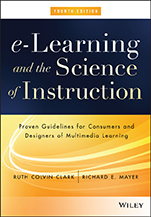
e–Learning and the Science of Instruction: Proven Guidelines for Consumers and Designers of Multimedia Learning
ISBN 9781119158660
Autor: Ruth C. Clark, Richard E. Mayer
Wydawca: Wiley
Dostępność: 3-6 tygodni
Cena: 341,25 zł
Przed złożeniem zamówienia prosimy o kontakt mailowy celem potwierdzenia ceny.
ISBN13: |
9781119158660 |
ISBN10: |
1119158664 |
Autor: |
Ruth C. Clark, Richard E. Mayer |
Oprawa: |
Hardback |
Rok Wydania: |
2016-04-29 |
Numer Wydania: |
4th Edition |
Ilość stron: |
528 |
Wymiary: |
267x189 |
Tematy: |
KM |
The Best–Selling e–Learning Design Manual, Updated with the Latest Research, Design Principles, and Examples
Fully revised with two new chapters and sixteen updated chapters, e–Learning and the Science of Instruction: Proven Guidelines for Consumers and Designers of Multimedia Learning is your essential reference for evidence–based guidelines for designing, developing and evaluating asynchronous and synchronous e–Learning for workforce training and educational courseware.
There is a great deal of valid experimental research on best methods to use in the design of e–learning lessons that support human learning processes. This scientific research is found in diverse academic journals and presented at research conferences not attended by most practitioners. In this book, Ruth Clark and Richard Mayer have gathered, organized, and illustrated that research to give you a practical guide in one place. In this Fourth Edition new evidence is included on the best use of text, audio, and graphics in e–learning as well as design guidelines for examples, practice exercises, computer–supported collaborative learning, and thinking skills lessons. Two new chapters focus on effective and ineffective forms of engagement in e–learning and the latest evidence on best practices in design of games for learning. You will find research summaries, examples, and checklists that show you:
The kinds of visuals that best promote learning How and when to use instructional animations for optimal learning How best to use text and audio to describe visuals Techniques to improve learning through personalized language and on–screen agents What instructional techniques make learning games effective The effects of playing commercial games on basic cognitive skillsYou can use the evidence and guidelines in this book to guide your own design decisions as well as to communicate proven practices to your development team, subject matter experts, or e–learning students.
Acknowledgments
Introduction
1. E–Learning: Promise and Pitfalls
Chapter Summary
What Is e–Learning?
Is e–Learning Better?
The Promise of e–Learning
The Pitfalls of e–Learning
e–Learning Architectures
What is Effective e–Coruseware?
Learning in e–Learning
What to Look for in e–Learning
2. How Do People Learning from E–Courses?
Chapter Summary
How Do People Learn?
Managing Limited Cognitive Resources During Learning
How e–Lessons Affect Human Learning?
What to Look for in e–Learning
3. Evidence–based Practice
Chapter Summary
What is Evidence–based Practice?
Three Approaches to Research on Instructional Effectiveness
What to Look for in Experimental Comparisons
How to Interpret Research Statistics
How Can You Identify Relevant Research?
Boundary Conditions in Experimental Comparisons
Practical Versus Theoretical Research
What to Look for in e–Learning
4. Applying the Multimedia Principle: Use Words and Graphics rather than Words Alone
Chapter Summary
Do Visuals Make a Difference?
Multimedia Principle: Include Both Words and Graphics
Some Ways to Use Graphics to Promote Learning
Psychological Reasons for the Multimedia Principle
Evidence for Using Words and Pictures
The Multimedia Principle Works Best for Novices
Should You Change Static Illustrations into Animations?
What to Look for in e–Learning
5. Applying the Contiguity Principle: Align Words to Corrresponding Graphics
Chapter Summary
Principle 1: Place Printed Words Near Corresponding Graphics
Psychological Reasons for Principle 1
Evidence for Principle 1
Principle 2: Synchronize Spoken Words with Corresponding Graphics
Psychological Reasons for Principle 2
Evidence for Principle 2
What to Look for in e–Learning
6. Applying the Modality Principle: Present Words as Audio Narration Rather than On–screen Text
Chapter Summary
Modality Principle: Present Words as Speech Rather than On–screen Text
Limitations to the Modality Principle
Psychological Reasons for the Modality Principle
Evidence for Using Spoken Rather than Printed Text
When the Modality Principle Applies
What to Look for in e–Learning
7. Applying the Redundancy Principle: Explain Visuals with Words in Audio OR Text but Not Both
Chapter Summary
Principle 1: Do Not Add On–screen Text to Narrated Graphics
Psychological Reasons for the Redundancy Principle
Evidence for Omitting Redundant On–screen Text
Principle 2: Consider Adding On–screen Text to Narration in Special Situations
Psychological Reasons for Exceptions to the Redundancy Principle
Evidence for Including Redundant On–screen Text
What to Look for in e–Learning
8. Applying the Coherence Principle: Adding Extra Material Can Hurt Learning
Chapter Summary
Principle 1: Avoid e–Lessons with Extraneous Words
Multimedia Principle: Include Both Words and Graphics
Psychological Reasons to Avoid Extraneous Words in e–Learning
Evidence for Omitting Extraneous Words Added for Interest
Evidence for Omitting Extraneous Words Added to Expand on Key Ideas
Evidence for Omitting Extraneous Words Added for Technical Depth
Principle 2: Avoid e–Lessons with Extraneous Graphics
Psychological Reasons to Avoid Extraneous Graphics in e–Learning
Evidence for Omitting Extraneous Graphics Added for Interest
Evidence for Using Simpler Visuals
Can Interesting Graphics Ever Be Helpful?
Principle 3: Avoid e–Lessons with Extraneous Audio
Psychological Reasons to Avoid Extraneous Audio in e–Learning
Evidence for Omitting Extraneous Audio
What to Look for in e–Learning
9. Applying the Personalization and Embodiment Principles: Use Conversational Style, Polite Wording, Human Voice, and Virtual Coaches
Chapter Summary
Personalization Principle: Use Conversational Rather than Formal Style, Polite Wording Rather than Direct Wording and Human Voice Rather than Machine Voice
Psychological Reasons for the Personalization Principle
Promote Personalization through Conversational Style
Promote Personalization through Polite Speech
Promote Personalization through Voice Quality
Embodiment Principle: Use Effect On–screen Coaches to Promote Learning
Implications for e–Learning
What to Look for in e–Learning
10. Applying the Segmenting and Pretraining Principles: Managing Complexity by Breaking a Lesson into Parts
Chapter Summary
Segmenting Principle: Break a Continuous Lesson into Bite–size Segments
Psychological Reasons for the Segmenting Principle
Evidence for Breaking a Continuous Lesson into Bite–Size Segments
Pretraining Principle: Ensure that Learners Know the Names and Characteristics of Key Concepts
Psychological Reasons for the Pretraining Principle
Evidence for Providing Pretraining in Key Concepts
What to Look for in E–Learning
11. Engagement in E–Learning
Chapter Summary
What Is Engagement?
When Behavioral Engagement Impedes Learning
Engagement that Leads to Generative Processing
A New View of Engagement
What to Look for in E–Learning
12. Leveraging Examples in E–Learning
Chapter Summary
What Are Worked Examples?
The Psychology of Worked Examples
Evidence for Benefits of Worked Examples
Principles to Optimize Benefits of Worked Examples
Principle 1: Provide Worked Examples in Lieu of Problem Assignments when the Essential Load of the Lesson is High
Principle 2: Fade from Worked Examples to Problems
Principle 3: Promote Self–Explanations
Principle 4: Include Instructional Explanations of Worked Examples in Some Situations
Principle 5: Apply Multimedia Principles to Examples
Principle 6: Support Learning Transfer
Design Guidelines for Far Transfer Worked Examples
What to Look for in E–Learning
13. Does Practice Make Perfect?
Chapter Summary
What is Practice in E–Learning?
Is Practice a Good Investment?
Principle 1: Add Sufficient Practice Interaction to E–Learning to Achieve the Objective
Principle 2: Mirror the Job
Principle 3: Provide Effective Feedback
Principle 4: Distribute and Mix Practice among Learning Events
Principle 5: Apply Multimedia Principles
What to Look for in e–Learning
14. Learning Together Virtually
Chapter Summary
What is Collaborative Learning?
What is Computer–Supported Collaborative Learning (CSCL)?
Principle 1: Consider Collaborative Assignments for Challenging Tasks
Principle 2: Optimize Group Size, Composition, and Interdependence
Principle 3: Match Synchronous and Asynchronous Assignments to the Collaborative Goal
Principle 4: Use Collaborative Tool Features that Optimize Team Processes and Products
Principle 5: Maximize Social Presence in Online Collaborative Environments
Principle 6: Use Structured Collaboration Processes to Optimize Team Outcomes
What to Look for in e–Learning
15. Who s In Control? Guidelines for E–Learning Navigation
Chapter Summary
Learner Control Versus Program Control
Do Learners Make Good Instructional Decisions?
Principle 1: Give Experienced Learners Control
Principle 2: Make Important Instructional Events the Default
Principle 3: Consider Alternative Forms of Learner Control
Principle 4: Give Pacing Control to All Learners
Principle 5: Offer Navigational Support in Hypermedia Environments
The Bottom Line
What to Look for in E–Learning
16. E–Learning to Build Thinking Skills
Chapter Summary
What are Thinking Skills?
Can Thinking Skills be Trained?
Principle 1: Focus on Explicit Teaching of Job–Relevant Thinking Skills
Principle 2: Design Lessons around Authentic Work Tasks or Problems
Evidence for Problem–Focused Instruction
Principle 3: Define Job–Specific Thinking Processes
What to Look for in E–Learning
17. Learning with Computer Games
Chapter Summary
Do Games Have a Place in the Serious Business of Training?
Which Features Improve a Game s Effectiveness?
Does Game Playing Improve Cognitive Skills?
Are Games More Effective than Conventional Media?
What to Look for in E–Learning
18. Applying the Guidelines
Chapter Summary
Applying Evidence–based Guidelines to E–Courses
E–Learning Guidelines Checklist
Review of Sample 1: Excel for Small Business
Review of Sample 2: Synchronous Excel Lesson
Review of Sample 3: Automotive Troubleshooting Simulation
Reflections on Past Predictions
Beyond 2016 in Multimedia Research
In Conclusion
References
Glossary
List of Tables and Figures
Name Index
Subject Index
About the Authors
Wiley Publication Guide
RUTH COLVIN CLARK has focused on evidence–based practice in design and development of workforce training materials for over three decades. Her recent books include Scenario–Based e–Learning and Evidence–Based Training, Second Edition.
RICHARD E. MAYER is a professor of psychology at the University of California Santa Barbara. He is an internationally recognized researcher in multimedia learning and has authored hundreds of research reports. He is the author of many books including Multimedia Learning, Computer Games for Learning, and editor of the Cambridge Handbook of Multimedia Learning, Second Edition.
Koszyk
Książek w koszyku: 0 szt.
Wartość zakupów: 0,00 zł
Informacje


Kontakt
Gambit
Centrum Oprogramowania
i Szkoleń Sp. z o.o.
Al. Pokoju 29b/22-24
31-564 Kraków
Siedziba Księgarni
ul. Kordylewskiego 1
31-542 Kraków
+48 12 410 5991
+48 12 410 5987
+48 12 410 5989
Subskrypcje
Administratorem danych osobowych jest firma Gambit COiS Sp. z o.o. Na podany adres będzie wysyłany wyłącznie biuletyn informacyjny.
Autoryzacja płatności

Informacje na temat autoryzacji płatności poprzez PayU.

© Copyright 2012: GAMBIT COiS Sp. z o.o. Wszelkie prawa zastrzeżone.
Projekt i wykonanie: Alchemia Studio Reklamy