


Wydawcy
Katalog tematyczny
- Archeologia (109)
- Ekonomia, finanse, business (13704)
- Filozofia (1445)
- Historia (3040)
- Języki i językoznawstwo (2356)
- Lifestyle, hobby i rozrywka (475)
- Medycyna (9704)
- Nauki humanistyczne (4)
- Nauki o Ziemi i środowisku (2638)
- Nauki ścisłe (20412)
- Nauki społeczne (8486)
- Nauki techniczne (13450)
- Budownictwo lądowe (1045)
- Budownictwo komunikacyjne (9)
- Hydraulika (33)
- Konstrukcje budowlane (95)
- Mechanika konstrukcji (182)
- Przemysł budowlany (7)
- Chemia przemysłowa (2258)
- Elektronika i telekomunikacja (3287)
- Energetyka (1122)
- Inne nauki stosowane (363)
- Inżynieria biochemiczna (507)
- Inżynieria transportu (232)
- Mechanika i materiały (3316)
- Nauka o środowisku (321)
- Rolnictwo (507)
- Technika, ogólnie (475)
- Prawo (1696)
- Publikacje informacyjne i interdyscyplinarne (1288)
- Religia i wierzenia (917)
- Technika komputerowa (4067)
- Zdrowie, relacje międzyludzkie i rozwój osobisty (657)





Informacje szczegółowe o książce
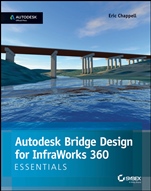
Autodesk Bridge Design for InfraWorks 360 Essentials: Autodesk Official Press
ISBN 9781118915974
Autor: Eric Chappell
Wydawca: Wiley
Dostępność: 3-6 tygodni
Cena: 81,90 zł
Przed złożeniem zamówienia prosimy o kontakt mailowy celem potwierdzenia ceny.
ISBN13: |
9781118915974 |
ISBN10: |
1118915976 |
Autor: |
Eric Chappell |
Oprawa: |
Paperback |
Rok Wydania: |
2014-09-30 |
Ilość stron: |
96 |
Wymiary: |
235x194 |
Tematy: |
TN |
Learn the Essentials of Autodesk Bridge Design for InfraWorks 360 Quickly and Easily This Autodesk Official Press guide is the only book on the Bridge module for InfraWorks, giving you an accessible learning resource that offers succinct explanations and hands–on exercises that provide the keys to the softwares features and functions. Youll find out how to navigate this powerful software, access cross–platform model sharing and collaboration via the softwares cloud capabilities, export the model into Civil 3D for final design work and documentation, and more. Whether youre a civil engineering professional or student, this book gets new users up to speed quickly. Learn these Autodesk Bridge Design for InfraWorks 360 essentialsand more: Engineering geometry, rules–based design, and bridge styles Understanding the capabilities of bridge design Utilizing the tools available through the user interface Editing bridges graphically Selecting bridges and bridge components Creating, modifying, and analyzing preliminary bridge designs Grasping the progression of a project Making and sharing bridge design models with others This striking Essentials book features: Chapter–opening learning objectives Step–by–step tutorials Four–color screenshots and illustrations Downloadable exercise files
Introduction xiii Chapter 1 Getting Started 1 Understanding the Capabilities of Bridge Design for InfraWorks 360 1 Engineering Geometry 1 Rules–Based Design 5 Bridge Styles 6 Quantities 7 The Bridge Design User Interface 8 Bridge Design Intelligent Tools 8 Bridge Design Asset Cards 10 Right–Click Commands 11 Bridge Properties 12 Exercise 1 1: Explore Bridge Design for InfraWorks 360 12 Chapter 2 Designing Bridges 17 Creating Bridges 17 Exercise 2 1: Create a Bridge 20 Editing Bridges Graphically 22 Selecting Bridges and Bridge Components 22 Editing Bridges Using Gizmos 24 Exercise 2 2: Edit a Bridge Graphically 26 Using Bridge Design Asset Cards 28 Using the Bridge Asset Card 28 Exercise 2 3: Use the Bridge Asset Card 30 Using the Girder Asset Cards 32 Exercise 2 4: Use the Girder Asset Cards 37 Using the Quantities Asset Card 41 Exercise 2 5: Use the Quantities Asset Card 41 Designing Using Properties 42 Deck and Bearing Properties 42 Girder Group Properties 44 Girder Properties 46 Abutment Properties 47 Pier Properties 49 Pier Foundation Properties 50 Exercise 26: Design Using Properties 52 Designing for Clearance 57 Exercise 27: Design for Clearance 58 Index 63
About the Author Eric Chappell has been working, teaching, writing, and consulting in the world of civil engineering software for more than 20 years, and he is a recognized expert in the world of Autodesk InfraWorks 360 software. He has written training materials and performed training for end users, trainers, and Autodesk employees around the globe, including at Autodesk University; and he has worked with Autodesk in authoring and developing their certification exams. Eric is currently a Premium Services Specialist at Autodesk but he previously served as design systems manager for Timmons Group, a civil engineering and surveying firm, where he managed software, standards, and training for more than 200 users.
Koszyk
Książek w koszyku: 0 szt.
Wartość zakupów: 0,00 zł
Informacje


Kontakt
Gambit
Centrum Oprogramowania
i Szkoleń Sp. z o.o.
Al. Pokoju 29b/22-24
31-564 Kraków
Siedziba Księgarni
ul. Kordylewskiego 1
31-542 Kraków
+48 12 410 5991
+48 12 410 5987
+48 12 410 5989
Subskrypcje
Administratorem danych osobowych jest firma Gambit COiS Sp. z o.o. Na podany adres będzie wysyłany wyłącznie biuletyn informacyjny.
Autoryzacja płatności

Informacje na temat autoryzacji płatności poprzez PayU.

© Copyright 2012: GAMBIT COiS Sp. z o.o. Wszelkie prawa zastrzeżone.
Projekt i wykonanie: Alchemia Studio Reklamy