


Wydawcy
Katalog tematyczny
- Archeologia (109)
- Ekonomia, finanse, business (13704)
- Filozofia (1445)
- Historia (3040)
- Języki i językoznawstwo (2356)
- Lifestyle, hobby i rozrywka (475)
- Medycyna (9704)
- Nauki humanistyczne (4)
- Nauki o Ziemi i środowisku (2638)
- Nauki ścisłe (20412)
- Nauki społeczne (8486)
- Nauki techniczne (13450)
- Budownictwo lądowe (1045)
- Budownictwo komunikacyjne (9)
- Hydraulika (33)
- Konstrukcje budowlane (95)
- Mechanika konstrukcji (182)
- Przemysł budowlany (7)
- Chemia przemysłowa (2258)
- Elektronika i telekomunikacja (3287)
- Energetyka (1122)
- Inne nauki stosowane (363)
- Inżynieria biochemiczna (507)
- Inżynieria transportu (232)
- Mechanika i materiały (3316)
- Nauka o środowisku (321)
- Rolnictwo (507)
- Technika, ogólnie (475)
- Prawo (1696)
- Publikacje informacyjne i interdyscyplinarne (1288)
- Religia i wierzenia (917)
- Technika komputerowa (4067)
- Zdrowie, relacje międzyludzkie i rozwój osobisty (657)





Informacje szczegółowe o książce
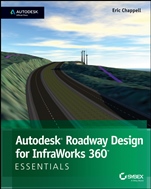
Autodesk Roadway Design for InfraWorks 360 Essentials: Autodesk Official Press
ISBN 9781118915950
Autor: Eric Chappell
Wydawca: Wiley
Dostępność: 3-6 tygodni
Cena: 108,15 zł
Przed złożeniem zamówienia prosimy o kontakt mailowy celem potwierdzenia ceny.
ISBN13: |
9781118915950 |
ISBN10: |
111891595X |
Autor: |
Eric Chappell |
Oprawa: |
Paperback |
Rok Wydania: |
2014-09-30 |
Ilość stron: |
118 |
Wymiary: |
237x192 |
Tematy: |
TN |
Learn Autodesk Roadway Design for InfraWorks 360 Quickly and Easily As the first book dedicated specifically to the InfraWorks 360 roadway module, this invaluable resource features approachable, real–world, hands–on exercises and additional task–based tutorials that will quickly get you up to speed with this software. Starting with an introduction to the interface and an overview of important terminology, the book moves quickly into working with intersections, sight distance analysis, and earthwork optimization. This practical tutorial goes beyond not simply demonstrating random software features and instead teaches you the process of project completion using Roadway Design for InfraWorks 360. Learn these Autodesk Roadway Design for InfraWorks 360 essentialsand more: Creating roads using powerful roadway design tools Editing roads graphically using gizmos and context menus Dividing roads into zones and varying the styles, lanes, and roadside grading Designing intersections Balancing earthwork and minimizing costs using profile optimization Analyzing roadways and intersections for sight distance issues Generating Civil 3D drawings of your road design Moving your early road concept to a well–engineered version that is poised for detailed design This striking Essentials book features: Chapter–opening learning objectives Step–by–step tutorials Four–color screenshots and illustrations Downloadable exercise files
Introduction xiii Chapter 1 Getting Started 1 Understanding the Capabilities of Roadway Design for InfraWorks 360 1 Engineering Geometry 1 Rules–Based Design 3 Profiles 4 Intersections 5 Sight Distance Analysis 5 Profile Optimization 6 Generate Civil 3D Drawings 7 Navigating Roadway Design for InfraWorks 360 8 Analysis Toolbar 9 Design Toolbar 9 Review Toolbar 10 Exercise 1.1: Explore Roadway Design for InfraWorks 360 11 Chapter 2 Designing Roads 15 Creating Roads 15 Exercise 2.1: Create Design Roads 18 Introducing the Road Asset Card 20 Editing Roads Graphically 20 Editing with Gizmos 21 Exercise 2.2: Edit a Road Using Gizmos 23 Editing with the Context Menus 25 Exercise 2.3: Edit a Road Using Context Menus 29 Working with Style Zones 31 Exercise 2.4: Apply Style Zones 32 Working with Lane Zones 35 Exercise 2.5: Edit the Number of Lanes 36 Configuring Roadside Grading 37 Fixed Width 37 Fixed Slope 38 Exercise 2.6: Configure Roadside Grading 39 Using the Profile View Panel 41 Editing in Profile View 45 Exercise 2.7: Edit in Profile View 46 Working with Intersections 48 The Intersection Asset Card 49 The Turning Zone Asset Card 50 Intersection Gizmos 51 Working with Widening Zones 53 Exercise 2.8: Design an Intersection 55 Chapter 3 Using Advanced Functions 59 Using Profile Optimization 59 Using the Profile Optimization Panel 60 Exercise 3.1: Optimize Your Profile 65 Getting Your Optimization Results 67 Exercise 3.2: Get Your Optimization Results 69 Analyzing Sight Distance 71 Analyzing a Roadway for Sight Distance 72 Exercise 3.3: Analyze a Road’s Sight Distance 75 Analyzing an Intersection for Sight Distance 77 Exercise 3.4: Analyze an Intersection’s Sight Distance 79 Creating Civil 3D Drawings 82 The Select A Model Road View 83 The Select Surface View 84 The Specify Civil 3D Options View 85 The Final Result 86 Exercise 3.5: Generate Civil 3D Drawings 87 Index 91
About the Author Eric Chappell has been working, teaching, writing, and consulting in the world of civil engineering software for more than 20 years, and he is a recognized expert in the world of Autodesk InfraWorks 360 software. He has written training materials and performed training for end users, trainers, and Autodesk employees around the globe, including at Autodesk University; and he has worked with Autodesk in authoring and developing their certification exams. Eric is currently a Premium Services Specialist at Autodesk but he previously served as design systems manager for Timmons Group, a civil engineering and surveying firm, where he managed software, standards, and training for more than 200 users.
Koszyk
Książek w koszyku: 0 szt.
Wartość zakupów: 0,00 zł
Informacje


Kontakt
Gambit
Centrum Oprogramowania
i Szkoleń Sp. z o.o.
Al. Pokoju 29b/22-24
31-564 Kraków
Siedziba Księgarni
ul. Kordylewskiego 1
31-542 Kraków
+48 12 410 5991
+48 12 410 5987
+48 12 410 5989
Subskrypcje
Administratorem danych osobowych jest firma Gambit COiS Sp. z o.o. Na podany adres będzie wysyłany wyłącznie biuletyn informacyjny.
Autoryzacja płatności

Informacje na temat autoryzacji płatności poprzez PayU.

© Copyright 2012: GAMBIT COiS Sp. z o.o. Wszelkie prawa zastrzeżone.
Projekt i wykonanie: Alchemia Studio Reklamy