


Wydawcy
Katalog tematyczny
- Archeologia (109)
- Ekonomia, finanse, business (13704)
- Filozofia (1445)
- Historia (3040)
- Języki i językoznawstwo (2356)
- Lifestyle, hobby i rozrywka (475)
- Medycyna (9704)
- Nauki humanistyczne (4)
- Nauki o Ziemi i środowisku (2638)
- Nauki ścisłe (20412)
- Nauki społeczne (8486)
- Nauki techniczne (13450)
- Prawo (1696)
- Publikacje informacyjne i interdyscyplinarne (1288)
- Religia i wierzenia (917)
- Technika komputerowa (4067)
- Zdrowie, relacje międzyludzkie i rozwój osobisty (657)





Informacje szczegółowe o książce
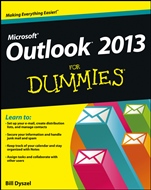
Outlook 2013 For Dummies
ISBN 9781118490464
Autor: Bill Dyszel
Wydawca: Wiley
Dostępność: 3-6 tygodni
Cena: 140,70 zł
Przed złożeniem zamówienia prosimy o kontakt mailowy celem potwierdzenia ceny.
ISBN13: |
9781118490464 |
ISBN10: |
1118490460 |
Autor: |
Bill Dyszel |
Oprawa: |
Paperback |
Rok Wydania: |
2013-03-05 |
Ilość stron: |
384 |
Wymiary: |
235x188 |
Tematy: |
C |
Learn to: Set up your e-mail, create distribution lists, and manage contacts Secure your information and handle junk mail and spam Keep track of your calendar and stay organized with Notes Assign tasks and collaborate with other users Outlook is much more than e-mail! Learn all the ways it will improve your day Do you organize meetings? Collaborate on projects? Occasionally forget appointments? Outlook was made for you! This book shows you not only how to use Outlook 2013, but why you should. Tap into the full power of Outlook and learn how it can sort your e-mail, manage your contacts, remind you of appointments, and help you work together with others. First, the basics tour Outlook's basic features and learn to send and receive e-mail, make notes, keep appointments, and organize files Tame your e-mail let Outlook handle formatting, filter junk mail, and automatically sort your messages Outlook and the Office take advantage of Outlook's close relationship with other Office applications Calling all contacts enter your contacts and let Outlook arrange them and create groups Today's to-do use Outlook to manage your task list and keep your calendar up to date Get social subscribe to blogs and podcasts and add Facebook or LinkedIn connections For meeting mavens organize meetings, create and view multiple calendars, send status reports, collaborate on projects, and link Outlook to SharePoint On the go access Outlook from anywhere using Web Access Open the book and find: How Outlook can be your personal information manager Outlook's unique relationship with other Microsoft applications The advantages of virtual sticky notes Cool collaboration techniques Quick steps that simplify certain tasks Tips on keeping records with Journals and Notes How Outlook works with SharePoint Team Services Ten things Outlook doesn't do
Introduction 1 Part I: Getting Started with Outlook 2013 9 Chapter 1: The Outlook Features You Really Need to Know 11 Chapter 2: Inside Outlook: Getting More Done with Less Effort 23 Chapter 3: On the Fast Track: Drag ’til You Drop 37 Part II: Taming the E–Mail Beast 51 Chapter 4: The Essential Secrets of E–Mail 53 Chapter 5: E–Mail Tools You Can’t Do Without 73 Chapter 6: Conquering Your Mountain of Messages 87 Part III: Managing Contacts, Dates, Tasks, and More 125 Chapter 7: Your Little Black Book: Creating Contacts Lists 127 Chapter 8: Unleashing the Calendar’s Power 151 Chapter 9: Task Mastery: Discovering All the Bells and Whistles 171 Chapter 10: For the Record: Notes and Journal Entries 193 Part IV: Beyond the Basics: Tips and Tricks You Won’t Want to Miss 211 Chapter 11: Social Media Magic with Outlook RSS 213 Chapter 12: Powering Your Home Offi ce with Outlook 227 Chapter 13: Merging Mail from Outlook to Microsoft Word 235 Part V: Outlook at Work 243 Chapter 14: Big–Time Collaboration with Outlook 245 Chapter 15: Keeping Secrets Safe with Outlook Security 269 Chapter 16: Seeing It Your Way: Customizing Outlook 277 Chapter 17: Telecommuting with Outlookcom and Outlook Web Access 297 Part VI: The Part of Tens 317 Chapter 18: Ten Accessories for Outlook 319 Chapter 19: Ten Things You Can’t Do with Outlook 323 Chapter 20: Ten Things You Can Do after You’re Comfy 327 Chapter 21: Ten Shortcuts Worth Taking 333 Index 339
Bill Dyszel is a nationally known expert on personal information management and sales automation technology. He is a frequent speaker at technology conferences and serves as a consultant on the selection and implementation of business solutions. Bill has written more than a dozen technology books.
Koszyk
Książek w koszyku: 0 szt.
Wartość zakupów: 0,00 zł
Informacje


Kontakt
Gambit
Centrum Oprogramowania
i Szkoleń Sp. z o.o.
Al. Pokoju 29b/22-24
31-564 Kraków
Siedziba Księgarni
ul. Kordylewskiego 1
31-542 Kraków
+48 12 410 5991
+48 12 410 5987
+48 12 410 5989
Subskrypcje
Administratorem danych osobowych jest firma Gambit COiS Sp. z o.o. Na podany adres będzie wysyłany wyłącznie biuletyn informacyjny.
Autoryzacja płatności

Informacje na temat autoryzacji płatności poprzez PayU.

© Copyright 2012: GAMBIT COiS Sp. z o.o. Wszelkie prawa zastrzeżone.
Projekt i wykonanie: Alchemia Studio Reklamy