


Wydawcy
Katalog tematyczny
- Archeologia (109)
- Ekonomia, finanse, business (13704)
- Filozofia (1445)
- Historia (3040)
- Języki i językoznawstwo (2356)
- Lifestyle, hobby i rozrywka (475)
- Medycyna (9704)
- Nauki humanistyczne (4)
- Nauki o Ziemi i środowisku (2638)
- Nauki ścisłe (20412)
- Nauki społeczne (8486)
- Nauki techniczne (13450)
- Prawo (1696)
- Publikacje informacyjne i interdyscyplinarne (1288)
- Religia i wierzenia (917)
- Technika komputerowa (4067)
- Zdrowie, relacje międzyludzkie i rozwój osobisty (657)





Informacje szczegółowe o książce
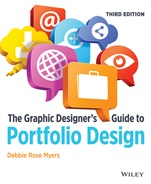
The Graphic Designers Guide to Portfolio Design
ISBN 9781118428146
Autor: Debbie Rose Myers
Wydawca: Wiley
Dostępność: 3-6 tygodni
Cena: 238,35 zł
Przed złożeniem zamówienia prosimy o kontakt mailowy celem potwierdzenia ceny.
ISBN13: |
9781118428146 |
ISBN10: |
1118428145 |
Autor: |
Debbie Rose Myers |
Oprawa: |
Paperback |
Rok Wydania: |
2013-12-06 |
Numer Wydania: |
3rd Edition |
Ilość stron: |
336 |
Wymiary: |
230x191 |
Tematy: |
AK |
How to create job-winning print and digital portfolios Landing a great job in graphic design or multimedia starts with creating a portfolio that presents your best work in style. With sample portfolios, interviews with leaders in the graphic design and advertising industries, and step-by-step instruction for creating professional print and digital portfolios, this book tells you what you need to know to make the transition from design student to design professionalincluding up-to-the-minute advice on marketing yourself via social media. You'll learn: What every winning creative or design portfolio should include How to design a simple and appealing digital portfolio interface Things that can go wrong when developing your portfolioand how to fix them How to write excellent resumes, artist's statements, and cover letters How to get the most out of HTML5, InDesign, and Adobe Edge Tips and tricks to truly impress during a job interview The best way to convince a prospective client or employer that you have what it takes to succeed is to let your work speak for itself. The Graphic Designer's Guide to Portfolio Design gives you all the guidance you need to make your work be heard loud and clear.
Preface Acknowledgements 1 The Portfolio Process—Start to Finish You Need a Portfolio A Portfolio Must Stand Alone Start Building Your Portfolio Tailor the Portfolio to Your Area of Specialization Be Prepared 2 Planning Your Portfolio Concept Content Follow–through Career Development Checklist Layout and Design Evaluation Sheet 3 The Traditional Portfolio The Résumé, Cover Letter, and Business Card What Goes into the Written Part of Your Portfolio? The Résumé Cover Letter Business Card Designing Your Self–promotional Package 4 The Traditional Portfolio Design and Art Projects Organizing Your Portfolio Professional Portfolio Presentation Additional Display Guidelines Portfolios for Different Design Disciplines The Rough book and the Sketchbook The Artist’s Statement 5 The CD–ROMs, DVDs, and Web Sites CD–ROM/DVD– or Web–based Portfolio? Size and Speed: Primary Criteria Deciding Which Multimedia Authoring Program to Use Master of the Web: Choosing a Hypertext Markup Language (HTML) Program Editor Putting It All Together: Additional Software Options Planning Your Web Design Project 6 The Digital Portfolio Technical Elements Preparing Work for Digital Presentation Coordinating Graphic Formats Inserting, Resizing, and Moving Graphics Compressing Files to Reduce Size Using Color Spaces for Multimedia Design Transferring Artwork into the Computer The Lowdown on Downloads Scaling the Learning Curve 7 The Design Phase Organize, Organize, Organize Designing a Visual Theme: Making Your Portfolio Unique Navigation: How to Get There from Here Using Color Effectively Color and Your Portfolio Interface Color Wrap–up 8 Working with Type A Brief Lesson on Type for Multimedia Design Using Type to Express Your Artistic Vision Visual Organization The Importance of Consistency Body Copy The Psychology of Type Ten Rules for Good Type Design 9 Maneuvering around Your Site Navigation Getting There from Here Navigation Techniques for Successful Interface Design Strategizing Navigation Choosing the Best Navigation System for You Navigation Review 10 The Web–based Portfolio Web Page Design Why Web Page Design Isn’t Like Page Design Step 1: Start with a Layout Step 2: Gather Your Assets Step 3: Create and Code Your Interface Step 4: Publish Your Pages Final Thoughts 11 The Web–based Portfolio Technical Elements Do–It–Yourself Web Site Development Finding a Web Host Promoting Your Site Final Thoughts 12 Multimedia and Your Interface Multimedia and the Digital Portfolio Adding Audio to Your Portfolio Meeting the Video Challenge 13 Designer Checklists Designer Checklist for Digital Portfolios Design Elements Checklist Technical Design Checklist Miscellaneous Designer Checklist Final Thoughts 14 Using Social Media to Land a Great Job Building your brand identity 15 Taking Interviews and Presenting Your Portfolio Preparing for a Job Interview How to Take a Successful Interview Types of Interviews Presenting Your Portfolio Length and Breakdown of Interviews Your Turn to Ask Close the Interview and Follow Up Second–interview Structure Interviewing: A Two–way Street Responding to a Job Offer Glossary Bibliography Appendix: Internet Resources Index
Debbie Rose Myers, MFA, EdS, is a professor of graphic design, advertising, and web design at the Art Institute of Fort Lauderdale in Florida, where she also teaches portfolio design courses and develops curricula for graphic design and multimedia programs.
Koszyk
Książek w koszyku: 0 szt.
Wartość zakupów: 0,00 zł
Informacje


Kontakt
Gambit
Centrum Oprogramowania
i Szkoleń Sp. z o.o.
Al. Pokoju 29b/22-24
31-564 Kraków
Siedziba Księgarni
ul. Kordylewskiego 1
31-542 Kraków
+48 12 410 5991
+48 12 410 5987
+48 12 410 5989
Subskrypcje
Administratorem danych osobowych jest firma Gambit COiS Sp. z o.o. Na podany adres będzie wysyłany wyłącznie biuletyn informacyjny.
Autoryzacja płatności

Informacje na temat autoryzacji płatności poprzez PayU.

© Copyright 2012: GAMBIT COiS Sp. z o.o. Wszelkie prawa zastrzeżone.
Projekt i wykonanie: Alchemia Studio Reklamy