


Wydawcy
Katalog tematyczny
- Archeologia (109)
- Ekonomia, finanse, business (13704)
- Filozofia (1445)
- Historia (3040)
- Języki i językoznawstwo (2356)
- Lifestyle, hobby i rozrywka (475)
- Medycyna (9704)
- Nauki humanistyczne (4)
- Nauki o Ziemi i środowisku (2638)
- Nauki ścisłe (20412)
- Nauki społeczne (8486)
- Nauki techniczne (13450)
- Prawo (1696)
- Publikacje informacyjne i interdyscyplinarne (1288)
- Religia i wierzenia (917)
- Technika komputerowa (4067)
- Zdrowie, relacje międzyludzkie i rozwój osobisty (657)





Informacje szczegółowe o książce
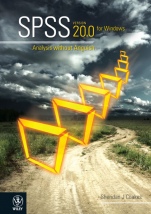
SPSS Version 20.0 for Windows: Analysis without Anguish
ISBN 9781118337769
Autor: Sheridan J. Coakes
Wydawca: Wiley
Dostępność: 3-6 tygodni
Cena: 233,10 zł
Przed złożeniem zamówienia prosimy o kontakt mailowy celem potwierdzenia ceny.
ISBN13: |
9781118337769 |
ISBN10: |
111833776X |
Autor: |
Sheridan J. Coakes |
Oprawa: |
Paperback |
Rok Wydania: |
2012-12-11 |
Ilość stron: |
288 |
Wymiary: |
294x223 |
Tematy: |
KM |
This edition of SPSS: Analysis without Anguish continues thetrend of previous editions in providing a practical text intendedas an introduction to IBM SPSS Statistics 20 and a guide forWindows users who wish to conduct analytical procedures. IBM SPSSStatistics 20 is a sophisticated piece of software used by socialscientists and related professionals for statistical analysis.
Extensive use of screen displays and a range of step–by–stepworking and practice examples remain features of the workbook.
SPSS: Analysis without Anguish Version 20.0 for Windows issuitable for a range of disciplines, including business, health,social sciences, environmental science and geography.
Features
Updated screen displays re ect output from IBM SPSS Statistics20. Spiral binding ensures ease of use at the computer. Data les are available from the accompanying textwebsite. Adopting lecturers have access to all of the book sscreen displays for lecture presentation from the lecturerwebsite. Three comprehensive sections:Section 1 introduces students to many of the features andtechniques available within the IBM SPSS Statistics 20package.
Section 2 enables students to interrogate a real–life data le and perform a range ofanalyses.
Section 3 contains a wealth of examples to provide studentswith extra practice.
Preface vi
SECTION 1
How to use SPSS 1
CHAPTER 1
Introduction to SPSS 3
Getting started 3
The SPSS environment 4
CHAPTER 2
Preparation of data files 27
Working example 27
Defining variables 27
CHAPTER 3
Data screening and
transformation 37
Working example 37
Errors in data entry 38
Assessing normality 39
Assessing normality by group 44
Variable transformation 44
Data transformation 50
CHAPTER 4
Descriptive statistics 58
Frequency distributions 58
Measures of central tendency and variability 58
Working example 58
The Descriptives command 62
CHAPTER 5
Correlation 64
Assumption testing 64
Working example 65
CHAPTER 6
t–tests 69
Assumption testing 69
Working example 69
The one–sample t–test 70
t–tests with more than one sample 71
Repeated–measures t–test 72
The independent–groups t–test 73
CHAPTER 7
One–way between–groups
ANOVA with post–hoc
comparisons 79
Assumption testing 79
Working example 80
CHAPTER 8
One–way between–groups
ANOVA with planned
comparisons 84
Assumption testing 85
Working example 85
CHAPTER 9
Two–way between–groups
ANOVA 89
Assumption testing 89
Working example 90
CHAPTER 10
One–way repeated–measures
ANOVA 97
Assumption testing 97
Working example 97
CHAPTER 11
Two–way repeated–measures
ANOVA 102
Assumption testing 102
Working example 102
CHAPTER 12
Trend analysis 107
Assumption testing 107
Working example 107
CHAPTER 13
Mixed/split plot design
(SPANOVA) 111
Assumption testing 111
Working example 111
CHAPTER 14
One–way analysis of
covariance (ANCOVA) 117
Assumption testing 117
Working example 118
CHAPTER 15
Reliability analysis 124
Working example 124
CHAPTER 16
Factor analysis 128
Assumption testing 129
Working example 129
CHAPTER 17
Multiple regression 139
Assumption testing 140
Working example 140
CHAPTER 18
Multiple analysis of variance
(MANOVA) 151
Assumption testing 151
Working example 152
Data screening 153
CHAPTER 19
Nonparametric
techniques 161
Chi–square tests 161
Assumption testing 161
Working example chi–square test for goodness of fit162
Working example chi–square test for relatedness orindependence 166
Mann Whitney U test (Wilcoxon rank sum W test) 170
Working example 170
Wilcoxon signed–rank test 172
Working example 172
Kruskal Wallis test 175
Working example 175
Friedman test 178
Working example 178
Spearman s rank–order correlation 181
Working example 181
CHAPTER 20
Multiple response analysis and multiple dichotomy analysis184
Multiple response analysis 184
Working example 185
Multiple dichotomy analysis 188
Working example 188
CHAPTER 21
Multidimensional scaling 193
Working example 193
CHAPTER 22
Working with output 201
Editing output in the SPSS Viewer 201
SECTION 2
Analysing data with IBM
SPSS 217
CHAPTER 23
Introduction and research
questions 219
Working example 219
CHAPTER 24
Practising analytical
techniques 251
Section 1: Short homework exercises 251
SECTION 3
Further practice 259
CHAPTER 25
Extra practice 261
Practice example 2: Preparation of data files 262
Practice example 3: Data screening and transformation 263
Practice example 4: Descriptive statistics 263
Practice example 5: Correlation 264
Practice example 6: t–tests 264
Practice example 7: One–way between–groups
ANOVA with post–hoc comparisons 264
Practice example 8: One–way between–groups
ANOVA with planned comparisons 265
Practice example 9: Two–way between–groups
ANOVA 265
Practice example 10: One–way repeatedmeasures
ANOVA 265
Practice example 11: Two–way repeatedmeasures
ANOVA 265
Practice example 12: Trend analysis 266
Practice example 13: Mixed/split plot design
(SPANOVA) 266
Practice example 14: One–way analysis of
covariance (ANCOVA) 266
Practice example 15: Reliability analysis 267
Practice example 16: Factor analysis 267
Practice example 17: Regression 267
Practice example 18: MANOVA 268
Practice examples 19a 19g: Nonparametric tests 268
Appendix 271
Index 277
Koszyk
Książek w koszyku: 0 szt.
Wartość zakupów: 0,00 zł
Informacje


Kontakt
Gambit
Centrum Oprogramowania
i Szkoleń Sp. z o.o.
Al. Pokoju 29b/22-24
31-564 Kraków
Siedziba Księgarni
ul. Kordylewskiego 1
31-542 Kraków
+48 12 410 5991
+48 12 410 5987
+48 12 410 5989
Subskrypcje
Administratorem danych osobowych jest firma Gambit COiS Sp. z o.o. Na podany adres będzie wysyłany wyłącznie biuletyn informacyjny.
Autoryzacja płatności

Informacje na temat autoryzacji płatności poprzez PayU.

© Copyright 2012: GAMBIT COiS Sp. z o.o. Wszelkie prawa zastrzeżone.
Projekt i wykonanie: Alchemia Studio Reklamy