


Wydawcy
Katalog tematyczny
- Archeologia (109)
- Ekonomia, finanse, business (13704)
- Filozofia (1445)
- Historia (3040)
- Języki i językoznawstwo (2356)
- Lifestyle, hobby i rozrywka (475)
- Medycyna (9704)
- Nauki humanistyczne (4)
- Nauki o Ziemi i środowisku (2638)
- Nauki ścisłe (20412)
- Nauki społeczne (8486)
- Nauki techniczne (13450)
- Prawo (1696)
- Publikacje informacyjne i interdyscyplinarne (1288)
- Religia i wierzenia (917)
- Technika komputerowa (4067)
- Zdrowie, relacje międzyludzkie i rozwój osobisty (657)





Informacje szczegółowe o książce
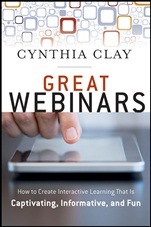
Great Webinars: Create Interactive Learning That Is Captivating, Informative, and Fun
ISBN 9781118205440
Autor: Cynthia Clay
Wydawca: Wiley
Dostępność: 3-6 tygodni
Cena: 254,10 zł
Przed złożeniem zamówienia prosimy o kontakt mailowy celem potwierdzenia ceny.
ISBN13: |
9781118205440 |
ISBN10: |
1118205448 |
Autor: |
Cynthia Clay |
Oprawa: |
Paperback |
Rok Wydania: |
2012-02-09 |
Ilość stron: |
208 |
Wymiary: |
228x154 |
Tematy: |
KM |
Great Webinars
"Great Webinars provides a profoundly practical andeasy–to–follow template for creating and facilitating stimulatingwebinars that engage learners as active participants, whilecreating the kind of energetic ′buzz′ that is the hallmark ofsuccessful learning experiences. The book is sure to benefit bothseasoned instructors and subject matter experts who are new toteaching. I sure wish this book had existed when I began conductingwebinars back in the mid 1990s." Carol Willett, former chieflearning officer, US Government Accountability Office
"Not only has Cindy Clay put the adult learning principles intopractice, she has created an approach to the design, developmentand delivery of a virtual workshop that is potentially moreengaging than being face–to–face. Great Webinars captures all theessentials to creating a great on–line learning experience. . . .Thanks to the lessons learned in this book, we can now move fullspeed ahead with our e–learning strategy and I can now feelconfident we will be teaching versus simply reaching ourcustomers." Karen Pacent, director, Learning and LeadershipDevelopment, United States Tennis Association
"Great Webinars is written in a smart, authentic, practical,sassy, and easy–to–follow way. It reminds us to bring ourparticipants′ experience front and center if we want them to beenthralled, and the learning environment to be enriched. CynthiaClay lets her own students tell us what is wrong with the currentuse of webinars and then proceeds to teach us how to build ′embetter. It′s like having her sit beside you saying, ′Don′t worry .. . I′ll get you there.′ And she does." Beverly Kaye,founder/CEO, Career Systems International; coauthor, Love ′Em orLose ′Em and Getting Good People to Stay
Acknowledgments xv
Foreword xvii
Introduction xxi
1 Virtual Facilitation Gone Wrong 1
Putting Up with Poor Preparation and Content 3
Looking for Interaction and Collaboration 6
Getting Instructional Materials and Class Size Wrong 8
Encountering Trouble with Technology 9
Offering Hope 12
Homework 15
2 Getting It Right 17
Presenting a Web Workshop Example 17
Capturing Attention 24
Keeping the Class Size Small 24
Smiling for the Camera 25
Using Interactive Tools Effectively 25
Homework 28
3 Know Your Audience/Know Your Objectives 29
Learning Your ABCs 29
Identifying Objectives 31
Writing Objectives Using STAR 32
Finding the Right Words 33
Connecting Objectives to Exercises 34
Attending to Learning Styles 35
Wrapping Up 36
Knowing Your Audience 36
Getting Personal Before the Workshop 37
Getting to Know Your Organization 38
A Few Best Practices 39
Homework 41
4 Interaction and Collaboration 43
Defining Interaction and Collaboration 44
Why the Distinction Matters 45
Using Interactivity Tools During Participant Introduction 47
Using Chat, Poll, and Raise Hand for Participant Introductions 51
Letting It Flow with Chat 53
Polling for Knowledge or Interest 53
Having Fun with Collaborative Learning 54
Performing Whiteboard Wizardry 63
Sharing Desktop Applications 64
Showing Tool Usage and Benefits 65
Homework 67
5 Powerful PowerPoint Pointers 69
Improving Slide Design 70
Slide Content and Delivery 72
Voice 73
Pacing 73
Flow 73
Differentiating Between Presentations in the Physical and Virtual Classrooms 74
Homework 76
6 Repurposing from Traditional to Virtual 77
Revisiting Adult Learning Principles 77
Presenting Some Common Repurposing Errors 78
Breaking the Ice 79
Conducting Peer–To–Peer Discussions 81
Employing Role Playing or Practicing 81
Modeling Behavior 81
Employing Self–Assessments 85
Charting Ideas on a Flipchart 85
Asking Questions and Checking the Pulse 86
Presenting a Video 87
Presenting with PowerPoint Slides 88
Checking for Understanding 88
Coaching Learners 89
Homework 94
7 Learning Transfer 95
Converging to the Context that Matters 96
Putting the Learner at the Center 97
Convergence and the Facilitator 98
Homework, Indeed 101
Applying Learning Quickly 104
Apply the Learning Soon After Training 105
Have a Realistic Expectation of Training and Identify at Least One Application 105
Be Prepared and Supported by the Manager 106
Receive Incentives, Rewards, and Encouragement 106
Engage in Training Close to a Pressing Need 107
Get Tools and Resources to Apply Learning on the Job 107
The New Blend 108
Changing the Profile of Learners and Facilitators 109
Homework 111
8 Technology Trauma 113
Making It Look Easy 113
Managing Risk 117
Anticipating Things that Can Go Wrong 118
Preventing Things from Going Wrong 119
Handling Things that Do Go Wrong 120
The Breakout Room Blues 121
Homework 124
9 Getting It All Together 125
Presenting an Existing Workshop for the First Time 126
Taking Your Time 127
Employing a Host 127
Running Solo 128
Scripting Your Presentation 129
Using a Video Camera or Webcam 130
Web Platforms are not Created Equally 131
Creating the Training Event 132
Parting Words 133
Homework 134
Glossary of Terms 135
Appendixes
Appendix A: Virtual Facilitator Self–Assessment 137
Appendix B: Interactivity Tools 139
Appendix C: Repurposing Samples 141
Appendix D: Using Interactivity Tools for Repurposing 145
Appendix E: NetSpeed Fast Tracks 149
Appendix F: Assessing a Virtual Training Program 151
Appendix G: Delivering Webinars to Large Numbers of Participants 153
Appendix H: Creating a Risk Management Plan 157
Appendix I: Logistics Checklist 161
Appendix J: Design an Interactive, Collaborative Learning Experience 163
Appendix K: Resources for the Virtual Trainer 165
Notes 169
About the Author 173
Index 175
Cynthia Clay is the founder and president of NetSpeed LearningSolutions. Her company provides learning and training programs thatblend the best of instructor–led training with web–basedperformance support and measurement tools.
Koszyk
Książek w koszyku: 0 szt.
Wartość zakupów: 0,00 zł
Informacje


Kontakt
Gambit
Centrum Oprogramowania
i Szkoleń Sp. z o.o.
Al. Pokoju 29b/22-24
31-564 Kraków
Siedziba Księgarni
ul. Kordylewskiego 1
31-542 Kraków
+48 12 410 5991
+48 12 410 5987
+48 12 410 5989
Subskrypcje
Administratorem danych osobowych jest firma Gambit COiS Sp. z o.o. Na podany adres będzie wysyłany wyłącznie biuletyn informacyjny.
Autoryzacja płatności

Informacje na temat autoryzacji płatności poprzez PayU.

© Copyright 2012: GAMBIT COiS Sp. z o.o. Wszelkie prawa zastrzeżone.
Projekt i wykonanie: Alchemia Studio Reklamy