


Wydawcy
Katalog tematyczny
- Archeologia (109)
- Ekonomia, finanse, business (13704)
- Filozofia (1445)
- Historia (3040)
- Języki i językoznawstwo (2356)
- Lifestyle, hobby i rozrywka (475)
- Medycyna (9704)
- Nauki humanistyczne (4)
- Nauki o Ziemi i środowisku (2638)
- Nauki ścisłe (20412)
- Nauki społeczne (8486)
- Nauki techniczne (13450)
- Prawo (1696)
- Publikacje informacyjne i interdyscyplinarne (1288)
- Religia i wierzenia (917)
- Technika komputerowa (4067)
- Zdrowie, relacje międzyludzkie i rozwój osobisty (657)





Informacje szczegółowe o książce
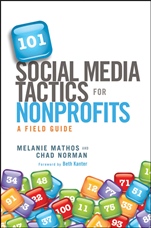
101 Social Media Tactics for Nonprofits: A Field Guide
ISBN 9781118106242
Autor: Melanie Mathos, Chad Norman, Beth Kanter
Wydawca: Wiley
Dostępność: 3-6 tygodni
Cena: 214,20 zł
Przed złożeniem zamówienia prosimy o kontakt mailowy celem potwierdzenia ceny.
ISBN13: |
9781118106242 |
ISBN10: |
1118106245 |
Autor: |
Melanie Mathos, Chad Norman, Beth Kanter |
Oprawa: |
Hardback |
Rok Wydania: |
2012-02-28 |
Ilość stron: |
224 |
Wymiary: |
236x154 |
Tematy: |
KM |
Praise for 101 Social Media Tactics For Nonprofits "I often hear from the country′s largest and best–known nonprofits on how they′re using technology to push the needle forward on their important work. With this social media guide, all organizations—no matter what size—have the tools in hand to help the world, one click at a time." — CHRISTIE GARTON , USA TODAY Features Editorand "Kindness" blogger " 101 Social Media Tactics for Nonprofits delivers the pragmatic how–to advice that nonprofits always seem to ask for at conferences. Melanie and Chad deserve praise for helping nonprofits navigate and find resource–limited solutions with really useful information." — GEOFF LIVINGSTON , author, Welcome to the Fifth Estate "Chock–full of actionable ideas! By now you already know that social media are important tools for nonprofits. To turn the promise into action, this valuable book is your guide to the actual tactics that work." — DAVID MEERMAN SCOTT , bestsellng author, The New Rules of Marketing and PR "Melanie and Chad are well–known thought leaders in the nonprofit space who consistently provide effective, real–world advice to nonprofits. Their book is a thoughtful guide that gives nonprofits 101 useful ideas on using social media to engage with their current supporters and potential activists and donors. Nonprofit practitioners will find a lot of value in how they broke down the tactics into what you need and why and how to do it." — ALLYSON KAPIN , Partner at web agency Rad Campaign; founder, Women Who Tech "Social media may still be new, but that doesn′t stop most social media books from spouting lots of useless platitudes. This book certainly does not do that! It′s chock–full of real, actionable advice that makes concepts clear and, better yet, tells you exactly how to implement them. If you have a strategy and are ready to get started, this book is for you." — HOLLY ROSS , Executive Director, Nonprofit Technology Network "A must–read guide to social media that leaves you eager to implement. This book opens up a world of options for nonprofits as well as best practices that will save you hours. Once you have your strategy, there is no better book out there for accomplishing greatness!" — DANIELLE BRIGIDA , Manager of Social Media,National Wildlife Federation "Feel that? It was a sharp elbow in your side from authors Melanie Mathos and Chad Norman urging your nonprofit to get over its fears and trepidation at using social media. They do this with a commonsense, tactical approach to using social media to do everything from raising thousands of dollars to recruiting thousands of volunteers. All backed up with real–world nonprofit case studies. So what are you waiting for? This is your playbook for success." — DAVID J. NEFF , author, The Future of Nonprofits: Innovate and Thrive in the Digital Age
Foreword xi Acknowledgments xiii Introduction xv Using This Book xvi Tactic Checklist xvii Chapter 1 Setup 1 1. Claim Your User Name on Facebook 2 2. Brand Your YouTube Channel 3 3. Claim Your Venue on foursquare 4 4. Create a Branded foursquare Page 6 5. Create a Custom Twitter Background 9 6. Brand Your Facebook Page 11 7. Add Multiple Administrators to Your Facebook Page 13 8. Set and Display Rules for Your Facebook Community 14 9. Allow Supporters to Post Content on Your Facebook Page 17 10. Monitor Facebook Page Activity with Alerts 19 11. Use Commenting Tools that Authenticate with Social Accounts 21 12. Add a Facebook Like Button to Your Web Site or Blog 22 13. Add a Twitter Follow Button to Your Site 23 14. Include the ShareThis Sharing Button 25 15. Create a Flickr Pro Account 26 16. Publish Photos Under a Creative Commons License 28 17. Submit Your Photos to Flickr Groups 30 Chapter 2 Communicate 33 18. Use Collaboration Tools to Manage Twitter Accounts 34 19. Create Twitter Lists 36 20. Display Names of Staff Contributing to Twitter and Facebook 37 21. Connect with the Top Tweeters in Your Area 40 22. Monitor Local Twitter Activity Using Hashtags 42 23. Make Your Tweets Retweetable 44 24. Sign up for Tweets for Good 46 25. Recruit New Staff and Volunteers 48 26. Start, Join, and Organize Conversations with Hashtags 49 27. Promote an Event or Campaign with a Hashtag 51 28. Contribute to Mission–Related Twitter Hashtags 52 29. Use TwitPic to Share Photos and Videos 54 30. Display RSS Feeds on Your Web Site 55 31. Display Live Twitter Content on Your Web Site and Blog 57 32. Feed Your Blog to Twitter and Facebook 59 33. Use Facebook Social Plug–ins on Your Site 60 34. Add Events to Your Facebook Page 62 35. Integrate Other Social Channels with Facebook 64 36. Include Social Channels in Contact Information 65 37. Integrate Supporter Photos with Other Channels 67 38. Submit Content to Social News and Bookmarking Sites 69 39. Create a Wikipedia Entry 71 40. Create a Social Media Newspaper 72 41. Make a Buzzworthy Video 73 42. Participate in a Video Contest 75 43. Livestream Your Events 77 44. Provide Instant Access to Content with QR Codes 79 45. Share Presentations and Documents Online 82 Chapter 3 Engage 85 46. Create a Facebook Welcome Tab 86 47. Encourage Action with Facebook Custom Tab 89 48. Encourage Supporters to Share Facebook Content 90 49. Launch a Like Campaign 92 50. Use Facebook as Your Organization’s Page 93 51. Ask Your Facebook Fans a Question 95 52. Get Creative with Avatars 96 53. Add a Tweet Button to Your Web Site or Blog 98 54. Empower Supporters to Take Social Action 100 55. Build Real Relationships with Social Communication 102 56. Ask Infl uencers to Share Your News 104 57. Engage the Blogging Community 106 58. Broadcast the Backchannel Buzz at Your Event 108 59. Organize a Twitter Chat with a Hashtag 110 60. Organize a Tweetup 111 61. Reward Your Supporters for Checking In 113 62. Add Mission–Related Tips on foursquare 115 63. Create a Custom Badge on foursquare 116 64. Participate in Giving Contests [with Caution] 118 65. Launch a Social Contest on Facebook 120 66. Build Stewardship Through Video 121 67. Ask Supporters to Share Photos or Videos 122 68. Hold a Video Response Contest 124 69. Create a Flickr Group to Support Your Mission 126 70. Hold a Photo Contest 128 71. Create a Photo Petition 130 72. Organize a Petition on Twitter 131 73. Socialize Your Internal Communications 132 74. Treat Your Social Networks Like V.l.P.s 134 75. Create Your Own Online Community 135 Chapter 4 Fundraise 139 76. Raise Money with Causes 140 77. Encourage Supporters to Make a Wish 142 78. Create a Facebook Donation Tab 143 79. Hold a Tweetathon 144 80. Launch a Sponsored Tweet Campaign 146 81. Organize a Fundraising Campaign through Twitter 147 82. Increase Conversions with Video Overlays 149 83. Use Video Annotations as Calls to Action 151 84. Enable Social Giving with Peer Fundraising Tools 153 85. Launch a Check In for Charity Campaign 155 86. Participate in Social Buying Platforms 158 87. Submit Your Organization to be Featured on Philanthroper 159 88. Ask Supporters to Pledge Social Actions 161 89. Participate in Social Gaming 162 90. Take your Fundraising Events to an Alternate Reality 164 Chapter 5 Measure 167 91. Analyze Facebook Activity with Insights 168 92. Understand Your YouTube Audience 169 93. Track Referrals from Social Sites 171 94. Measure New Visitors from Social Channels 172 95. Track Link Performance with Short URLs 174 96. Monitor Your Organization’s Name on Twitter 175 97. Measure the Reach of Your Tweets 177 98. Calculate Your Twitter Infl uence 179 99. Create a Social Media Listening Dashboard 180 100. Use Social Media Monitoring Applications 183 101. Get a Strategy 185 About the Authors 187 Index 189
Melanie Mathos is the senior public relations manager at Blackbaud, where she spreads the word about their products, services, and customers; co–manages the company′s social media channels; and contributes to the NetWits ThinkTank blog. Melanie also serves on the board of directors of Fields to Families, where she leads the organization′s fundraising and communications. Chad Norman is the Internet marketing manager for Blackbaud, where he wrangles cor–porate web site content and develops social media strategy. He′s the Editor in Chief of Blackbaud Blogs , and contributes to the NetWits ThinkTank blog. He also hosts and produces The Baudcast. In 2007, he founded Go Green Charleston, a technology–focused nonprofit. He also serves on the board of directors of Fields to Families, managing web strategy.
Koszyk
Książek w koszyku: 0 szt.
Wartość zakupów: 0,00 zł
Informacje


Kontakt
Gambit
Centrum Oprogramowania
i Szkoleń Sp. z o.o.
Al. Pokoju 29b/22-24
31-564 Kraków
Siedziba Księgarni
ul. Kordylewskiego 1
31-542 Kraków
+48 12 410 5991
+48 12 410 5987
+48 12 410 5989
Subskrypcje
Administratorem danych osobowych jest firma Gambit COiS Sp. z o.o. Na podany adres będzie wysyłany wyłącznie biuletyn informacyjny.
Autoryzacja płatności

Informacje na temat autoryzacji płatności poprzez PayU.

© Copyright 2012: GAMBIT COiS Sp. z o.o. Wszelkie prawa zastrzeżone.
Projekt i wykonanie: Alchemia Studio Reklamy