


Wydawcy
Katalog tematyczny
- Archeologia (109)
- Ekonomia, finanse, business (13704)
- Filozofia (1445)
- Historia (3040)
- Języki i językoznawstwo (2356)
- Lifestyle, hobby i rozrywka (475)
- Medycyna (9704)
- Nauki humanistyczne (4)
- Nauki o Ziemi i środowisku (2638)
- Nauki ścisłe (20412)
- Nauki społeczne (8486)
- Nauki techniczne (13450)
- Prawo (1696)
- Publikacje informacyjne i interdyscyplinarne (1288)
- Religia i wierzenia (917)
- Technika komputerowa (4067)
- Zdrowie, relacje międzyludzkie i rozwój osobisty (657)





Informacje szczegółowe o książce
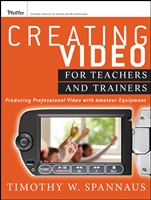
Creating Video for Teachers and Trainers: Producing Professional Video with Amateur Equipment
ISBN 9781118088098
Autor: Tim Spannaus
Wydawca: Wiley
Dostępność: 3-6 tygodni
Cena: 368,55 zł
Przed złożeniem zamówienia prosimy o kontakt mailowy celem potwierdzenia ceny.
ISBN13: |
9781118088098 |
ISBN10: |
1118088093 |
Autor: |
Tim Spannaus |
Oprawa: |
Paperback |
Rok Wydania: |
2012-05-25 |
Ilość stron: |
224 |
Wymiary: |
233x179 |
Tematy: |
KM |
Creating Video for Teachers and Trainers This practical resource will help teachers and trainers produce professional quality training videos, even while using less than professional quality equipment and software. Author Timothy Spannaus shows how to use professional techniques with consumer–grade equipment to produce videos that work and tell the intended story, minimizing defects that get in the way of improving learning and performance. The end result is a video that can be used in classroom or labs, distributed on the web, packaged for use in learning management systems, or shared on social media sites. Praise for Creating Video for Teachers and Trainers "This is a practical, immediately usable resource, filled with concrete and creative ideas and tips. For those of us wanting to know how to plant our feet and not stumble when venturing into designing and making great videos, it′s a godsend." Len Scrogan, digital learning architect, Future–Talk Blog "The perfect roadmap for instructional professionals new to video production. Includes evidence–based guidelines on the when, why, and how of video for training purposes."Ruth Clark, president, Clark Training and Consulting "In my 20–plus years working in the television, training, and corporate communication industry, Tim′s book is the first to provide a practical and budget–conscious approach to video production for the learning professional. Comprehensive in its scope, the book′s realistic examples, combined with a systematic roadmap, arms you with the tools to kickstart your videos with a quality and efficiency that we all dream about in the learning profession."David Shulkin, Video Operations and Instructional Technology Catalyst, Bloomfield Hills Schools Digital Media Services
Acknowledgments xv Introduction xvii SECTION I: PLANNING AND MANAGING VIDEO PROJECTS 1 CHAPTER ONE: WHY VIDEO? WHY NOW? 3 Demonstration of Procedures 4 Presentation by an Expert 4 Introduction to a Case Study 4 Excerpt of a Dramatic Production 5 Show a Process 5 Virtual Tours 6 Why Video? 6 Low Cost of Equipment and Software 7 Reduced Expectations of Quality 8 Traps for the Unwary 8 CHAPTER TWO: ONE TIME THROUGH THE PROCESS—A 30,000–FOOT VIEW 11 Treatment 13 Media Specification 14 Prototypes 16 Script Site 17 Concurrent Work 18 Shot List 19 The Shoot 19 Edit 20 Site Construction—HTML Pages 21 Final Assembly and Test 22 Launch and Distribution 22 CHAPTER THREE: PLANNING 25 Goals and Objectives 25 ID Considerations—First Principles, Solving Problems 26 Integrating Video with Other Media 29 Story and Character 31 CHAPTER FOUR: WRITING THE SCRIPT 35 Organization 36 Treatment 36 Format 37 Writing 39 Write in Active Voice 40 Personalize the Writing 40 Think Visually 41 Style Guide 41 Integration with Other Media 42 Script Breakdown 42 CHAPTER FIVE: OTHER WAYS TO PRODUCE VIDEO 45 Webcams 45 Screen Recorders 47 After Capture, You Will Want to Edit 48 Adobe Flash Animations 48 Single Frame Animations 49 CHAPTER SIX: MANAGING VIDEO PROJECTS 51 Complexity 51 Defining the Project 52 Planning 53 Tasks/Activities 53 Roles 57 Resources 58 Adjusting the Schedule 58 Executing 60 Monitoring 60 Reporting and Controlling 62 Delivering and Closing 62 CHAPTER SEVEN: YOUR ASSIGNMENT 1 65 Plan 65 Script 65 SECTION II: ESSENTIAL EQUIPMENT 67 CHAPTER EIGHT: CAMCORDERS 69 Video Formats 69 Lens 71 Sensors 74 Resolution and Size 74 Storage Media 74 Necessary Features 75 CHAPTER NINE: USING THE CAMCORDER 77 Composition 77 Common Shots 78 Camera Movement 83 Zooms 84 CHAPTER TEN: LIGHTS AND LIGHTING 87 Color and Intensity 87 Basic Lighting Equipment 90 Basic Lighting Setups 94 Lighting Problems 97 CHAPTER ELEVEN: MICS AND SOUND 101 The Importance of Sound 101 Kinds of Mics 102 Mic Setups and Use 107 Voice–Over vs. Sync Sound 108 CHAPTER TWELVE: YOUR ASSIGNMENT 2 EDIT IN CAMERA 111 Plan 111 Shoot 111 SECTION III: PRODUCTION 113 CHAPTER THIRTEEN: SELECTING AND SURVEYING LOCATIONS 115 Back to the Script 115 Location Survey 116 Shots and Camera Angles 116 Lighting and Electrical Power 117 Specific Locations: Offices 117 Specific Locations: Homes 118 Specific Locations: Factories, Shops, Warehouses, and Labs 119 Exteriors 120 Commercial and Retail Locations 121 Location Releases 121 Green Screen—Any Location, Any Time 121 CHAPTER FOURTEEN: PLANNING THE SHOOT 123 Props 123 People 126 Equipment 126 Schedules 127 CHAPTER FIFTEEN: THE DAY OF THE SHOOT 133 Set Up 133 Blocking and Walkthrough 134 Camera Rehearsal 135 The Actual Shoot 136 Ambient Sound 136 Tear Down 137 CHAPTER SIXTEEN: YOUR ASSIGNMENT 3 PLAN AND SHOOT 139 Plan 139 Shoot 139 SECTION IV: POST–PRODUCTION 141 CHAPTER SEVENTEEN: VIDEO EDITING 143 Essential Software 143 A Simple Event Shoot 146 A Planned Instructional Video 151 Cut–Ins and Cut–Aways 152 Intercutting 152 Green Screen 153 CHAPTER EIGHTEEN: AUDIO EDITING 155 Cleaning Up Camcorder Sound 155 Voice–Over Narration 157 Sound Effects 157 Music 158 Wild Sound 158 CHAPTER NINTEEN: EFFECTS 161 Transitions 162 Titles 162 CHAPTER TWENTY: YOUR ASSIGNMENT 4 165 Edit 165 Make a DVD 165 SECTION V: DISTRIBUTION AND USE 167 CHAPTER TWENTY ONE: VIDEO ON OPTICAL MEDIA 169 CD, DVD, Blu–Ray 169 Video on CD 170 DVDs 171 Blu–Ray 171 Making the Disc 172 CHAPTER TWENTY TWO: VIDEO ON THE WEB 173 Adobe Flash 174 MPEG and MPEG–4 174 HTML5 175 Development: Finer Points 177 Use of Media 177 Human Resources 178 Fine–Tuning for the User’s Environment 178 Video Options 178 CHAPTER TWENTY THREE: USING VIDEO IN YOUR TEACHING AND TRAINING 181 Stand–Alone Video 181 Problem–Centered 182 Prior Knowledge 182 Demonstration 183 Practice and Feedback 184 Integration 184 Video Story by an Expert 185 Documentation 185 Video in PowerPoint or Similar Products 185 File Formats 186 Moving to a Different Computer 186 Web Video 186 References 189 About the Author 191 Index 193
Timothy W. Spannaus is instructional technology program coordinator and senior lecturer at Wayne State University in Detroit. He teaches classes in interactive technologies including web design, multimedia, digital video and message design. In addition he directs the Certificate in University Teaching program.
Koszyk
Książek w koszyku: 0 szt.
Wartość zakupów: 0,00 zł
Informacje


Kontakt
Gambit
Centrum Oprogramowania
i Szkoleń Sp. z o.o.
Al. Pokoju 29b/22-24
31-564 Kraków
Siedziba Księgarni
ul. Kordylewskiego 1
31-542 Kraków
+48 12 410 5991
+48 12 410 5987
+48 12 410 5989
Subskrypcje
Administratorem danych osobowych jest firma Gambit COiS Sp. z o.o. Na podany adres będzie wysyłany wyłącznie biuletyn informacyjny.
Autoryzacja płatności

Informacje na temat autoryzacji płatności poprzez PayU.

© Copyright 2012: GAMBIT COiS Sp. z o.o. Wszelkie prawa zastrzeżone.
Projekt i wykonanie: Alchemia Studio Reklamy