


Wydawcy
Katalog tematyczny
- Archeologia (94)
- Ekonomia, finanse, business (11664)
- Filozofia (1411)
- Historia (2972)
- Języki i językoznawstwo (2311)
- Lifestyle, hobby i rozrywka (411)
- Medycyna (5054)
- Nauki humanistyczne (2)
- Nauki o Ziemi i środowisku (1033)
- Nauki ścisłe (10005)
- Nauki społeczne (6049)
- Edukacja (127)
- Kryminologia, opieka spełeczna (3)
- Obronność (4)
- Polityka (406)
- Psychologia (184)
- Socjologia (165)
- Społeczeństwo i kultura (4)
- Nauki techniczne (5313)
- Prawo (160)
- Publikacje informacyjne i interdyscyplinarne (706)
- Religia i wierzenia (900)
- Technika komputerowa (2101)
- Zdrowie, relacje międzyludzkie i rozwój osobisty (632)





Informacje szczegółowe o książce
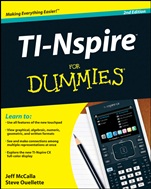
TI–Nspire For Dummies
ISBN 9781118004661
Autor: Jeff McCalla, Steve Ouellette
Wydawca: Wiley
Dostępność: 3-6 tygodni
Cena: 135,45 zł
Przed złożeniem zamówienia prosimy o kontakt mailowy celem potwierdzenia ceny.
ISBN13: |
9781118004661 |
ISBN10: |
1118004663 |
Autor: |
Jeff McCalla, Steve Ouellette |
Oprawa: |
Paperback |
Rok Wydania: |
2011-06-07 |
Numer Wydania: |
2nd Edition |
Ilość stron: |
384 |
Wymiary: |
234x189 |
Tematy: |
JD |
Your TI–Nspire has had a makeover! Learn to use all its amazing, updated features
Your TI–Nspire is simply one of the most fantastic math tools in existence. Now with color, touchpad control, and other upgrades, it has even more to offer! Whether you′re a student or a teacher, this book will help you take advantage of every TI–Nspire feature. Learn TI–Nspire language, explore the software, and start solving problems today.
Learn how it thinks — understand the philosophy behind the TI–Nspire and set up your device
Calculate stuff — learn to use the Calculator application, entering and evaluating expressions and working with variables
Get graphic — create a wide variety of graphs for visual representation, including 3D and differential equations
The object is geometric — use the Geometry application to construct and measure objects
Make a list — organize, analyze, and display your data with the Lists & Spreadsheet application
Statistically speaking — work with the Data & Statistics application to manipulate single– and two–variable data
Note that — customize documents for greater understanding using the Notes application
Check out the software — see how to get TI–Nspire software for your computer, and why you should
Open the book and find:
How to move and grab an object
How multiple representations aid learning
The keypad zones and how to use them
Guidelines for conducting data collection experiments
Tips for using CAS tools
Hints for troubleshooting common problems
Ten terrific shortcuts
Special information for teachers
Learn to:
Use all features of the new touchpad
View graphical, algebraic, numeric, geometric, and written formats
See and make connections among multip
le representations at once
Explore the new TI–Nspire CX full–color display
Spis treści:
Introduction.
Part I: Getting to Know Your TI–Nspire Handheld.
Chapter 1: Using TI–Nspire for the First Time.
Chapter 2: Understanding the Document Structure.
Chapter 3: Creating and Editing Documents.
Chapter 4: Linking Handhelds.
Part II: The Calculator Application.
Chapter 5: Entering and Evaluating Expressions.
Chapter 6: Working with Variables.
Chapter 7: Using the Calculator Application with Other Applications.
Chapter 8: Using the Calculator Application with TI–Nspire CAS.
Part III: The Graphs Application.
Chapter 9: Working with Graphs.
Chapter 10: Using the Graphs Application to Do Calculus.
Part IV: The Geometry Application.
Chapter 11: Working with Geometric Objects.
Chapter 12: Using an Analytic Window in the Geometry Application.
Part V: The Lists & Spreadsheet Application.
Chapter 13: Applying What You Already Know about Spreadsheets.
Chapter 14: Working with Data.
Chapter 15: Constructing Scatter Plots and Performing Regressions.
Chapter 16: Manual and Automatic Data Capture.
Part VI: The Data & Statistics and Vernier DataQuest Applications.
Chapter 17: Constructing Statistical Graphs.
Chapter 18: Working with Single–Variable Data.
Chapter 19: Working with Two–Variable Data.
Chapter 20: Data Collection.
Part VII: The Notes Application.
Chapter 21: The Why and How of Using Notes.
Chapter 22: Taking Notes to a Whole New Level.
Part VIII: TI–Nspire Computer Software.
Chapter 23: Getting Started with TI–Nspire Computer Software.
Chapter 24: File Creation and Display in Documents Workspace.
Chapter 25: File Management with Content Workspace.
Part IX: The Part of Tens.
Chapter 26: Ten Great Tips
and Shortcuts.
Chapter 27: Ten Common Problems Resolved.
Appendix A: Safeguarding in Press–to–Test Mode.
Appendix B: Basic Programming.
Appendix C: Working with Libraries.
Index.
Nota biograficzna:
Jeff McCalla teaches Algebra 2 and Pre–Calculus at St. Mary′s Episcopal School in Memphis. He is a T3 instructor for Texas Instruments and co– founder of the TI–Nspire SuperUser group.
Steve Ouellette wrote the first edition of TI–Nspire For Dummies as well as CliffsNotes Guide to TI–Nspire.
Okładka tylna:
Your TI–Nspire has had a makeover! Learn to use all its amazing, updated features
Your TI–Nspire is simply one of the most fantastic math tools in existence. Now with color, touchpad control, and other upgrades, it has even more to offer! Whether you′re a student or a teacher, this book will help you take advantage of every TI–Nspire feature. Learn TI–Nspire language, explore the software, and start solving problems today.
Learn how it thinks — understand the philosophy behind the TI–Nspire and set up your device
Calculate stuff — learn to use the Calculator application, entering and evaluating expressions and working with variables
Get graphic — create a wide variety of graphs for visual representation, including 3D and differential equations
The object is geometric — use the Geometry application to construct and measure objects
Make a list — organize, analyze, and display your data with the Lists & Spreadsheet application
Statistically speaking — work with the Data & Statistics application to manipulate single– and two–variable data
Note that — customize documents for greater understanding using the Notes application
Check out the softw
are — see how to get TI–Nspire software for your computer, and why you should
Open the book and find:
How to move and grab an object
How multiple representations aid learning
The keypad zones and how to use them
Guidelines for conducting data collection experiments
Tips for using CAS tools
Hints for troubleshooting common problems
Ten terrific shortcuts
Special information for teachers
Learn to:
Use all features of the new touchpad
View graphical, algebraic, numeric, geometric, and written formats
See and make connections among multiple representations at once
Explore the new TI–Nspire CX full–color display
Koszyk
Książek w koszyku: 0 szt.
Wartość zakupów: 0,00 zł
Informacje


Kontakt
Gambit
Centrum Oprogramowania
i Szkoleń Sp. z o.o.
Al. Pokoju 29b/22-24
31-564 Kraków
Siedziba Księgarni
ul. Kordylewskiego 1
31-542 Kraków
+48 12 410 5991
+48 12 410 5987
+48 12 410 5989
Subskrypcje
Administratorem danych osobowych jest firma Gambit COiS Sp. z o.o. Na podany adres będzie wysyłany wyłącznie biuletyn informacyjny.
Autoryzacja płatności

Informacje na temat autoryzacji płatności poprzez PayU.

© Copyright 2012: GAMBIT COiS Sp. z o.o. Wszelkie prawa zastrzeżone.
Projekt i wykonanie: Alchemia Studio Reklamy