


Wydawcy
Katalog tematyczny
- Archeologia (109)
- Ekonomia, finanse, business (13704)
- Filozofia (1445)
- Historia (3040)
- Języki i językoznawstwo (2356)
- Lifestyle, hobby i rozrywka (475)
- Medycyna (9704)
- Nauki humanistyczne (4)
- Nauki o Ziemi i środowisku (2638)
- Nauki ścisłe (20412)
- Astronomia (294)
- Biologia (5119)
- Chemia (6540)
- Fizyka (3309)
- Matematyka (4574)
- Nauki ścisłe, ogólnie (503)
- Nauki społeczne (8486)
- Nauki techniczne (13450)
- Prawo (1696)
- Publikacje informacyjne i interdyscyplinarne (1288)
- Religia i wierzenia (917)
- Technika komputerowa (4067)
- Zdrowie, relacje międzyludzkie i rozwój osobisty (657)





Informacje szczegółowe o książce
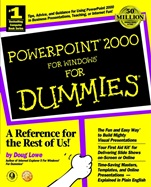
PowerPoint 2000 For Windows For Dummies
ISBN 9780764504501
Autor: Doug Lowe
Wydawca: Wiley
Dostępność: 3-6 tygodni
Cena: 157,50 zł
Przed złożeniem zamówienia prosimy o kontakt mailowy celem potwierdzenia ceny.
ISBN13: |
9780764504501 |
ISBN10: |
0764504509 |
Autor: |
Doug Lowe |
Oprawa: |
Paperback |
Rok Wydania: |
1999-05-07 |
Ilość stron: |
408 |
Wymiary: |
235x191 |
Tematy: |
P |
PowerPoint "Cheat Sheet" Inside!
Create Effective, Eye–Catching Presentations — Quickly and Easily! Not artistic? Not techno–savvy? Not a problem! You too can create dynamic presentations that will blow your audience away. With the expert advice of Doug Lowe, you'll find out how to organize, illustrate, and deliver your ideas with maximum impact using PowerPoint's easy–to–use built–in features. Whether you're preparing a slide show for a conference room, a sales presentation for your laptop, or a demo for your Web site, the tips and tricks you discover here will leave them saying "Wow!"
Inside, find helpful advice on how to:Master PowerPoint basics — and start creating terrific–looking presentations todayUse PowerPoint's slide masters, templates, and macros to save time and develop a consistent lookSelect a color palette that maximizes the impact of your presentation — and create graphics, tables, and charts that drive your message homeSpeed up production with Tri–Pane view, the new feature that lets you toggle between slides, outlines, and notesDazzle your audience with clip art, sounds, video, and other cool multimedia effectsMake sure everything runs smoothly when you're broadcasting slides from your laptopSave your presentation in HTML format and post it on your Web site
Spis treści:
Introduction.
PART I: Basic PowerPoint 2000 Stuff.
Chapter 1: PowerPoint 101.
Chapter 2: Editing Slides.
Chapter 3: Outlining Your Presentation.
Chapter 4: Doing It with Style.
Chapter 5: Don′t Forget Your Notes!
Chapter 6: Printing Your Presentation.
Chapter 7: Help!
PART II: Looking Mahvelous.
Chapter 8: Fabulous Text Formats.
Chapter 9: Masters of the Universe Meet the Templates of Doom.
Chapter 10: When I Am Old, I Shall Make My Slides Purple.
Chapter 11: Using Clip Art.
Chapter 12: Drawing on Your Slides.
PART III: Neat Things You Can Add to Your Slides.
Chapter 13: Charts.
Chapter 14: Organizational Charts (Or, Who′s in Charge Here?).
Chapter 15: Equations, WordArt, and Other Ornaments.
Chapter 16: Lights! Camera! Action! (Adding Sound and Video).
Chapter 17: Transitions and Animation Effects.
PART IV: Oh, What a Tangled Web We Weave.
Chapter 18: Working with Hyperlinks and Action Buttons.
Chapter 19: Surfing the Web with PowerPoint 2000.
Chapter 20: Creating Web Pages with PowerPoint 2000.
PART V: Working with Presentations.
Chapter 21: Online Collaborations.
Chapter 22: Juggling Multiple Presentations and Stealing Slides.
Chapter 23: Sharing Information with Other Programs.
Chapter 24: Managing Your Files.
Chapter 25: Creating 35mm Slides.
Chapter 26: It′s Show Time –– PowerPoint Live!
PART VI: The Part of Tens.
Chapter 27: Ten New Features in PowerPoint 2000.
Chapter 28: Ten Things That Often Go Wrong.
Chapter 29: Ten PowerPoint Shortcuts.
Index.
Book Registration Information.
Nota biograficzna:
About Doug Lowe Doug Lowe is a seasoned For Dummies?? author with 30 computer books to his credit, including Internet Explorer 5 For Windows?? For Dummies??, Networking For Dummies??, 4th Edition, and Client/Server Computing For Dummies??, 3rd Edition.
Okładka tylna:
PowerPoint "Cheat Sheet" Inside!
Create Effective, Eye–Catching Presentations — Quickly and Easily! Not artistic? Not techno–savvy? Not a problem! You too can create dynamic presentations that will blow your audience away. With the expert advice of Doug Lowe, you'll find out how to organize, illustrate, and deliver your ideas with maximum impact using PowerPoint's easy–to–use built–in features. Whether you're preparing a slide show for a conference room, a sales presentation for your
laptop, or a demo for your Web site, the tips and tricks you discover here will leave them saying "Wow!"
Inside, find helpful advice on how to:Master PowerPoint basics — and start creating terrific–looking presentations todayUse PowerPoint's slide masters, templates, and macros to save time and develop a consistent lookSelect a color palette that maximizes the impact of your presentation — and create graphics, tables, and charts that drive your message homeSpeed up production with Tri–Pane view, the new feature that lets you toggle between slides, outlines, and notesDazzle your audience with clip art, sounds, video, and other cool multimedia effectsMake sure everything runs smoothly when you're broadcasting slides from your laptopSave your presentation in HTML format and post it on your Web site
Koszyk
Książek w koszyku: 0 szt.
Wartość zakupów: 0,00 zł
Informacje


Kontakt
Gambit
Centrum Oprogramowania
i Szkoleń Sp. z o.o.
Al. Pokoju 29b/22-24
31-564 Kraków
Siedziba Księgarni
ul. Kordylewskiego 1
31-542 Kraków
+48 12 410 5991
+48 12 410 5987
+48 12 410 5989
Subskrypcje
Administratorem danych osobowych jest firma Gambit COiS Sp. z o.o. Na podany adres będzie wysyłany wyłącznie biuletyn informacyjny.
Autoryzacja płatności

Informacje na temat autoryzacji płatności poprzez PayU.

© Copyright 2012: GAMBIT COiS Sp. z o.o. Wszelkie prawa zastrzeżone.
Projekt i wykonanie: Alchemia Studio Reklamy