


Wydawcy
Katalog tematyczny
- Archeologia (109)
- Ekonomia, finanse, business (13704)
- Filozofia (1445)
- Historia (3040)
- Języki i językoznawstwo (2356)
- Lifestyle, hobby i rozrywka (475)
- Medycyna (9704)
- Nauki humanistyczne (4)
- Nauki o Ziemi i środowisku (2638)
- Nauki ścisłe (20412)
- Nauki społeczne (8486)
- Nauki techniczne (13450)
- Prawo (1696)
- Publikacje informacyjne i interdyscyplinarne (1288)
- Religia i wierzenia (917)
- Technika komputerowa (4067)
- Zdrowie, relacje międzyludzkie i rozwój osobisty (657)





Informacje szczegółowe o książce
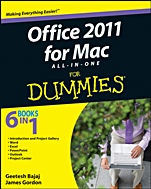
Office 2011 for Mac All–in–One For Dummies
ISBN 9780470903711
Autor: Geetesh Bajaj, James Gordon
Wydawca: Wiley
Dostępność: 3-6 tygodni
Cena: 178,50 zł
Przed złożeniem zamówienia prosimy o kontakt mailowy celem potwierdzenia ceny.
ISBN13: |
9780470903711 |
ISBN10: |
0470903716 |
Autor: |
Geetesh Bajaj, James Gordon |
Oprawa: |
Paperback |
Rok Wydania: |
2011-03-11 |
Ilość stron: |
840 |
Wymiary: |
235x188 |
Tematy: |
C |
Whether you′re a Mac newbie or just eager to get going withOffice 2011, start here!
If you′re familiar with Office for that other operating systembut new to the Mac, this book is for you. If you′re a longtime Macuser but new to Office, this book is for you. And if you′reupgrading from an earlier version of Office for Mac, guess what?You′ll get the scoop on the latest features and upgrades. This isthe key to your new Office!
What′s right for you? compare the different editions ofOffice 2011, choose the one you need, and install it
Find your cloud use SkyDrive and SharePoint to share andcollaborate via cloud computing
Tied with a Ribbon discover the Ribbon, new in Office2011
In a Word design newsletters, save documents as Webpages, collaborate, create tables and charts, and more
Manage data with Excel explore formatting, conditionalformatting, filtering a table, and ordering with nesting
Present PowerPoint add audio and movies, use mouseovers,and apply animation to get more punch from PowerPoint
A new Outlook upgrade from Entourage, Outlook forWindows, or other e–mail clients and manage calendars, contacts,and e–mail
Open the book and find:
How to migrate files from Office for Windows
Tips on printing mailing labels
Ways to create custom keyboard shortcuts
Advice on building forms in Excel
How to add a movie to your PowerPoint presentation
Ways to perk up presentations with animation
How to import and manage your contacts in Outlook
Hints for handling your day with My Day
5 books in 1
Introducing Office 2011
Word 2011
Excel 2011
PowerPoint 2011
Outlook 2011
Introduction.
Book I: Introducing Office 2011.
Chapter 1: Going Over the Preliminaries.
Chapter 2: Interfacing with Office.
Chapter 3: Traversing the Toolbox.
Chapter 4: Working with Files.
Chapter 5: Getting SmartArt.
Chapter 6: Selecting and Formatting.
Chapter 7: Formatting Pictures.
Chapter 8: Inserting Media.
Chapter 9: Fancy Text Boxes.
Chapter 10: Common Tools That Make Life Easier.
Chapter 11: Making Great Tables.
Chapter 12: Using VBA.
Book II: Word 2011.
Chapter 1: Exploring Word′s Interface.
Chapter 2: An Open and Shut Case.
Chapter 3: Formatting and Typography.
Chapter 4: Working with Document Layout.
Chapter 5: Collaborating on and Proofi ng Documents.
Chapter 6: Making Great Tables and Charts.
Chapter 7: Saving Time in Word.
Chapter 8: Advanced Word Stuff.
Chapter 9: Printing for Posterity.
Chapter 10: Managing a Mail Merge.
Book III: Excel 2011.
Chapter 1: Working Every Day in Excel.
Chapter 2: Opening and Saving Files in Excel.
Chapter 3: Getting into Cells and Worksheets.
Chapter 4: Formatting and Conditional Formatting.
Chapter 5: Making, Formatting, and Filtering a Table.
Chapter 6: Making Charts.
Chapter 7: Controlling Excel.
Chapter 8: Delving Deeper into Data.
Chapter 9: Sharing and Collaborating.
Chapter 10: Making Forms in Excel.
Chapter 11: Printing in Excel.
Book IV: PowerPoint 2011.
Chapter 1: Profi ling PowerPoint′s Interface.
Chapter 2: Opening and Saving a Presentation.
Chapter 3: Feeling at Home on the Ribbon.
Chapter 4: Adding Audio and Movies.
Chapter 5: Designing Masters, Slide Layouts, and Themes.
Chapter 6: Applying Animation.
Chapter 7: Delivering Your Presentation.
Chapter 8: Printing, Sharing, and Coauthoring Presentations.
Book V: Outlook 2011.
Chapter 1: Upgrading to Microsoft Outlook.
Chapter 2: Using Common Outlook Tools.
Chapter 3: Mastering Mail.
Chapter 4: Crafting Your Calendar.
Chapter 5: Keeping Up with Contacts.
Chapter 6: Keeping Track of Your Day.
Index.
Geetesh Bajaj is a Microsoft PowerPoint MVP. His business iscreating professional presentations and templates, and he managesthe PowerPoint sites indezine.com and ppted.com.
James Gordon is a Microsoft MVP for Macintosh, creator ofthe InsertPicture add–in for Mac PowerPoint, and an Officetrainer.
Koszyk
Książek w koszyku: 0 szt.
Wartość zakupów: 0,00 zł
Informacje


Kontakt
Gambit
Centrum Oprogramowania
i Szkoleń Sp. z o.o.
Al. Pokoju 29b/22-24
31-564 Kraków
Siedziba Księgarni
ul. Kordylewskiego 1
31-542 Kraków
+48 12 410 5991
+48 12 410 5987
+48 12 410 5989
Subskrypcje
Administratorem danych osobowych jest firma Gambit COiS Sp. z o.o. Na podany adres będzie wysyłany wyłącznie biuletyn informacyjny.
Autoryzacja płatności

Informacje na temat autoryzacji płatności poprzez PayU.

© Copyright 2012: GAMBIT COiS Sp. z o.o. Wszelkie prawa zastrzeżone.
Projekt i wykonanie: Alchemia Studio Reklamy