


Wydawcy
Katalog tematyczny
- Archeologia (109)
- Ekonomia, finanse, business (13704)
- Filozofia (1445)
- Historia (3040)
- Języki i językoznawstwo (2356)
- Lifestyle, hobby i rozrywka (475)
- Medycyna (9704)
- Nauki humanistyczne (4)
- Nauki o Ziemi i środowisku (2638)
- Nauki ścisłe (20412)
- Nauki społeczne (8486)
- Edukacja (229)
- Kryminologia, opieka spełeczna (284)
- Obronność (10)
- Polityka (1389)
- Psychologia (777)
- Socjologia (410)
- Społeczeństwo i kultura (187)
- Nauki techniczne (13450)
- Prawo (1696)
- Publikacje informacyjne i interdyscyplinarne (1288)
- Religia i wierzenia (917)
- Technika komputerowa (4067)
- Zdrowie, relacje międzyludzkie i rozwój osobisty (657)





Informacje szczegółowe o książce
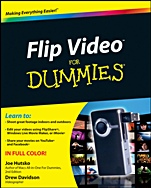
Flip Video For Dummies
ISBN 9780470879160
Autor: Joe Hutsko, Drew Davidson
Wydawca: Wiley
Dostępność: 3-6 tygodni
Cena: 140,70 zł
Przed złożeniem zamówienia prosimy o kontakt mailowy celem potwierdzenia ceny.
ISBN13: |
9780470879160 |
ISBN10: |
0470879165 |
Autor: |
Joe Hutsko, Drew Davidson |
Oprawa: |
Paperback |
Rok Wydania: |
2010-10-01 |
Ilość stron: |
240 |
Wymiary: |
232x188 |
Tematy: |
JB |
Master the #1 camcorder on the market and share your movies with the world
The Flip Video camera is a fun, friendly device that lets you capture life′s greatest moments. Now you can maximize those moments with the expert guidance in this handy reference. In addition to the basics — shooting amazing videos, editing your content, and sharing the results online — you′ll get the advice you need to max out the capabilities of this powerful video camera.
Get to know the Flip — become familiar with all Flip models, install FlipShare, and adjust settings on your camera
From camera to computer — connect the Flip to a Mac or PC to charge your gadget and transfer your video
From computer to DVD — find out how to burn your movies to DVD so you can watch them on TV
Share with the world — show your movies using FlipShare or upload to YouTube, Facebook, and other social networking sites
Fine–tuning and editing — make your video just right with Windows Live Movie Maker, iMovie, or FlipShare
Open the book and find:
Tips for adjusting Flip settings
Ways to screen your videos on the Web
Clues on Magic Movies and Snapshots
Steps for adding titles, credits, and soundtracks to your movies
Advice on using FlipShare
Hints for maintaining your camera
Details on every Flip model
Pointers for shooting great video
Spis treści:
Introduction.
Part I: Getting to Know Your Flip.
Chapter 1: Touring Flip Models and Features.
Chapter 2: Adjusting Flip Settings.
Chapter 3: Maintaining, Upgrading, and Troubleshooting Your Flip.
Part II: Putting Your Flip to Work.
Chapter 4: Recording and Viewing Videos.
Chapter 5: Transferring Video to Your Computer.
Part III: Creating and Sharing Movies with FlipShare.
Chapter 6: Getting Familiar with FlipShare.<
br>Chapter 7: Creating Movies, Snapshots, and Photo Slideshows.
Chapter 8: Creating Video E–Mails, Greeting Cards, and DVDs.
Chapter 9: Uploading Your Creations to the Web.
Part IV: Editing and Sharing Movies with Mac and Windows Programs.
Chapter 10: Making Movies with iMovie.
Chapter 11: Making Movies with Windows Live Movie Maker.
Part V: The Part of Tens.
Chapter 12: Ten Super Shooting Tips.
Chapter 13: Ten Excellent Editing Tips.
Index.
Nota biograficzna:
Joe Hutsko is a technology enthusiast and journalist who writes about high–tech gadgets, gear, and video games.
Drew Davidson is a professional editor and cameraman. His video work is represented by Getty Images.
Okładka tylna:
Master the #1 camcorder on the market and share your movies with the world
The Flip Video camera is a fun, friendly device that lets you capture life′s greatest moments. Now you can maximize those moments with the expert guidance in this handy reference. In addition to the basics — shooting amazing videos, editing your content, and sharing the results online — you′ll get the advice you need to max out the capabilities of this powerful video camera.
Get to know the Flip — become familiar with all Flip models, install FlipShare, and adjust settings on your camera
From camera to computer — connect the Flip to a Mac or PC to charge your gadget and transfer your video
From computer to DVD — find out how to burn your movies to DVD so you can watch them on TV
Share with the world — show your movies using FlipShare or upload to YouTube, Facebook, and other social networking sites
Fine–tuning and editing — make your video just right with Windows Live Movie Maker, iMovie, or FlipShare
Open the book and find:
Tips for adjusting Flip settings
Ways to
screen your videos on the Web
Clues on Magic Movies and Snapshots
Steps for adding titles, credits, and soundtracks to your movies
Advice on using FlipShare
Hints for maintaining your camera
Details on every Flip model
Pointers for shooting great video
Koszyk
Książek w koszyku: 0 szt.
Wartość zakupów: 0,00 zł
Informacje


Kontakt
Gambit
Centrum Oprogramowania
i Szkoleń Sp. z o.o.
Al. Pokoju 29b/22-24
31-564 Kraków
Siedziba Księgarni
ul. Kordylewskiego 1
31-542 Kraków
+48 12 410 5991
+48 12 410 5987
+48 12 410 5989
Subskrypcje
Administratorem danych osobowych jest firma Gambit COiS Sp. z o.o. Na podany adres będzie wysyłany wyłącznie biuletyn informacyjny.
Autoryzacja płatności

Informacje na temat autoryzacji płatności poprzez PayU.

© Copyright 2012: GAMBIT COiS Sp. z o.o. Wszelkie prawa zastrzeżone.
Projekt i wykonanie: Alchemia Studio Reklamy