


Wydawcy
Katalog tematyczny
- Archeologia (109)
- Ekonomia, finanse, business (13704)
- Filozofia (1445)
- Historia (3040)
- Języki i językoznawstwo (2356)
- Lifestyle, hobby i rozrywka (475)
- Medycyna (9704)
- Nauki humanistyczne (4)
- Nauki o Ziemi i środowisku (2638)
- Nauki ścisłe (20412)
- Nauki społeczne (8486)
- Nauki techniczne (13450)
- Prawo (1696)
- Publikacje informacyjne i interdyscyplinarne (1288)
- Religia i wierzenia (917)
- Technika komputerowa (4067)
- Zdrowie, relacje międzyludzkie i rozwój osobisty (657)





Informacje szczegółowe o książce
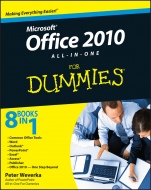
Office 2010 All–in–One For Dummies
ISBN 9780470497487
Autor: Peter Weverka
Wydawca: Wiley
Dostępność: 3-6 tygodni
Cena: 178,50 zł
Przed złożeniem zamówienia prosimy o kontakt mailowy celem potwierdzenia ceny.
ISBN13: |
9780470497487 |
ISBN10: |
0470497483 |
Autor: |
Peter Weverka |
Oprawa: |
Paperback |
Rok Wydania: |
2010-05-11 |
Ilość stron: |
816 |
Wymiary: |
233x190 |
Tematy: |
C |
Welcome to Office 2010! Here′s where you get up to speed on all the applications — right now!
If you want to get your work done better and faster with Office 2010, this book is for you. Whether you′re new to Office or need help navigating Office 2010′s interface and new features, you′ll find the answers, how–to information, advice, shortcuts, and tips right here. And you′ll learn how the tools work together to make you more productive!
They′re a team — explore commands and features common to all the Office programs plus techniques to boost your productivity
Working with Word — create letters, reports, newsletters, mass mailings, and more
Improve your Outlook — manage your e–mail, track tasks, keep an address book and calendar, and organize your life
Get your Point across — build livelier, more original PowerPoint presentations and even improve your delivery
Excel at number crunching — design spreadsheets that are easy to understand, use data–validation rules, and analyze data
Access your information — discover all the ways you can build and use an Access database
Your own Publisher — turn out great brochures, pamphlets, and other publications
A step beyond — check out the extra programs and customize your Office
Open the book and find:
The common tools you′ll find in all Office applications
Clear instructions for revising and collaborating on documents
Tips on building tables, charts, and diagrams in Excel, Word, and PowerPoint
Word′s tools for creating scholarly reports and white papers
Advice on scheduling events with Outlook
Secrets of memorable PowerPoint presentations
How to build an Access database from scratch
Hints for creating newsletters in Publisher
Spis treści:
In
troduction.
Book I: Common Office Tools.
Chapter 1: Offi ce Nuts and Bolts.
Chapter 2: Wrestling with the Text.
Chapter 3: Speed Techniques Worth Knowing About.
Chapter 4: Taking Advantage of the Proofi ng Tools.
Chapter 5: Creating a Table.
Chapter 6: Creating a Chart.
Chapter 7: Making a SmartArt Diagram.
Chapter 8: Drawing and Manipulating Lines, Shapes, and Other Objects.
Book II: Word.
Chapter 1: Speed Techniques for Using Word.
Chapter 2: Laying Out Text and Pages.
Chapter 3: Word Styles.
Chapter 4: Desktop Publishing with Word.
Chapter 5: Getting Word’s Help with Offi ce Chores.
Chapter 6: Tools for Reports and Scholarly Papers.
Book III: Outlook.
Chapter 1: Getting Acquainted with Outlook.
Chapter 2: Maintaining the Contacts Folder.
Chapter 3: Handling Your E–Mail.
Chapter 4: Managing Your Time and Schedule.
Chapter 5: Tasks, Reminders, and Notes.
Book IV: PowerPoint.
Chapter 1: Getting Started in PowerPoint.
Chapter 2: Fashioning a Look for Your Presentation.
Chapter 3: Entering the Text.
Chapter 4: Making Your Presentations Livelier.
Chapter 5: Delivering a Presentation.
Book V: Excel.
Chapter 1: Up and Running with Excel.
Chapter 2: Refi ning Your Worksheet.
Chapter 3: Formulas and Functions for Crunching Numbers.
Chapter 4: Making a Worksheet Easier to Read and Understand.
Chapter 5: Analyzing Data.
Book VI: Access.
Chapter 1: Introducing Access.
Chapter 2: Building Your Database Tables.
Chapter 3: Entering the Data.
Chapter 4: Sorting, Querying, and Filtering for Data.
Chapter 5: Presenting Data in a Report.
Book VII: Publisher.
Chapter 1: Introducing Publisher.
Chapter 2: Refi ning a Publication.
Chapter 3: Putting on the Finishing Touches.
Book VIII: Office 2010: One Step Beyond.
Chapter 1: Customizing an Offi ce Program.
Chapter 2: Ways of
Distributing Your Work.
Chapter 3: Handling Graphics.
Chapter 4: Decorating Files with Clip Art.
Chapter 5: Note Taking with OneNote.
Chapter 6: Automating Tasks with Macros.
Chapter 7: Linking and Embedding in Compound Files.
Chapter 8: Offi ce Web Apps.
Index.
Nota biograficzna:
Peter Weverka is a veteran For Dummies author who has covered a wide variety of Microsoft applications. In addition to PowerPoint 2007 All–in–One For Dummies and two previous editions of Office All–in–One For Dummies, he is the author of several editions of Microsoft Money For Dummies.
Okładka tylna:
Welcome to Office 2010! Here′s where you get up to speed on all the applications — right now!
If you want to get your work done better and faster with Office 2010, this book is for you. Whether you′re new to Office or need help navigating Office 2010′s interface and new features, you′ll find the answers, how–to information, advice, shortcuts, and tips right here. And you′ll learn how the tools work together to make you more productive!
They′re a team — explore commands and features common to all the Office programs plus techniques to boost your productivity
Working with Word — create letters, reports, newsletters, mass mailings, and more
Improve your Outlook — manage your e–mail, track tasks, keep an address book and calendar, and organize your life
Get your Point across — build livelier, more original PowerPoint presentations and even improve your delivery
Excel at number crunching — design spreadsheets that are easy to understand, use data–validation rules, and analyze data
Access your information — discover all the ways you can build and use an Access database
Your own Publisher — turn out great brochures, pamp
hlets, and other publications
A step beyond — check out the extra programs and customize your Office
Open the book and find:
The common tools you′ll find in all Office applications
Clear instructions for revising and collaborating on documents
Tips on building tables, charts, and diagrams in Excel, Word, and PowerPoint
Word′s tools for creating scholarly reports and white papers
Advice on scheduling events with Outlook
Secrets of memorable PowerPoint presentations
How to build an Access database from scratch
Hints for creating newsletters in Publisher
Koszyk
Książek w koszyku: 0 szt.
Wartość zakupów: 0,00 zł
Informacje


Kontakt
Gambit
Centrum Oprogramowania
i Szkoleń Sp. z o.o.
Al. Pokoju 29b/22-24
31-564 Kraków
Siedziba Księgarni
ul. Kordylewskiego 1
31-542 Kraków
+48 12 410 5991
+48 12 410 5987
+48 12 410 5989
Subskrypcje
Administratorem danych osobowych jest firma Gambit COiS Sp. z o.o. Na podany adres będzie wysyłany wyłącznie biuletyn informacyjny.
Autoryzacja płatności

Informacje na temat autoryzacji płatności poprzez PayU.

© Copyright 2012: GAMBIT COiS Sp. z o.o. Wszelkie prawa zastrzeżone.
Projekt i wykonanie: Alchemia Studio Reklamy