


Wydawcy
Katalog tematyczny
- Archeologia (109)
- Ekonomia, finanse, business (13704)
- Filozofia (1445)
- Historia (3040)
- Języki i językoznawstwo (2356)
- Lifestyle, hobby i rozrywka (475)
- Medycyna (9704)
- Nauki humanistyczne (4)
- Nauki o Ziemi i środowisku (2638)
- Nauki ścisłe (20412)
- Nauki społeczne (8486)
- Nauki techniczne (13450)
- Prawo (1696)
- Publikacje informacyjne i interdyscyplinarne (1288)
- Religia i wierzenia (917)
- Technika komputerowa (4067)
- Zdrowie, relacje międzyludzkie i rozwój osobisty (657)





Informacje szczegółowe o książce
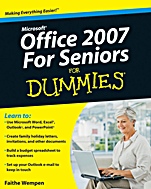
Microsoft Office 2007 For Seniors For Dummies
ISBN 9780470497258
Autor: Faithe Wempen
Wydawca: Wiley
Dostępność: 3-6 tygodni
Cena: 152,25 zł
Przed złożeniem zamówienia prosimy o kontakt mailowy celem potwierdzenia ceny.
ISBN13: |
9780470497258 |
ISBN10: |
0470497254 |
Autor: |
Faithe Wempen |
Oprawa: |
Paperback |
Rok Wydania: |
2009-08-14 |
Ilość stron: |
368 |
Wymiary: |
229x187 |
Tematy: |
C |
Office isn′t just for the office! Use it for letters, budgets, e–mail, and presentations
Now that you′ve got the hang of a PC, you want to be able to do real–life tasks with it. Enter Microsoft Office, the world′s most popular suite of applications! It lets you write family newsletters, track your bank balances and plan budgets, create presentations for your club or group, and send and receive e–mail. This handy guide makes it easy!
Some things stay the same — get to know the Ribbon and commands that Office applications share
Make it pretty — apply styles and formatting to your Word documents, and include clip art, photos, and background color
Figure it out — calculate interest earned, loan payments, amortization, and more using Excel spreadsheets
Mail call — set up your Outlook e–mail and learn to avoid fraud, scams, and viruses
Get organized — manage contacts, to–do lists, and calendars with Outlook
Make your point — learn your way around PowerPoint and how to create slideshows with photos, animation, and sound
Better records — keep address lists and other important information in an Excel database
Saving and sharing — save documents, e–mail them to others, print them, or share them online
Open the book and find:
How to start and navigate the Office applications
A guide to the Ribbon, the Office menu, and other all–new tools for 2007
Ways to dress up documents
How to create invitations or newsletters with photos
Uses for simple spreadsheets
Advice on setting up e–mail
What you can do with a slideshow
How to do a mail merge and print documents
Spis treści:
Introduction.
Part I: Getting Started with Office.
Chapter1: The Two–Dollar Tour.
Chapter 2: Explori
ng the Common Features of Office 2007.
Chapter 3: Opening, Saving, and Printing Files.
Part II: Word.
Chapter 4: Composing Your Thoughts in Word.
Chapter 5: Dressing Up Your Documents.
Chapter 6: Taking Word to the Next Level.
Part III: Excel.
Chapter 7: Creating Basic Spreadsheets in Excel.
Chapter 8: Doing the Math: Formulas and Functions.
Chapter 9: Creating Visual Interest with Formatting and Charts.
Chapter 10: Using Excel as a Database.
Part IV: Outlook.
Chapter 11: Managing E–Mail with Outlook.
Chapter 12: Managing the Details: Contacts, Notes, and Tasks.
Chapter 13: Your Busy Life: Using the Calendar.
Part V: PowerPoint.
Chapter 14: Getting Started with PowerPoint.
Chapter 15: Dressing Up Your Presentations.
Chapter 16: Adding Movement and Sound.
Chapter 17: Presenting the Show.
Appendix: Customizing Office Applications.
Index.
Nota biograficzna:
Faithe Wempen teaches computer classes at Indiana University–Purdue University at Indianapolis. She is the author of PowerPoint 2007 Bible and Office 2007 Bible, and has trained over a quarter of a million students in Office applications through her online courses for Powered.com.
Okładka tylna:
Office isn′t just for the office! Use it for letters, budgets, e–mail, and presentations
Now that you′ve got the hang of a PC, you want to be able to do real–life tasks with it. Enter Microsoft Office, the world′s most popular suite of applications! It lets you write family newsletters, track your bank balances and plan budgets, create presentations for your club or group, and send and receive e–mail. This handy guide makes it easy!
Some things stay the same — get to know the Ribbon and commands that Office applications share
Make it pretty — apply styles and formatting to your Word docume
nts, and include clip art, photos, and background color
Figure it out — calculate interest earned, loan payments, amortization, and more using Excel spreadsheets
Mail call — set up your Outlook e–mail and learn to avoid fraud, scams, and viruses
Get organized — manage contacts, to–do lists, and calendars with Outlook
Make your point — learn your way around PowerPoint and how to create slideshows with photos, animation, and sound
Better records — keep address lists and other important information in an Excel database
Saving and sharing — save documents, e–mail them to others, print them, or share them online
Open the book and find:
How to start and navigate the Office applications
A guide to the Ribbon, the Office menu, and other all–new tools for 2007
Ways to dress up documents
How to create invitations or newsletters with photos
Uses for simple spreadsheets
Advice on setting up e–mail
What you can do with a slideshow
How to do a mail merge and print documents
Koszyk
Książek w koszyku: 0 szt.
Wartość zakupów: 0,00 zł
Informacje


Kontakt
Gambit
Centrum Oprogramowania
i Szkoleń Sp. z o.o.
Al. Pokoju 29b/22-24
31-564 Kraków
Siedziba Księgarni
ul. Kordylewskiego 1
31-542 Kraków
+48 12 410 5991
+48 12 410 5987
+48 12 410 5989
Subskrypcje
Administratorem danych osobowych jest firma Gambit COiS Sp. z o.o. Na podany adres będzie wysyłany wyłącznie biuletyn informacyjny.
Autoryzacja płatności

Informacje na temat autoryzacji płatności poprzez PayU.

© Copyright 2012: GAMBIT COiS Sp. z o.o. Wszelkie prawa zastrzeżone.
Projekt i wykonanie: Alchemia Studio Reklamy