


Wydawcy
Katalog tematyczny
- Archeologia (109)
- Ekonomia, finanse, business (13704)
- Filozofia (1445)
- Historia (3040)
- Języki i językoznawstwo (2356)
- Lifestyle, hobby i rozrywka (475)
- Medycyna (9704)
- Nauki humanistyczne (4)
- Nauki o Ziemi i środowisku (2638)
- Nauki ścisłe (20412)
- Nauki społeczne (8486)
- Nauki techniczne (13450)
- Prawo (1696)
- Publikacje informacyjne i interdyscyplinarne (1288)
- Religia i wierzenia (917)
- Technika komputerowa (4067)
- Zdrowie, relacje międzyludzkie i rozwój osobisty (657)





Informacje szczegółowe o książce
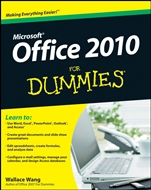
Office 2010 For Dummies
ISBN 9780470489987
Autor: Wallace Wang
Wydawca: Wiley
Dostępność: 3-6 tygodni
Cena: 140,70 zł
Przed złożeniem zamówienia prosimy o kontakt mailowy celem potwierdzenia ceny.
ISBN13: |
9780470489987 |
ISBN10: |
0470489987 |
Autor: |
Wallace Wang |
Oprawa: |
Paperback |
Rok Wydania: |
2010-05-11 |
Ilość stron: |
432 |
Wymiary: |
241x190 |
Tematy: |
C |
Take control of your Office and get more done today — learn how, here and now!
Your Office is calling! And you′re in luck, because this helpful guide walks you step–by–step through the various parts of the Office suite. In no time you′ll be mastering the Ribbon interface, working with Word, crunching numbers with Excel, making your point with PowerPoint, organizing your life with Outlook, and using Access like a pro.
Where is . . . — easily find the commands you need to complete the job on the Ribbon interface
Go backstage — see how to save files, open and close them, find recently used files, and more with Backstage View
Let′s share — use the Office Clipboard to store up to 24 items for sharing among Office programs
Tinker with text — create and save Word documents, change fonts, add headers, and format your stuff
Formula for success — learn to set up an Excel spreadsheet, enter data, and create formulas to manipulate the data
Present with power — define and create a PowerPoint presentation with charts, graphics, movies, and sound
You′ve got e–mail — master it and the calendars, contacts, and task lists in Outlook
Delightful databases — store, sort, retrieve, analyze, and print important data using Access
Open the book and find:
Steps for entering, manipulating, and saving data
How to customize Office 2010 programs
Tips on using Office 2010′s built–in photo editing tools
Advice on stopping spam with Outlook
Details about storing contacts and scheduling appointments
Cool design tips for dressing up your Word documents
How to chart and analyze data in Excel
Ideas for punching up your PowerPoint presentations
Learn to:
Use Word, Exce
l®, PowerPoint®, Outlook®, and Access®
Create great documents and slide show presentations
Edit spreadsheets, create formulas, and analyze data
Configure e–mail settings, manage your calendar, and design Access databases
Nota biograficzna:
Wallace Wang is the bestselling author of several dozen computer books including Office For Dummies and Beginning Programming For Dummies. Besides writing computer books, Wally also enjoys performing stand–up comedy just to do something creative that involves human beings instead of machines.
Okładka tylna:
Take control of your Office and get more done today — learn how, here and now!
Your Office is calling! And you′re in luck, because this helpful guide walks you step–by–step through the various parts of the Office suite. In no time you′ll be mastering the Ribbon interface, working with Word, crunching numbers with Excel, making your point with PowerPoint, organizing your life with Outlook, and using Access like a pro.
Where is . . . — easily find the commands you need to complete the job on the Ribbon interface
Go backstage — see how to save files, open and close them, find recently used files, and more with Backstage View
Let′s share — use the Office Clipboard to store up to 24 items for sharing among Office programs
Tinker with text — create and save Word documents, change fonts, add headers, and format your stuff
Formula for success — learn to set up an Excel spreadsheet, enter data, and create formulas to manipulate the data
Present with power — define and create a PowerPoint presentation with charts, graphics, movies, and sound
You′ve got e–mail — master it and the calendars, contacts, and task lists in Outlook
Delight
ful databases — store, sort, retrieve, analyze, and print important data using Access
Open the book and find:
Steps for entering, manipulating, and saving data
How to customize Office 2010 programs
Tips on using Office 2010′s built–in photo editing tools
Advice on stopping spam with Outlook
Details about storing contacts and scheduling appointments
Cool design tips for dressing up your Word documents
How to chart and analyze data in Excel
Ideas for punching up your PowerPoint presentations
Learn to:
Use Word, Excel®, PowerPoint®, Outlook®, and Access®
Create great documents and slide show presentations
Edit spreadsheets, create formulas, and analyze data
Configure e–mail settings, manage your calendar, and design Access databases
Koszyk
Książek w koszyku: 0 szt.
Wartość zakupów: 0,00 zł
Informacje


Kontakt
Gambit
Centrum Oprogramowania
i Szkoleń Sp. z o.o.
Al. Pokoju 29b/22-24
31-564 Kraków
Siedziba Księgarni
ul. Kordylewskiego 1
31-542 Kraków
+48 12 410 5991
+48 12 410 5987
+48 12 410 5989
Subskrypcje
Administratorem danych osobowych jest firma Gambit COiS Sp. z o.o. Na podany adres będzie wysyłany wyłącznie biuletyn informacyjny.
Autoryzacja płatności

Informacje na temat autoryzacji płatności poprzez PayU.

© Copyright 2012: GAMBIT COiS Sp. z o.o. Wszelkie prawa zastrzeżone.
Projekt i wykonanie: Alchemia Studio Reklamy