


Wydawcy
Katalog tematyczny
- Archeologia (109)
- Ekonomia, finanse, business (13704)
- Filozofia (1445)
- Historia (3040)
- Języki i językoznawstwo (2356)
- Lifestyle, hobby i rozrywka (475)
- Medycyna (9704)
- Nauki humanistyczne (4)
- Nauki o Ziemi i środowisku (2638)
- Nauki ścisłe (20412)
- Nauki społeczne (8486)
- Nauki techniczne (13450)
- Prawo (1696)
- Publikacje informacyjne i interdyscyplinarne (1288)
- Religia i wierzenia (917)
- Technika komputerowa (4067)
- Zdrowie, relacje międzyludzkie i rozwój osobisty (657)





Informacje szczegółowe o książce
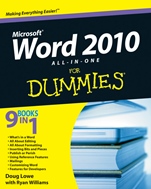
Word 2010 All–in–One For Dummies
ISBN 9780470487662
Autor: Doug Lowe, Ryan C. Williams
Wydawca: Wiley
Dostępność: 3-6 tygodni
Cena: 178,50 zł
Przed złożeniem zamówienia prosimy o kontakt mailowy celem potwierdzenia ceny.
ISBN13: |
9780470487662 |
ISBN10: |
0470487666 |
Autor: |
Doug Lowe, Ryan C. Williams |
Oprawa: |
Paperback |
Rok Wydania: |
2010-05-21 |
Ilość stron: |
648 |
Wymiary: |
232x193 |
Tematy: |
C |
9 Books in 1
What′s in a Word
All About Editing
All About Formatting
Inserting Bits and Pieces
Publish or Perish
Using Reference Features
Mailings
Customizing Word
Features for Developers
Dive into the new features of Word 2010 to create sharper documents
Where do you want to go with Word today? Got mail to send to a group? Whether you want to compose simple letters or write 200–page novellas, this guide will help you get the most from Word 2010. Find out how to take advantage of all of the new features, including online editing and collaboration, improved templates, and more.
The ins and out of editing — discover basic Word tools as well as a variety of useful editing techniques
Get the lowdown on formatting — use themes and advanced features such as columns and lists to design great–looking pages
Say it with visuals — spice up your document by inserting pictures, clip art, drawing objects, charts, tables, and more
Share your work — ensure that your work is noticed by following steps to use Word′s new blogging, collaboration, and reviewing features
Customizations made easy — make changes to the user interface, set options, insert fields, and create custom forms so that Word works the way you want
Dig deep into Word — learn how to write macros using Visual Basic for Applications (VBA), Word′s powerful programming language
Open the book and find:
Steps for working with templates
How to use all the editing features
Strategies for formatting text
Techniques for inserting tables, pictures, and diagrams
How to collaborate with others online
Tips for building a table of contents
Ways to create letters and envelopes<
li>
How to customize the user interface
Spis treści:
Introduction.
Book I: What′s in a Word?
Chapter 1: Getting to Know Word 2010.
Chapter 2: Your Backstage Pass for Managing Documents.
Chapter 3: Working with Templates.
Chapter 4: Printing Your Documents.
Chapter 5: Help!
Book II: All about Editing.
Chapter 1: Getting Around in Your Documents.
Chapter 2: Basic Text Formatting.
Chapter 3: Working with Styles.
Chapter 4: Editing Techniques.
Chapter 5: All about AutoCorrect and Its Siblings.
Chapter 6: Spell–Checking and the Thesaurus.
Book III: All about Formatting.
Chapter 1: Basic Page Formatting and Sections.
Chapter 2: Formatting Fancy Pages.
Chapter 3: Creating Lists.
Book IV: Inserting Bits and Pieces.
Chapter 1: Drawing Shapes on Your Document.
Chapter 2: Inserting Pictures and Clip Art.
Chapter 3: Creating Charts and Diagrams.
Chapter 4: Working with Tables.
Chapter 5: Inserting Fancy Text.
Chapter 6: Other Things You Can Insert in Your Documents.
Book V: Publish or Perish.
Chapter 1: Blogging with Word.
Chapter 2: Working with SharePoint.
Chapter 3: Collaborating with the Review Tab.
Book VI: Using Reference Features.
Chapter 1: Creating a Table of Contents or Table of Figures.
Chapter 2: Working with Footnotes and Endnotes.
Chapter 3: Indexing Your Masterpiece.
Chapter 4: Citations and Bibliographies.
Chapter 5: I Object! (To Tables of Authorities, That Is).
Chapter 6: Working with Outlines and Master Documents.
Book VII: Mailings.
Chapter 1: Creating Envelopes and Labels.
Chapter 2: Faxing and E–Mailing Documents.
Chapter 3: Using the Mail Merge Wizard.
Chapter 4: Advanced Mail–Merge Tricks.
Book VIII: Customizing Word.
Chapter 1: Customizing the User Interface.
Chapter 2: Opting for Options.
Chapter 3: Wo
rking with Fields.
Chapter 4: Creating Custom Forms.
Book IX: Features for Developers.
Chapter 1: Recording and Using Macros.
Chapter 2: Programming with VBA.
Chapter 3: More Programming: Using Word’s Object Model.
Chapter 4: Creating UserForms.
Index.
Nota biograficzna:
Doug Lowe is a veteran author with more than 40 For Dummiesbooks to his credit. He has covered everything from Microsoft Office productivity with PowerPoint to networking to programming in ASP.NET. Ryan Williams has written several For Dummies titles. He is a frequent presenter at conferences and workshops.
Okładka tylna:
9 Books in 1
What′s in a Word
All About Editing
All About Formatting
Inserting Bits and Pieces
Publish or Perish
Using Reference Features
Mailings
Customizing Word
Features for Developers
Dive into the new features of Word 2010 to create sharper documents
Where do you want to go with Word today? Got mail to send to a group? Whether you want to compose simple letters or write 200–page novellas, this guide will help you get the most from Word 2010. Find out how to take advantage of all of the new features, including online editing and collaboration, improved templates, and more.
The ins and out of editing — discover basic Word tools as well as a variety of useful editing techniques
Get the lowdown on formatting — use themes and advanced features such as columns and lists to design great–looking pages
Say it with visuals — spice up your document by inserting pictures, clip art, drawing objects, charts, tables, and more
Share your work — ensure that your work is noticed by following steps to use Word′s new blogging, collaboration, and reviewing features
Customizations made ea
sy — make changes to the user interface, set options, insert fields, and create custom forms so that Word works the way you want
Dig deep into Word — learn how to write macros using Visual Basic for Applications (VBA), Word′s powerful programming language
Open the book and find:
Steps for working with templates
How to use all the editing features
Strategies for formatting text
Techniques for inserting tables, pictures, and diagrams
How to collaborate with others online
Tips for building a table of contents
Ways to create letters and envelopes
How to customize the user interface
Koszyk
Książek w koszyku: 0 szt.
Wartość zakupów: 0,00 zł
Informacje


Kontakt
Gambit
Centrum Oprogramowania
i Szkoleń Sp. z o.o.
Al. Pokoju 29b/22-24
31-564 Kraków
Siedziba Księgarni
ul. Kordylewskiego 1
31-542 Kraków
+48 12 410 5991
+48 12 410 5987
+48 12 410 5989
Subskrypcje
Administratorem danych osobowych jest firma Gambit COiS Sp. z o.o. Na podany adres będzie wysyłany wyłącznie biuletyn informacyjny.
Autoryzacja płatności

Informacje na temat autoryzacji płatności poprzez PayU.

© Copyright 2012: GAMBIT COiS Sp. z o.o. Wszelkie prawa zastrzeżone.
Projekt i wykonanie: Alchemia Studio Reklamy