


Wydawcy
Katalog tematyczny





Informacje szczegółowe o książce
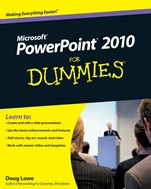
PowerPoint 2010 For Dummies
ISBN 9780470487655
Autor: Doug Lowe
Wydawca: Wiley
Dostępność: 3-6 tygodni
Cena: 140,70 zł
Przed złożeniem zamówienia prosimy o kontakt mailowy celem potwierdzenia ceny.
ISBN13: |
9780470487655 |
ISBN10: |
0470487658 |
Autor: |
Doug Lowe |
Oprawa: |
Paperback |
Rok Wydania: |
2010-05-28 |
Ilość stron: |
336 |
Wymiary: |
229x189 |
Tematy: |
P |
Create powerful presentations with stunning photos, vivid videos, and more
One of the best ways to captivate your audience during a presentation is to have an amazing slide show. PowerPoint 2010 will help you do that, and this book will show you how. Get ready for a standing ovation as you learn how to build great–looking slides, add sound and eye–popping video, animate your graphics, and much more.
Get the most out of your text — learn the best ways to edit and format your text to make your slides more visually appealing
Remember what to say — take advantage of one of the slickest features in PowerPoint 2010 to create speaker notes that only you can see during the presentation
Make a visual impact — from inserting pictures and clip art to adding video and controlling when it′s played, you′ll craft some impressive, high–tech presentations
Add even more goodies — discover how to insert tables, WordArt, hyperlinks, and actions
Work as a team — find out the best ways to collaborate on slides, add comments, and compare changes
Reuse slides — copy slides from other presentations and set up a slide library that′s managed by SharePoint®
Open the book and find:
An inside look at the new features of PowerPoint 2010
Secrets of designing and formatting slides
Techniques for adding exciting animations
Steps for working with masters and templates
How to use PowerPoint′s cool drawing tools
Ways to spice up slides with video clips
Tips on using PowerPoint′s collaboration tools
How to create a video version of your presentation
Learn to:
Create and edit a slide presentation
Use the latest enhancements and features
Add charts, clip art, sound, and video
Work with master slides and templates
Nota biograficzna:
Doug Lowe is a veteran author whose more than 40 For Dummies books have over a million copies in print. He′s written about everything from Microsoft Office productivity to programming in ASP.NET.
Okładka tylna:
Create powerful presentations with stunning photos, vivid videos, and more
One of the best ways to captivate your audience during a presentation is to have an amazing slide show. PowerPoint 2010 will help you do that, and this book will show you how. Get ready for a standing ovation as you learn how to build great–looking slides, add sound and eye–popping video, animate your graphics, and much more.
Get the most out of your text — learn the best ways to edit and format your text to make your slides more visually appealing
Remember what to say — take advantage of one of the slickest features in PowerPoint 2010 to create speaker notes that only you can see during the presentation
Make a visual impact — from inserting pictures and clip art to adding video and controlling when it′s played, you′ll craft some impressive, high–tech presentations
Add even more goodies — discover how to insert tables, WordArt, hyperlinks, and actions
Work as a team — find out the best ways to collaborate on slides, add comments, and compare changes
Reuse slides — copy slides from other presentations and set up a slide library that′s managed by SharePoint®
Open the book and find:
An inside look at the new features of PowerPoint 2010
Secrets of designing and formatting slides
Techniques for adding exciting animations
Steps for working with masters and templates
How to use PowerPoint′s cool drawing tools
Ways to spice up slides with video clips
Tips on using PowerPoint′s collaboration tools
How to create a video version of your presentati
on
Learn to:
Create and edit a slide presentation
Use the latest enhancements and features
Add charts, clip art, sound, and video
Work with master slides and templates
Koszyk
Książek w koszyku: 0 szt.
Wartość zakupów: 0,00 zł
Informacje


Kontakt
Gambit
Centrum Oprogramowania
i Szkoleń Sp. z o.o.
Al. Pokoju 29b/22-24
31-564 Kraków
Siedziba Księgarni
ul. Kordylewskiego 1
31-542 Kraków
+48 12 410 5991
+48 12 410 5987
+48 12 410 5989
Subskrypcje
Administratorem danych osobowych jest firma Gambit COiS Sp. z o.o. Na podany adres będzie wysyłany wyłącznie biuletyn informacyjny.
Autoryzacja płatności

Informacje na temat autoryzacji płatności poprzez PayU.

© Copyright 2012: GAMBIT COiS Sp. z o.o. Wszelkie prawa zastrzeżone.
Projekt i wykonanie: Alchemia Studio Reklamy