


Wydawcy
Katalog tematyczny
- Archeologia (109)
- Ekonomia, finanse, business (13704)
- Filozofia (1445)
- Historia (3040)
- Języki i językoznawstwo (2356)
- Lifestyle, hobby i rozrywka (475)
- Medycyna (9704)
- Nauki humanistyczne (4)
- Nauki o Ziemi i środowisku (2638)
- Nauki ścisłe (20412)
- Nauki społeczne (8486)
- Edukacja (229)
- Kryminologia, opieka spełeczna (284)
- Obronność (10)
- Polityka (1389)
- Psychologia (777)
- Socjologia (410)
- Społeczeństwo i kultura (187)
- Nauki techniczne (13450)
- Prawo (1696)
- Publikacje informacyjne i interdyscyplinarne (1288)
- Religia i wierzenia (917)
- Technika komputerowa (4067)
- Zdrowie, relacje międzyludzkie i rozwój osobisty (657)





Informacje szczegółowe o książce
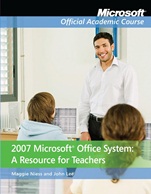
2007 Microsoft Office System: A Resource for Teachers
ISBN 9780470280980
Autor: Margaret L. Niess, John Lee
Wydawca: Wiley
Dostępność: 3-6 tygodni
Cena: 646,80 zł
Przed złożeniem zamówienia prosimy o kontakt mailowy celem potwierdzenia ceny.
ISBN13: |
9780470280980 |
ISBN10: |
0470280980 |
Autor: |
Margaret L. Niess, John Lee |
Oprawa: |
Paperback |
Rok Wydania: |
2008-12-19 |
Ilość stron: |
260 |
Wymiary: |
278x223 |
Tematy: |
JD |
Put the 2007 Office system to work in your classroom
The 2007 Office release is more than just a business person’s tool. Its suite of integrated applications can be a powerful tool for teachers both to teach computer skills and to augment the learning experience in many subject areas whose usefulness go far beyond the office. This book, 2007 Microsoft® Office System for Teachers, familiarizes you with the software and shows you new ways to utilize the technology in your classroom.
The book approaches the Microsoft Office 2007 suites on two levels: as a tool for the teacher in developing ideas, planning lessons, and preparing materials, and as an aid to student learning in specific subject areas, such as language arts, mathematics, science, and social studies. Through its chapters, you will:
Explore the Office 2007 suites and gain a deeper understanding of the features and functionality of Microsoft Office Word, Access®, Excel®, and PowerPoint®Understand TPACK (Technology, Pedagogy, and Content Knowledge), as well as the revised National Educational Technology Standards for Students (NETS•S) and the Standards for Teachers (NETS•T) and how they impact your classroomKnow how to best explain the use of Word, Access, Excel, and PowerPoint to your studentsUse Microsoft Office to build your teacher’s digital filing cabinet with resource ideas and lesson plansAdapt the technology to enhance learning in even non–technical subjects
Spis treści:
Part I: Introduction
Chapter 1: Teaching and Learning with Digital Technologies
Chapter 2: Microsoft Office– a Tool for Teachers and Students
Part II: Teaching and Learning with Microsoft Office
Chapter 3: Planning for Learning with Word
Chapter 4: Guiding Learning With Word
Chapter 5: Planning for Learning with PowerPoint
Chapter 6: Guiding Learning With PowerPo
int
Chapter 7: Planning for Learning With Excel Spreadsheets
Chapter 8: Guiding Learning With Excel Spreadsheets
Chapter 9: Planning for Learning with Access Databases
Chapter 10: Guiding Learning with Access Databases
Nota biograficzna:
Dr. Maggie Niess is a professor of mathematics and technology education at Oregon State University. Her research interests include gender equality in teaching science and mathematics and integrating technology in education K–12.
Dr. John K Lee is an associate professor of social studies and middle grades at North Carolina State University. He conducts research in the areas of digital history and new literacies learning.
Okładka tylna:
Put the 2007 Office system to work in your classroom
The 2007 Office release is more than just a business person’s tool. Its suite of integrated applications can be a powerful tool for teachers both to teach computer skills and to augment the learning experience in many subject areas whose usefulness go far beyond the office. This book, 2007 Microsoft® Office System for Teachers, familiarizes you with the software and shows you new ways to utilize the technology in your classroom.
The book approaches the Microsoft Office 2007 suites on two levels: as a tool for the teacher in developing ideas, planning lessons, and preparing materials, and as an aid to student learning in specific subject areas, such as language arts, mathematics, science, and social studies. Through its chapters, you will:
Explore the Office 2007 suites and gain a deeper understanding of the features and functionality of Microsoft Office Word, Access®, Excel®, and PowerPoint®Understand TPACK (Technology, Pedagogy, and Content Knowledge), as well as the revised National Educational Technology Standards for Students (NETS•S) and the Standards for Teachers (NETS•
T) and how they impact your classroomKnow how to best explain the use of Word, Access, Excel, and PowerPoint to your studentsUse Microsoft Office to build your teacher’s digital filing cabinet with resource ideas and lesson plansAdapt the technology to enhance learning in even non–technical subjects
Koszyk
Książek w koszyku: 0 szt.
Wartość zakupów: 0,00 zł
Informacje


Kontakt
Gambit
Centrum Oprogramowania
i Szkoleń Sp. z o.o.
Al. Pokoju 29b/22-24
31-564 Kraków
Siedziba Księgarni
ul. Kordylewskiego 1
31-542 Kraków
+48 12 410 5991
+48 12 410 5987
+48 12 410 5989
Subskrypcje
Administratorem danych osobowych jest firma Gambit COiS Sp. z o.o. Na podany adres będzie wysyłany wyłącznie biuletyn informacyjny.
Autoryzacja płatności

Informacje na temat autoryzacji płatności poprzez PayU.

© Copyright 2012: GAMBIT COiS Sp. z o.o. Wszelkie prawa zastrzeżone.
Projekt i wykonanie: Alchemia Studio Reklamy