


Wydawcy
Katalog tematyczny
- Archeologia (109)
- Ekonomia, finanse, business (13704)
- Filozofia (1445)
- Historia (3040)
- Języki i językoznawstwo (2356)
- Lifestyle, hobby i rozrywka (475)
- Medycyna (9704)
- Nauki humanistyczne (4)
- Nauki o Ziemi i środowisku (2638)
- Nauki ścisłe (20412)
- Nauki społeczne (8486)
- Nauki techniczne (13450)
- Prawo (1696)
- Publikacje informacyjne i interdyscyplinarne (1288)
- Religia i wierzenia (917)
- Technika komputerowa (4067)
- Zdrowie, relacje międzyludzkie i rozwój osobisty (657)





Informacje szczegółowe o książce
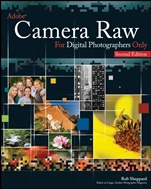
Adobe Camera Raw for Digital Photographers Only
ISBN 9780470224571
Autor: Rob Sheppard
Wydawca: Wiley
Dostępność: 3-6 tygodni
Cena: 216,30 zł
Przed złożeniem zamówienia prosimy o kontakt mailowy celem potwierdzenia ceny.
ISBN13: |
9780470224571 |
ISBN10: |
0470224576 |
Autor: |
Rob Sheppard |
Oprawa: |
Paperback |
Rok Wydania: |
2008-01-25 |
Numer Wydania: |
2nd Edition |
Ilość stron: |
362 |
Wymiary: |
232x188 |
Tematy: |
AJ |
Camera Raw gives you power to make your images fit your vision Rob Sheppard is, first and foremost, a photographer. He believes technology can support the creative process, but should never supplant it. So when he explains the details of Camera Raw, the steps for using it, the workflow process, and certain best practices, he demonstrates how Camera Raw can empower you. That said, he encourages you not to be limited by his perspective. Use Camera Raw as you see fit — because your work is your art. Explore the enhancements in the newest generation of Camera Raw Deal with RAW′s limitations Manage white balance and exposure Learn to use camera settings that make the most of RAW capabilities Understand and apply the Camera Raw workflow Reduce noise, especially in night shots Discover the creative possibilities of black–and–white with Camera Raw Take full advantage of Camera Raw′s special features
About the author. Credits. Foreword. Acknowledgments. Introduction. Part I Capture Workflow. Chapter 1 What are RAW Files Really About? A RAW start . Why use RAW? Understanding RAW. RAW capabilities. Do not shortchange RAW. What is 16–bit all about? Proprietary formats. The value of dng. Does jpeg have a place? Chapter 2 Shoot RAW Right from the Start. The digital darkroom. Understanding the sensor. Dealing with limitations. Exposure – more than getting brightness correct. Reading the histogram without being an engineer. Interpreting the histogram. Looking at histograms: examples of good and bad exposures. Perfect exposure with ideal histogram. Nice range of tones from left to right. Histogram has visual relationship to scene. Light tones kept in range. Black–and–white challenge. Restricted tonal range still needs good exposure. Poor exposure causes color problems. Bad light causes exposure problems. Poor exposure causes background problems. Exposure for shadows washes out highlights. Filters are still necessary. Noise raises its ugly head. Variations among cameras. Chapter 3 Color and RAW. Good RAW is good color. Adobe rgb versus srgb. Color space for the purpose needed. White balance: a RAWworkflow issue. White balance in the camera. Auto white balance. Preset white balance. Custom white balance. Q&A. Chapter 4 What’s New in Adobe Camera RAW? Making RAW processing more photographic. Some changes to the interface. First tab changes – tonal adjustments. First tab changes – color adjustments. Tone curve changes. Changes to the detail tab. The new hsl and grayscale tab. The new split toning tab. Presets. How lightroom affects camera RAW. Part II Camera RAW Workflow. Chapter 5 A Quick Look at Camera RAW Tools and Workflow. Finding your RAW photos. Bridge capabilities. Opening camera RAW. The importance of reset and undo. Camera RAW in six–part harmony. Camera RAW toolbar. Preview options. The ideal workflow. Base settings. How to approach camera RAW. Monitor calibration. Chapter 6 Workflow Applied. What is your photo about? Auto settings . Workflow options. Tonal adjustments. Color adjustments. Detail adjustments – sharpening. Detail adjustments – noise reduction. Save your work. Setting up camera RAW for your camera. Chapter 7 Advanced Tonal Control. Evaluate the image. First adjustments – blacks and highlights. Tone curve adjustments. Back to basic and clarity. Back to color. Refining color. Sharpening with the detail tab. Evaluate, and then open or save. Chapter 8 White Balance Decisions. A neutral subject is rarely neutral. Wave tonalities interpreted and more. Cloud, water, and rocks color. Dusk light. Dusk interpreted. Dusk color revealed. Aquarium greenery. Evaluating color. Key colors. Critical colors. Memory colors. Colorcasts. Weak color. Color interactions. Creative colors. Chapter 9 The Noise Problems No One Talks About. When noise becomes a problem. Watching for noise. Reducing noise in camera RAW. Working to control the noise. Looking deeper at noise. Readjusting the image. Chapter 10 Special Features of Camera RAW. Special tabs of camera RAW. Fixing lens problems. Correcting aberrations. Vignetting adjustments. Using the retouch tool. Using the red eye removal tool. Influencing color changes. Batch processing. Simple batching renaming. Group processing. Duplicating processing: saving settings and presets. Part III Making Camera RAW Work Harder for You. Chapter 11 Tough Decisions. Soft colors. No harsh contrasts. Adjusting with soft in mind. Color enhancement. The detail tab. Backlit contrast. Core decisions. Color enhancement. Not the normal light. Color or tonalities first? Night tone interpretation. Adjusting for the night. Crop for evaluation. Night noise. Final check. Chapter 12 Black–and–White Processing. Camera RAW or photoshop for black–and–white. Camera RAW does black–and–white right. How to think black–and–white. Shooting for black–and–white. Converting to grayscale. Optimum use of color sliders. Using split toning. Chapter 13 Double Processing for Exposure. One size may not fit all. Bright sky, dark ground. Bringing out the scene. Processing the bright areas. Processing the dark areas. The merging process. Putting two images into one. Small area changes. Process for the main photo. Process for the detail. Put them together again. Double processing for color and tonal range techniques. Two–shot processing. Into camera RAW. Making the photo work. Chapter 14 Post Camera Raw Processing. Ansel adams and image processing. What’s a good image, anyway? Expressing what you want. Interpreting an image. Sharpening. Appendix A: Aalternatives to Camera RAW. Why use other programs? Adobe photoshop lightroom or apple aperture versus camera RAW. Lightroom. Aperture. Camera–specific RAW converters. Canon zoombrowser ex and digital photo professional. Nikon capture. Olympus studio. Pentax photo browser/laboratory. Sigma photo pro. Sony RAW software. Independent RAW converters. Dxo RAW engine. Phase one capture one. Photoshop elements. Pixmantec RAWshooter. Pro Glossary. Index.
Rob Sheppard is editor–at–large for Outdoor Photographer , and is author/photographer of over 20 books including The National Geographic Field Guide to Photography and Adobe Photoshop Lightroom for Digital Photographers Only . He is committed to bringing professional photographers together with technology that benefits their craft. His Web site is www.robsheppardphoto.com.
Koszyk
Książek w koszyku: 0 szt.
Wartość zakupów: 0,00 zł
Informacje


Kontakt
Gambit
Centrum Oprogramowania
i Szkoleń Sp. z o.o.
Al. Pokoju 29b/22-24
31-564 Kraków
Siedziba Księgarni
ul. Kordylewskiego 1
31-542 Kraków
+48 12 410 5991
+48 12 410 5987
+48 12 410 5989
Subskrypcje
Administratorem danych osobowych jest firma Gambit COiS Sp. z o.o. Na podany adres będzie wysyłany wyłącznie biuletyn informacyjny.
Autoryzacja płatności

Informacje na temat autoryzacji płatności poprzez PayU.

© Copyright 2012: GAMBIT COiS Sp. z o.o. Wszelkie prawa zastrzeżone.
Projekt i wykonanie: Alchemia Studio Reklamy