


Wydawcy
Katalog tematyczny
- Archeologia (109)
- Ekonomia, finanse, business (13704)
- Filozofia (1445)
- Historia (3040)
- Języki i językoznawstwo (2356)
- Lifestyle, hobby i rozrywka (475)
- Medycyna (9704)
- Nauki humanistyczne (4)
- Nauki o Ziemi i środowisku (2638)
- Nauki ścisłe (20412)
- Nauki społeczne (8486)
- Edukacja (229)
- Kryminologia, opieka spełeczna (284)
- Obronność (10)
- Polityka (1389)
- Psychologia (777)
- Socjologia (410)
- Społeczeństwo i kultura (187)
- Nauki techniczne (13450)
- Prawo (1696)
- Publikacje informacyjne i interdyscyplinarne (1288)
- Religia i wierzenia (917)
- Technika komputerowa (4067)
- Zdrowie, relacje międzyludzkie i rozwój osobisty (657)





Informacje szczegółowe o książce
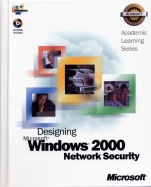
70–220 ALS Designing Microsoft Windows 2000 Network Security Package
ISBN 9780470065785
Autor: Microsoft Official Academic Course
Wydawca: Wiley
Dostępność: 3-6 tygodni
Cena: 270,90 zł
Przed złożeniem zamówienia prosimy o kontakt mailowy celem potwierdzenia ceny.
ISBN13: |
9780470065785 |
ISBN10: |
0470065788 |
Autor: |
Microsoft Official Academic Course |
Oprawa: |
Hardback |
Rok Wydania: |
2001-07-01 |
Ilość stron: |
998 |
Wymiary: |
272x201 |
Tematy: |
JD |
This official MCSE TRAINING KIT teaches IT professionals how to design network security solutions in Windows 2000 as they prepare for MCP Exam 70–220, a core elective on the new Windows 2000 MCSE track. The kit balances conceptual information with practical application: students learn through an integrated system of skill–building tutorials, case study examples, and self–assessment tools. Topics map directly to the objectives measured by the MCP exam, including analyzing business requirements for security; evaluating the technical environment; analyzing security requirements; planning a Windows 2000 network security solution; designing secure access between networks; and designing security for communications channels. Business scenario examples help students apply the concepts they learn to real–world work situations. An economical alternative to classroom instruction, this MCSE TRAINING KIT enables students to set their own pace and learn by doing!
Spis treści:
About This Book.
Intended Audience.
Prerequisites.
Reference Materials.
About the Supplemental Course Materials CD–ROM.
Features of This Book.
Chapter and Appendix Overview.
Getting Started.
About the Online Book .
Sample Readiness Review Questions.
The Microsoft Certified Professional Program.
Technical Support.
Chapter 1: Introduction to Microsoft Windows 2000 Security.
Chapter Scenario: Lucerne Publishing.
Lesson 1: Microsoft Windows 2000 Security Services Overview.
Lesson 2: Designing Security Business Requirements.
Lesson 3: Designing Security to Meet Technical Requirements.
Chapter 2: Designing Active Directory for Security.
Chapter Scenario: Wide World Importers .
Lesson 1: Designing Your Forest Structure.
Lesson 2: Designing Your Domain Structure.
Lesson 3: Designing an OU Structure.
Lesson 4: Designing an Audit Strategy.
Activity: Designing an A
udit Strategy.
Lab 2–1: Designing Active Directory for Security.
Chapter 3: Designing Authentication for a Microsoft Windows 2000 Network.
Chapter Scenario: Market Florist.
Lesson 1: Designing Authentication in a Microsoft Windows 2000 Network.
Lesson 2: Designing Kerberos Authentication.
Lesson 3: NTLM Authentication.
Lesson 4: Authenticating Down–Level Clients.
Lesson 5: Planning Server Placement for Authentication.
Activity: Analyzing Authentication Network Infrastructure.
Lab 3–1: Designing Authentication for the Network.
Chapter 4: Planning a Microsoft Windows 2000 Administrative Structure.
Chapter Scenario: Hanson Brothers.
Lesson 1: Planning Administrative Group Membership.
Lesson 2: Securing Administrative Access to the Network.
Activity: Administering the Network.
Lab 4–1: Designing Administration for a Microsoft Windows 2000 Network.
Chapter 5: Designing Group Security.
Chapter Scenario: Hanson Brothers.
Lesson 1: Designing Microsoft Windows 2000 Security Groups.
Activity: Reviewing Group Memberships.
Lesson 2: Designing User Rights.
Lab 5–1: Designing Security Groups and User Rights.
Chapter 6: Securing File Resources.
Chapter Scenario: Wide World Importers.
Lesson 1: Securing Access to File Resources.
Activity: Evaluating Permissions.
Lesson 2: Securing Access to Print Resources.
Lesson 3: Planning EFS Security.
Lab 6–1: Securing File and Print Resources.
Chapter 7: Designing Group Policy.
Chapter Scenario: Wide World Importers.
Lesson 1: Planning Deployment of Group Policy.
Lesson 2: Troubleshooting Group Policy.
Activity: Troubleshooting Group Policy Application.
Lab 7–1: Planning Group Policy Deployment.
Chapter 8: Securing Microsoft Windows 2000–Based Computers.
Chapter Scenario: Market Florist.
Lesson 1: Planning Microsoft Windows 2000 Security Tem
plates.
Activity: Evaluating a Security Template.
Lesson 2: Analyzing Security Settings with Security Configuration and Analysis.
Lesson 3: Planning the Deployment of Security by Using Security Templates.
Lab 8–1: Planning Security Templates.
Chapter 9: Designing Microsoft Windows 2000 Services Security.
Chapter Scenario: Lucerne Publishing.
Lesson 1: Designing DNS Security.
Activity: Designing DNS for Internal and External Use.
Lesson 2: Designing DHCP Security.
Lesson 3: Designing RIS Security.
Lesson 4: Designing SNMP Security.
Lesson 5: Designing Terminal Services Security.
Lab 9–1: Planning Security for Network Services.
Chapter 10: Planning a Public Key Infrastructure.
Chapter Scenario: Blue Yonder Airlines.
Lesson 1: Planning a Certification Authority Hierarchy.
Lesson 2: Managing Certification Authorities.
Activity: Planning Certificate Renewal Settings.
Lesson 3: Using Certificates for Authentication.
Lab 10–1: Planning a PKI Deployment.
Chapter 11: Securing Data at the Application Layer.
Chapter Scenario: Fabrikam Inc.
Lesson 1: Planning Authenticity and Integrity of Transmitted Data.
Lesson 2: Planning Encryption of Transmitted Data.
Activity: Determining Key Usage.
Lab 11–1: Providing Application–Layer Security for Contoso Ltd.
Chapter 12: Securing Data with Internet Protocol Security (IPSec).
Chapter Scenario: Fabrikam Inc.
Lesson 1: Designing IPSec Policies.
Activity: Evaluating IPSec Scenarios.
Lesson 2: Planning IPSec Deployment.
Lab 12–1: Designing IPSec Security.
Chapter 13: Securing Access for Remote Users and Networks.
Chapter Scenario: Hanson Brothers.
Lesson 1: Planning Remote Access Security.
Lesson 2: Designing Remote Access Security for Users.
Lesson 3: Designing Remote Access Security for Networks.
Lesson 4: Designing Remote Access Policy.
Activity: Designing Re
mote Access Policy.
Lesson 5: Planning RADIUS Security.
Lab 13–1: Designing Security for Remote Access Users.
Chapter 14: Securing an Extranet.
Chapter Scenario: Market Florist.
Lesson 1: Identifying Common Firewall Strategies.
Activity: Identifying Firewall Features.
Lesson 2: Securing Internet–Accessible Resources in a DMZ.
Lesson 3: Securing Data Flow Through a DMZ.
Lab 14–1: Designing Firewall Rules.
Chapter 15: Securing Internet Access.
Chapter Scenario: Wide World Importers.
Lesson 1: Designing an Internet Acceptable Use Policy.
Lesson 2: Securing Access to the Internet by Private Network Users.
Activity: Identifying Security Design Risks.
Lesson 3: Restricting Access to Content on the Internet.
Lesson 4: Auditing Internet Access.
Lab 15–1: Designing Secure Internet Access.
Chapter 16: Securing Access in a Heterogeneous Network Environment.
Chapter Scenario: Blue Yonder Airlines.
Lesson 1: Providing Interoperability Between Windows 2000 and Heterogeneous Networks.
Lesson 2: Securing Authentication in a Heterogeneous Network.
Activity: Identifying Authentication Risks in a Heterogeneous Network Environment.
Lesson 3: Designing Directory Synchronization and Integration.
Lesson 4: Securing Access to Windows 2000 Resources.
Lesson 5: Securing Windows 2000 User Access to Heterogeneous Networks.
Lab 16–1: Securing Heterogeneous Clients.
Chapter 17: Designing a Security Plan.
Chapter Scenario: Fabrikam Inc.
Lesson 1: Defining a Security Policy.
Lesson 2: Developing a Security Plan.
Lesson 3: Maintaining a Security Plan.
Appendix: Answers.
Index.
Nota biograficzna:
Microsoft Corporation – Founded in 1975, Microsoft (Nasdaq ‘MSFT’) is the worldwide leader in software for personal and business computing. The company offers a wide range of products and services
Koszyk
Książek w koszyku: 0 szt.
Wartość zakupów: 0,00 zł
Informacje


Kontakt
Gambit
Centrum Oprogramowania
i Szkoleń Sp. z o.o.
Al. Pokoju 29b/22-24
31-564 Kraków
Siedziba Księgarni
ul. Kordylewskiego 1
31-542 Kraków
+48 12 410 5991
+48 12 410 5987
+48 12 410 5989
Subskrypcje
Administratorem danych osobowych jest firma Gambit COiS Sp. z o.o. Na podany adres będzie wysyłany wyłącznie biuletyn informacyjny.
Autoryzacja płatności

Informacje na temat autoryzacji płatności poprzez PayU.

© Copyright 2012: GAMBIT COiS Sp. z o.o. Wszelkie prawa zastrzeżone.
Projekt i wykonanie: Alchemia Studio Reklamy