


Wydawcy
Katalog tematyczny
- Archeologia (109)
- Ekonomia, finanse, business (13704)
- Filozofia (1445)
- Historia (3040)
- Języki i językoznawstwo (2356)
- Lifestyle, hobby i rozrywka (475)
- Medycyna (9704)
- Nauki humanistyczne (4)
- Nauki o Ziemi i środowisku (2638)
- Nauki ścisłe (20412)
- Nauki społeczne (8486)
- Nauki techniczne (13450)
- Prawo (1696)
- Publikacje informacyjne i interdyscyplinarne (1288)
- Religia i wierzenia (917)
- Technika komputerowa (4067)
- Zdrowie, relacje międzyludzkie i rozwój osobisty (657)





Informacje szczegółowe o książce
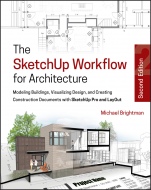
The SketchUp Workflow for Architecture: Modeling Buildings, Visualizing Design, and Creating Construction Documents with SketchUp Pro and LayOut
ISBN 9781119383635
Autor: Michael Brightman
Wydawca: Wiley
Dostępność: 3-6 tygodni
Cena: 300,30 zł
Przed złożeniem zamówienia prosimy o kontakt mailowy celem potwierdzenia ceny.
ISBN13: |
9781119383635 |
ISBN10: |
1119383633 |
Autor: |
Michael Brightman |
Oprawa: |
Paperback |
Rok Wydania: |
2018-09-07 |
Numer Wydania: |
2nd Edition |
Ilość stron: |
512 |
Wymiary: |
232x189 |
Tematy: |
AM |
A guide for leveraging SketchUp for any project size, type, or style. New construction or renovation.
The revised and updated second edition of The SketchUp Workflow for Architecture offers guidelines for taking SketchUp to the next level in order to incorporate it into every phase of the architectural design process. The text walks through each step of the SketchUp process from the early stages of schematic design and model organization for both renovation and new construction projects to final documentation and shows how to maximize the LayOut toolset for drafting and presentations. Written by a noted expert in the field, the text is filled with tips and techniques to access the power of SketchUp and its related suite of tools.
The book presents a flexible workflow method that helps to make common design tasks easier and gives users the information needed to incorporate varying degrees of SketchUp into their design process. Filled with best practices for organizing projects and drafting schematics, this resource also includes suggestions for working with LayOut, an underused but valuable component of SketchUp Pro. In addition, tutorial videos compliment the text and clearly demonstrate more advanced methods. This important text:
Presents intermediate and advanced techniques for architects who want to use SketchUp in all stages of the design process
Includes in–depth explanations on using the LayOut tool set that contains example plans, details, sections, presentations, and other information
Updates the first edition to reflect the changes to SketchUp 2018 and the core functionalities, menus, tools, inferences, arc tools, reporting, and much more
Written by a SketchUp authorized trainer who has an active online platform and extensive connections within the SketchUp community
Contains accompanying tutorial videos that demonstrate some of the more advanced SketchUp tips and tricks
Written for professional architects, as well as professionals in interior design and landscape architecture, The SketchUp Workflow for Architecture offers a revised and updated resource for using SketchUp in all aspects of the architectural design process.
Part I: Starting the Flow
Chapter 1 Introduction
The Updated Workflow
Who Should Read This Book?
What s in This Book?
What Are the Prerequisites?
SketchUp Make or SketchUp Pro?
Online Content
Mental Preparation
Portfolio
Chapter Points
Chapter 2: Building Information Modeling
What Is BIM?
SketchUp and LayOut as BIM
Filling in the BIM Blanks
BIM Burnout
The SketchUp Outlook
Chapter Points
Chapter 3: Hardware
Mac vs. PC
Specs
Comparison Shopping
Systems
Chapter Points
Chapter 4: File and Folder Management
Folders and Files
Cloud Storage
Archiving
Chapter Points
Part II: SketchUp
Chapter 5: SketchUp Basics
Five Core Concepts
Leveraging SketchUp
Precise Modeling
Modeling Strategy
Creating Geometry
Organizing Geometry with Containers
Section Planes
Layers, Styles, and Scenes
Chapter Points
Chapter 6: The Professional s SketchUp Template
Base Template
Model Info
Standard Layers
Styles
Utility Scenes
Chapter Points
Chapter 7: The Professional s SketchUp Environment
Toolbars
Trays and Dialogs
System Preferences
Chapter Points
Chapter 8: SketchUp Collections
Material Collection
Component Collections
Styles Collection
Chapter Points
Chapter 9: Extensions
Find Extensions
Installing Extensions
Using Extensions
Recommended Extensions
Chapter Points
Part III: LayOut
Chapter 10: Introduction to LayOut
What Is LayOut?
Why LayOut?
Chapter Points
Chapter 11: The LayOut Interface
Getting Started
Main Toolbar
Document Setup
Preferences Window
Inspectors
Chapter Points
Chapter 12: The Professional s LayOut Environment
New Presentation
System Preferences
Custom Toolbars
Trays
Basic LayOut Template
Chapter Points
Chapter 13: LayOut Tools
Navigating LayOut
Drawing Tools
Annotation Tools
Tables
Modification Tools
Chapter Points
Chapter 14: Inserting Content
Working with SketchUp Models
Working with Images
Working with Text
Working with Tables
Managing References
Chapter Points
Part IV: Model Organization
Chapter 15: Model Organization Overview
Core Concepts of Model Organization
Nesting Groups and Layers
Simplify the System
Expand the System
Chapter Points
Chapter 16: New Construction
New Construction Process
The BLVD Coffee Shop Project
Chapter Points
Chapter 17: Renovation
Renovation Process
The Milwaukee Street Renovation Project
Chapter Points
Part V: Visualization
Chapter 18: Introduction to Visualization/Preparation
Presentations
Level of Detail
Real Objects
Populating a Scene
Preparing a Model
Chapter Points
Chapter 19: Rendering
SketchUp Stills
SketchUp Animations
Photorealistic Rendering
Chapter Points
Chapter 20: Altered Reality
Virtual Reality
Augmented Reality
Chapter Points
Part VI: Construction Documents
Chapter 21: Crucial Concepts for Construction Documents
Visual Merge
Representing Objects
Section Planes
Rendering Settings Theory
Line Weight Theory
Stacking Viewports
Hatching
Chapter Points
Chapter 22: Title Blocks
Templates
Chapter Points
Chapter 23: Drawings
Drawings
Chapter Points
Chapter 24: Annotations
Annotations
Scrapbooks
Using Collections
Chapter Points
Chapter 25: Exporting
Exporting to PDF
Exporting to CAD
Conclusion
Chapter Points
Index
Michael Brightman is President and Lead Instructor at Brightman Designs, a firm of designers, visualization experts, and trainers. He is only one of 10 Trimble authorized "Expert Trainers" of Sketchup. The firm features a 3D helpline on all things SketchUp Pro, LayOut, ConDoc Tools, and Lumion.
Koszyk
Książek w koszyku: 0 szt.
Wartość zakupów: 0,00 zł
Informacje


Kontakt
Gambit
Centrum Oprogramowania
i Szkoleń Sp. z o.o.
Al. Pokoju 29b/22-24
31-564 Kraków
Siedziba Księgarni
ul. Kordylewskiego 1
31-542 Kraków
+48 12 410 5991
+48 12 410 5987
+48 12 410 5989
Subskrypcje
Administratorem danych osobowych jest firma Gambit COiS Sp. z o.o. Na podany adres będzie wysyłany wyłącznie biuletyn informacyjny.
Autoryzacja płatności

Informacje na temat autoryzacji płatności poprzez PayU.

© Copyright 2012: GAMBIT COiS Sp. z o.o. Wszelkie prawa zastrzeżone.
Projekt i wykonanie: Alchemia Studio Reklamy