


Wydawcy
Katalog tematyczny
- Archeologia (109)
- Ekonomia, finanse, business (13704)
- Filozofia (1445)
- Historia (3040)
- Języki i językoznawstwo (2356)
- Lifestyle, hobby i rozrywka (475)
- Medycyna (9704)
- Nauki humanistyczne (4)
- Nauki o Ziemi i środowisku (2638)
- Nauki ścisłe (20412)
- Astronomia (294)
- Biologia (5119)
- Chemia (6540)
- Fizyka (3309)
- Matematyka (4574)
- Nauki ścisłe, ogólnie (503)
- Nauki społeczne (8486)
- Nauki techniczne (13450)
- Prawo (1696)
- Publikacje informacyjne i interdyscyplinarne (1288)
- Religia i wierzenia (917)
- Technika komputerowa (4067)
- Zdrowie, relacje międzyludzkie i rozwój osobisty (657)





Informacje szczegółowe o książce
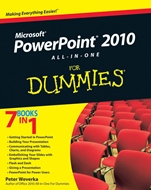
PowerPoint 2010 All–in–One For Dummies
ISBN 9780470500996
Autor: Peter Weverka
Wydawca: Wiley
Dostępność: 3-6 tygodni
Cena: 178,50 zł
Przed złożeniem zamówienia prosimy o kontakt mailowy celem potwierdzenia ceny.
ISBN13: |
9780470500996 |
ISBN10: |
0470500999 |
Autor: |
Peter Weverka |
Oprawa: |
Paperback |
Rok Wydania: |
2010-05-28 |
Ilość stron: |
600 |
Wymiary: |
232x189 |
Tematy: |
P |
7 Books in 1
Getting Started in PowerPoint
Building Your Presentation
Communicating with Tables, Charts, and Diagrams
Embellishing Your Slides with Graphics and Shapes
Flash and Dash
Giving a Presentation
PowerPoint for Power Users
Make your point with slides that grab attention and really communicate
PowerPoint is a necessity for communicating in the boardroom or the classroom. To take full advantage of all you can do with it, grab this book! Get started with guidelines on using the interface efficiently and creating slides; then learn to design tables, charts, and shapes and use animations. You′ll even find tips on creative ways to deliver the presentation.
Start out right — learn to navigate the program, perform basic tasks, and design presentations, all in Book I
Watch it grow — Book II helps you manipulate and format slides, work with master slides and styles, and craft the look of your presentation
Table this, chart that — explore how to create, design, and format tables, charts, and diagrams in Book III
Dress it up — in Book IV, you′ll learn to spice up your slides with photos, shapes, graphics, and clip art
The "wow" stuff — Book V shows you how to use transitions, animations, video, and sound
Special delivery — discover techniques in Book VI for delivering your presentation and preparing it for print
Power up — Book VII covers customizing PowerPoint, designing templates, collaborating with others, and more
Open the book and find:
PowerPoint′s nuts and bolts
How master styles and master slides work
What it takes to create a chart
Tips for constructing the perfect table
Why you might want to let the viewer run your presentation
How to turn a bulleted list into a diagram
Quick ways to animate slidesHow to embed data from another program into a slide
Spis treści:
Introduction.
Book I: Getting Started in PowerPoint.
Chapter 1: Introducing PowerPoint.
Chapter 2: PowerPoint Nuts and Bolts.
Chapter 3: Finding Your Way around the PowerPoint Screen.
Chapter 4: Planning Ahead for a Solid Presentation.
Book II: Building Your Presentation.
Chapter 1: Inserting and Handling Slides.
Chapter 2: Handling Master Slides and Master Styles.
Chapter 3: Handling Slide Backgrounds.
Chapter 4: Entering the Text.
Chapter 5: Formatting Text on a Slide.
Book III: Communicating with Tables, Charts, and Diagrams.
Chapter 1: Constructing the Perfect Table.
Chapter 2: Putting a Chart on a Slide.
Chapter 3: Putting Diagrams on Slides.
Book IV: Embellishing Your Slides with Graphics and Shapes.
Chapter 1: Drawing Shapes, Lines, and Other Objects.
Chapter 2: Managing and Manipulating Objects.
Chapter 3: Decorating Slides with Graphics and Photographs.
Chapter 4: Decorating Slides with Clip Art.
Book V: Flash and Dash.
Chapter 1: Taking Advantage of Transitions and Animations.
Chapter 2: Making Video Slides.
Chapter 3: Making Audio and Music a Part of a Presentation.
Book VI: Giving a Presentation.
Chapter 1: Giving an In–Person Presentation.
Chapter 2: Speaker Notes and Handouts.
Chapter 3: Creating a Self–Running Presentation.
Chapter 4: Creating a User–Run Presentation.
Chapter 5: Alternative Ways to Distribute Presentations.
Book VII: PowerPoint for Power Users.
Chapter 1: Customizing PowerPoint.
Chapter 2: Creating a Presentation Design for Your Company.
Chapter 3: Collaborating with Others on a Presentation.
Chapter 4: Linking and Embedding for Compound Presentations.
Chapter 5: Automating Tasks with Macros.
Index.
Nota biograficzna:
Peter Weverka is a longtime For Dummies series author. In addition to several editions of both Office All–in–One For Dummies and Word For Dummies Quick Reference, he wrote PowerPoint 2007 All–in–One For Dummies and multiple editions of Microsoft Money For Dummies.
Okładka tylna:
7 Books in 1
Getting Started in PowerPoint
Building Your Presentation
Communicating with Tables, Charts, and Diagrams
Embellishing Your Slides with Graphics and Shapes
Flash and Dash
Giving a Presentation
PowerPoint for Power Users
Make your point with slides that grab attention and really communicate
PowerPoint is a necessity for communicating in the boardroom or the classroom. To take full advantage of all you can do with it, grab this book! Get started with guidelines on using the interface efficiently and creating slides; then learn to design tables, charts, and shapes and use animations. You′ll even find tips on creative ways to deliver the presentation.
Start out right — learn to navigate the program, perform basic tasks, and design presentations, all in Book I
Watch it grow — Book II helps you manipulate and format slides, work with master slides and styles, and craft the look of your presentation
Table this, chart that — explore how to create, design, and format tables, charts, and diagrams in Book III
Dress it up — in Book IV, you′ll learn to spice up your slides with photos, shapes, graphics, and clip art
The "wow" stuff — Book V shows you how to use transitions, animations, video, and sound
Special delivery — discover techniques in Book VI for delivering your presentation and preparing it for print
Power up — Book VII covers customizing PowerPoint, designing templates, collaborating with others, and more
Open the book and fin
d:
PowerPoint′s nuts and bolts
How master styles and master slides work
What it takes to create a chart
Tips for constructing the perfect table
Why you might want to let the viewer run your presentation
How to turn a bulleted list into a diagram
Quick ways to animate slides
How to embed data from another program into a slide
Koszyk
Książek w koszyku: 0 szt.
Wartość zakupów: 0,00 zł
Informacje


Kontakt
Gambit
Centrum Oprogramowania
i Szkoleń Sp. z o.o.
Al. Pokoju 29b/22-24
31-564 Kraków
Siedziba Księgarni
ul. Kordylewskiego 1
31-542 Kraków
+48 12 410 5991
+48 12 410 5987
+48 12 410 5989
Subskrypcje
Administratorem danych osobowych jest firma Gambit COiS Sp. z o.o. Na podany adres będzie wysyłany wyłącznie biuletyn informacyjny.
Autoryzacja płatności

Informacje na temat autoryzacji płatności poprzez PayU.

© Copyright 2012: GAMBIT COiS Sp. z o.o. Wszelkie prawa zastrzeżone.
Projekt i wykonanie: Alchemia Studio Reklamy